In this article
- What Does COIN Score Measure?
- How Is COIN Score Calculated?
- A Simple COIN Example
- What Counts As A Savings Opportunity?
- Savings Opportunity Is Not The Same As Savings Realized
- Why COIN Is Useful For FinOps Teams
- Where COIN Can Mislead You
- Should You Aim For A COIN Score Of 100?
- What To Check Before Acting On A Low COIN Score
- Why Context Matters Before You Act
- Final Takeaway
- COIN Score FAQs
COIN Score, or Cost Optimization Index, is a FinOps KPI for measuring cloud cost efficiency.
It compares known savings opportunities against total cloud cost, then turns that relationship into a score from 0 to 100.
The formula is:
COIN = [1 – (Total Savings Opportunity / Total Cost)] × 100
If known savings opportunities represent 20% of the spend you are measuring, the COIN Score is 80.
Simple enough, right? But the calculation isn't the difficult part.
The real questions are:
- Are the savings opportunities accurate?
- Are any being counted twice?
- Can the savings actually be realized?
- Is the change worth the effort and risk?
- What happens if engineering acts on the recommendation?
COIN tells you where to look. It doesn't tell you what to shut down.
What Does COIN Score Measure?
COIN measures known savings opportunities against total cloud cost.
It's a cost efficiency metric, not a complete measure of cloud health or FinOps maturity.
A maturity assessment might ask:
“How mature is our FinOps operating model?”
COIN asks:
“How much known optimization opportunity exists in this cloud scope?”
That difference is key.
A team could have a high COIN Score while still struggling with tagging, ownership, forecasting, or allocation.
Another team could see its COIN Score fall after introducing better utilization data and discovering opportunities it previously couldn't see.
That doesn't necessarily mean efficiency got worse.
It may mean visibility got better.
How Is COIN Score Calculated?
The formula is:
COIN = [1 – (Total Savings Opportunity / Total Cost)] × 100
There are 2 inputs.
1. Total Cost
This is the cloud cost for the scope you are measuring.
That might be:
- A team
- An application
- An AWS account
- An Azure subscription
- An environment
- A cost center
- A business unit
2. Total Savings Opportunity
This is the estimated value of known cost optimization opportunities in that same scope.
That could include idle resources, rightsizing, unused commitments, storage changes, or other areas where spend may be reduced.
The result is a normalized score.
If 10% of spend is tied to known savings opportunities, COIN is 90.
If 30% is tied to known savings opportunities, COIN is 70.
This makes COIN useful for comparing relative efficiency across scopes with very different levels of spend.
A Simple COIN Example
Suppose a team spends $100,000 per month.
Your optimization analysis identifies $20,000 of potential monthly savings.
The calculation is:
COIN = [1 – ($20,000 / $100,000)] × 100
COIN = 80
That means known savings opportunities represent roughly 20% of the spend included in that scope.
It doesn't mean every other dollar is being used perfectly.
And it definitely does not mean you can immediately remove $20,000 from next month's bill.
Some recommendations may not survive engineering review.
What Counts As A Savings Opportunity?
This is where COIN becomes useful or starts to lose credibility.
Savings opportunities might include:
- Underused compute
- Idle resources
- Orphaned volumes
- Unused snapshots
- Outdated storage tiers
- Older instance generations
- Rightsizing opportunities
- Avoidable network charges
- Unused or underused commitments
- Inefficient architecture patterns
But identifying a resource is not enough on its own.
A useful savings opportunity should explain:
- Which resource is affected
- What triggered the recommendation
- What change is suggested
- How the saving was calculated
- Who owns the resource
- Whether it supports production
- What needs to be checked before it changes
That last one matters.
A low-utilization VM may be oversized. Or it may support failover, burst traffic, batch processing, or a quiet but important production workload.
Cloud waste is not always obvious waste.
Savings Opportunity Is Not The Same As Savings Realized
This is another important distinction.
A FinOps tool might identify $50,000 in potential monthly savings.
That doesn't mean $50,000 will reach the bottom line.
In practice, the process often looks more like this:
Identify opportunity > Validate opportunity > Approve change > Implement change > Realize savings
Perhaps engineering reviews that $50,000 and decides only $35,000 is genuinely actionable.
Maybe $25,000 gets prioritized and implemented.
Then you still need to check whether the expected savings actually appeared in the billing data.
COIN measures known savings opportunity. A mature FinOps practice will also care about how much of that opportunity turns into verified value.
Why COIN Is Useful For FinOps Teams
COIN gives teams a simple way to track cost efficiency over time.
It can help you:
- Compare similar teams or environments
- Identify areas with larger efficiency gaps
- Prioritize optimization work
- Give finance and engineering a shared KPI
- Track whether known optimization opportunity is shrinking
It also separates 2 questions that are often confused:
“Who spends the most?”
and
“Who has the largest efficiency gap?”
For example:
Team A spends $500,000 per month and has $25,000 in known savings opportunities
Team B spends $50,000 per month and has $10,000 in known savings opportunities
Team A has the bigger absolute opportunity. But its COIN Score is 95.
Team B's COIN Score is 80. Team B spends much less, but a larger proportion of that spend is tied to known optimization opportunity.
That gives FinOps teams another useful way to prioritize.
Where COIN Can Mislead You
COIN is simple enough to look more objective than it really is.
There are a few traps.
1. Your Savings Model May Be Incomplete
If your tooling only detects a narrow set of issues, your score may look better than reality.
A high COIN Score can mean “few known opportunities.”
It doesn't necessarily mean “few opportunities exist.”
2. Opportunities Can Overlap
The same resource may appear in more than 1 recommendation.
An instance could be both oversized and running on an older generation.
If those potential savings are simply added together, the opportunity total can be inflated.
3. Some Inefficiency Is Intentional
Teams make deliberate trade-offs around:
- Performance
- Resilience
- Availability
- Security
- Compliance
- Recovery
An apparently inefficient resource may exist for a good reason.
That reason can still be challenged, but it shouldn't be ignored.
4. Better Detection Can Make COIN Worse
Suppose you introduce better utilization data and discover another $100,000 in savings opportunities.
Your COIN Score falls.
The estate did not suddenly become less efficient. Your understanding improved.
That is why changes to the savings model should be recorded alongside the score.
Should You Aim For A COIN Score Of 100?
Not necessarily. This is one of the easiest mistakes to make with COIN.
As optimization improves, the obvious opportunities usually disappear first.
Idle resources get removed.
Large instances get rightsized.
Commitments improve.
Old storage gets cleaned up.
What remains often becomes harder to justify.
After all, a $50 monthly saving that needs several hours of engineering work, testing, approvals, and a production change window might be technically valid but commercially pointless.
The FinOps Foundation's current Usage Optimization guidance reflects this idea: optimization should be prioritized by weighing potential value against effort, risk, and disruption.
So a COIN Score of 97 might be perfectly reasonable if the remaining 3% represents:
- Deliberate resilience
- Accepted operational risk
- Low-value opportunities
- Work deferred for good engineering reasons
The aim isn't a perfect score. The aim is better technology value.
What To Check Before Acting On A Low COIN Score
A low COIN Score should trigger investigation, not panic.
Before acting, check:
- What savings opportunities are included?
- Are any duplicated?
- How reliable are the estimates?
- Has the scoring model changed?
- Do we know who owns the resources?
- What services depend on them?
- Are security, compliance, or resilience requirements involved?
- How much engineering effort is required?
- Is the saving worth the risk and disruption?
That final question is often the most useful one.
A $40 monthly saving that needs 3 teams, 2 approvals, testing, and a production change window is probably not your next priority.
A $4,000 monthly saving from an unused non-production resource with a known owner and no dependencies probably is.
Both affect COIN.
They are not equally valuable pieces of work.
Why Context Matters Before You Act
This is where many optimization programs slow down.
FinOps finds the opportunity.
Engineering asks what the resource does.
Finance asks why the saving hasn't been taken.
Security asks whether the change introduces risk.
And nobody wants to remove something important because a dashboard said it looked idle.
Before changing, resizing, or deleting a resource, you may need to know:
- Who owns it
- What it supports
- What it connects to
- Whether anything depends on it
- Whether it is production
- Whether security or compliance controls apply
- Who needs to approve the change
Cost data alone cannot answer those questions.
Cost, ownership, architecture, and risk need to meet before action happens.
That is where Hyperglance can help.
Instead of stopping at:
“There is a potential saving here.”
You can investigate:
“What is this, who owns it, what depends on it, and is it safe and worthwhile to change?”
That's a much better FinOps conversation.
Final Takeaway
COIN Score is a useful FinOps KPI because it turns known cloud savings opportunity into a normalized measure.
The calculation is easy. Using it well is harder.
You need reliable savings estimates, consistent scopes, sensible treatment of overlapping recommendations, and enough context to separate genuine waste from deliberate engineering decisions.
And you should resist treating 100 as the goal.
The better way to frame it is:
“Which of these opportunities are worth acting on, and what do we need to know before we do?”
COIN tells you where to look. Context helps you decide what to do next.
COIN Score FAQs
What Does COIN Stand For In FinOps?
COIN stands for Cost Optimization Index.
It measures known cloud savings opportunities against total cloud cost to produce a normalized score from 0 to 100.
What Is A Good COIN Score?
There is no universal good COIN Score.
The right benchmark depends on your environment, what your savings model detects, and the trade-offs your organization accepts around performance, resilience, risk, and engineering effort.
Tracking your own score consistently over time is often more useful than chasing an arbitrary external target.
Should You Aim For A COIN Score Of 100?
Not necessarily.
Some remaining opportunities may cost more in engineering effort, operational risk, or disruption than the potential saving justifies.
Is COIN The Same As Cloud Waste?
Not exactly.
COIN uses estimated savings opportunities to indicate cloud cost efficiency. Those opportunities still need to be validated before action.
What Is The Main Limitation Of COIN?
COIN is only as reliable as the savings opportunity model behind it.
Missing opportunities can make the score look artificially strong. Duplicate or unrealistic recommendations can make it look artificially weak.
Use COIN to guide investigation, not replace engineering judgment.
Why Teams Choose Hyperglance in 2026
Hyperglance is a strong fit when cost data alone doesn’t give your team enough context.
That often happens when teams are asking questions like:
- What is running across our cloud estate?
- Who owns this resource?
- Why did this cost change?
- What else depends on it?
- Is it safe to clean up?
- Which policy, security, or compliance issue needs attention?
- Can we route this to the right owner or trigger an approved action?
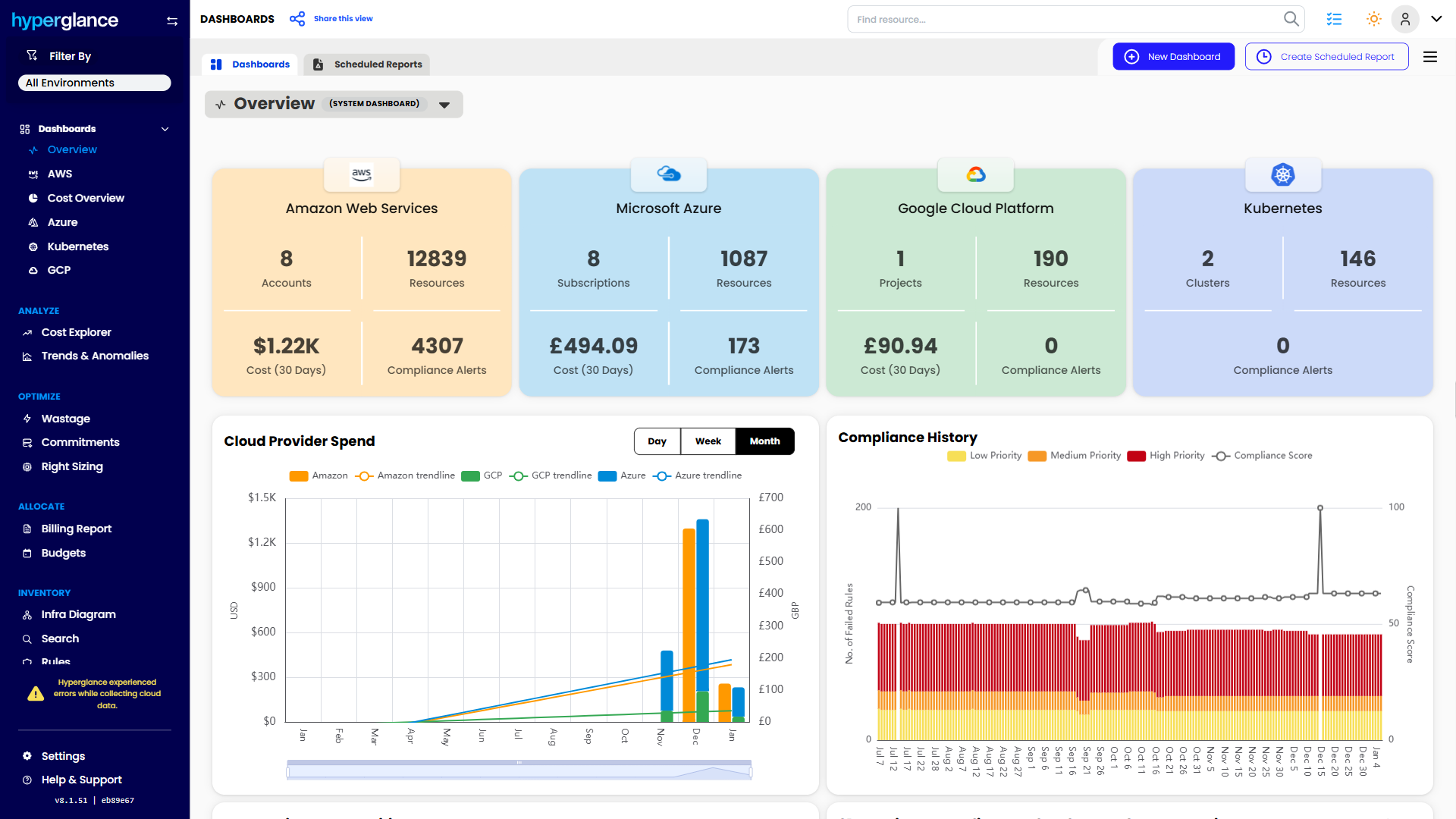
We help teams connect cloud cost to infrastructure context across AWS, Azure, Google Cloud, and Kubernetes. That means FinOps, CloudOps, platform, security, and leadership teams can work from the same view.
Hyperglance is especially useful for mid-market, enterprise, MSP, public sector, and regulated teams where ownership, governance, automation, and data control matter.
What You Can Do With Hyperglance
- See cost, resources, relationships, and ownership in one place
- Visualize cloud architecture with interactive diagrams
- Find waste, policy issues, and cost anomalies faster
- Route findings to the right team through existing workflows
- Use no-code automation for approved fixes
- Run Hyperglance in your own environment when data control matters
Want to see where Hyperglance fits in your FinOps stack?
Explore the product, start a free trial, or book a demo with the team.

About The Author: David Gill
As Hyperglance's Chief Technology Officer (CTO), David looks after product development & maintenance, providing strategic direction for all things tech. Having been at the core of the Hyperglance team for over 10 years, cloud optimization is at the heart of everything David does.