
Self-Hosted Cloud Management & FinOps for Government
See What’s Running, Who Owns it, What it Costs, and What’s Safe to Change

✅ AWS GovCloud
✅ Azure Government
✅ Self Hosted
✅ SAM.gov Registered
✅ CAGE Code 9VL31
Built for Controlled Government Environments
A cloud management tool can be useful on paper and still be difficult to approve in practice.
Deployment location, outbound connectivity, security hardening, authorization boundaries, and operational control can all affect whether a platform is suitable for a government environment.
Hyperglance runs inside your environment, giving your organization greater control over deployment, cloud management data, user access, and outbound connectivity.
Self-Hosted
Deploy Hyperglance inside infrastructure you control rather than sending cloud management data to another SaaS platform.
Agentless
Connect through cloud provider APIs without installing management agents across every managed resource.
AWS GovCloud
Discover, map, and investigate supported AWS GovCloud resources.
Azure Government
Bring Azure Government subscriptions into the same inventory, architecture, cost, and governance workflows.
Hardened Deployment Options
RHEL/FIPS-oriented deployment options are available, with STIG hardening for selected components and software configurations.
Controlled Federal Environments
Deployment can support suitability for DoD IL5 and other controlled federal environments, subject to the agency’s architecture and authorization process.

Trusted Across Government & Defense









What Makes Cloud Hard In Government
Government cloud teams have to balance cost, service delivery, security, procurement rules, and accountability.
That gets harder when environments span multiple AWS accounts, Azure subscriptions, Kubernetes clusters, teams, vendors, or organizational boundaries. Some agencies also operate AWS GovCloud or Azure Government environments alongside other cloud infrastructure.
A cost spike might belong to a single program, a shared platform, a contractor-managed workload, or infrastructure nobody can confidently assign.
And finding something expensive is only part of the job.
Before changing it, engineering still needs to know what it supports, who depends on it, whether it has an owner, and whether taking action could affect an important service.
Tags can help. But government estates often outlive tagging standards, team structures, contracts, and individual projects. A tag saying “Program-A” doesn't necessarily tell you who owns the resource today or whether it is safe to remove.
That's where cost, ownership, and architecture need to meet. And in controlled environments, those answers may also need to stay inside an infrastructure and security boundary the agency controls.
Multicloud Cost Explorer
The 3 Problems We See Most
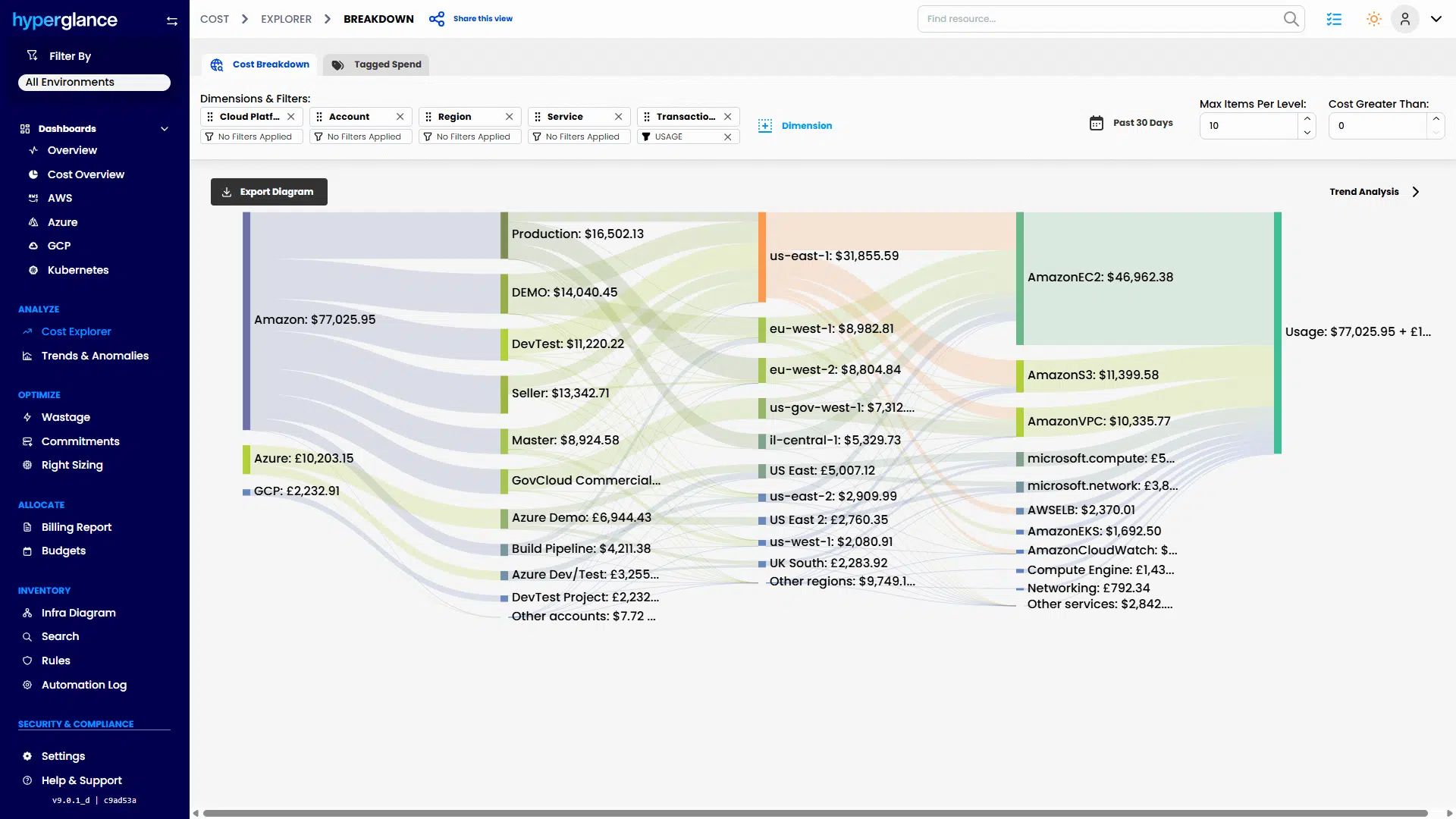
Cost
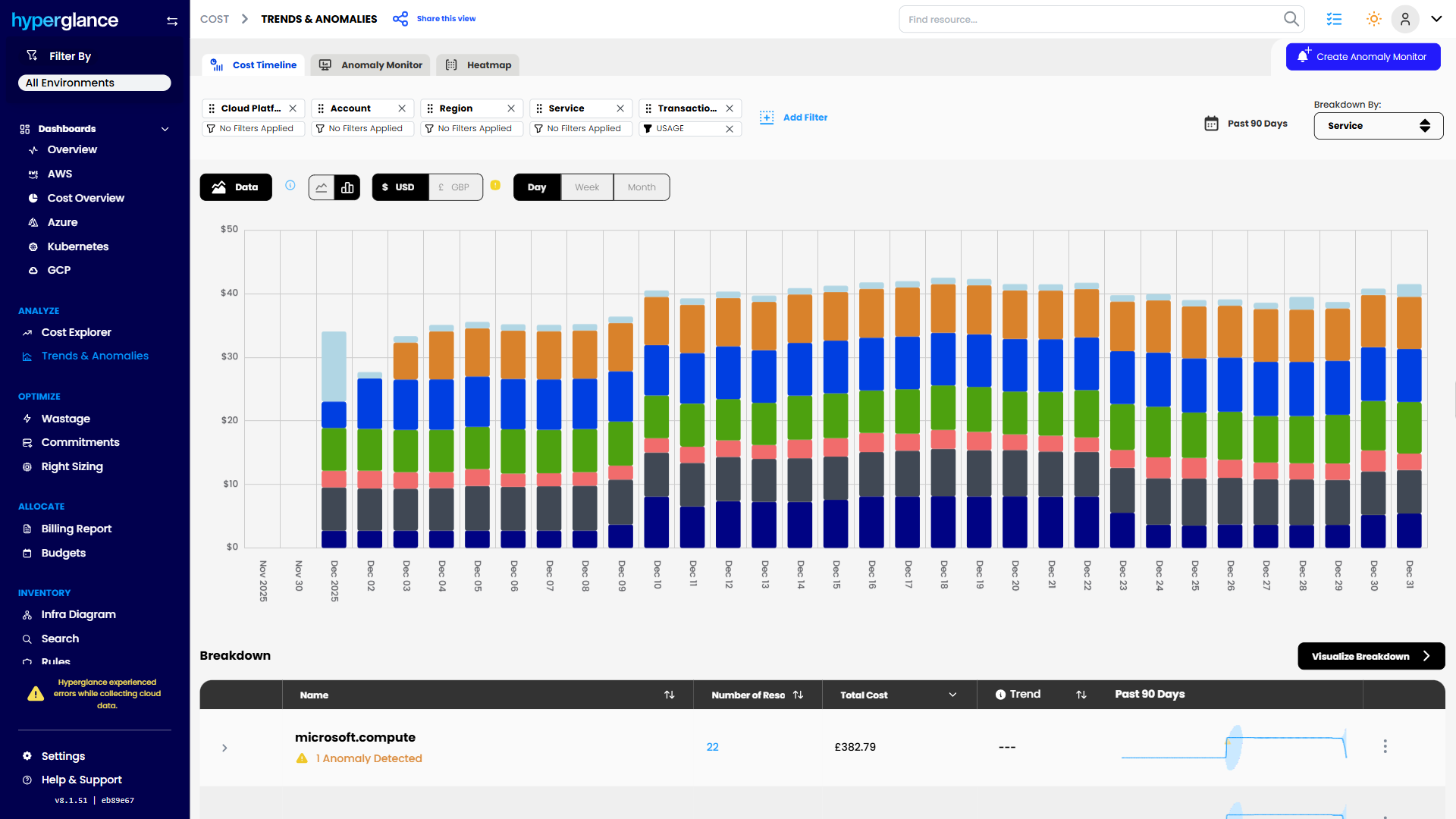
Cloud spend can rise long before anyone can explain why.
Hyperglance connects spend back to resources, ownership, business structure, and architecture so teams can investigate what changed.


Ownership
A resource is easier to manage when you know who owns it, what it supports, and where it sits in the wider environment.
Hyperglance shows who owns each resource, what it supports, and how it fits into the wider cloud environment.
Risk
An idle or underused resource might be waste. Or it might support something important.
Hyperglance adds architecture, ownership, configuration, and security context before action is taken.

How Hyperglance Helps

See
Build a clearer picture of what exists across AWS, Azure, Google Cloud, and Kubernetes.
View cloud inventory and architecture relationships together, rather than investigating each account, subscription, or platform separately.
That makes it easier to trace the infrastructure behind a service, program, cost center, or unexpected bill.

Validate
Before acting on a cost or governance issue, check the surrounding context.
Look at ownership, tags, relationships, configuration, cost, and other relevant signals to understand whether a resource is really unnecessary or simply looks that way in isolation.
This is particularly useful when several teams need to agree before a change can be made.

Fix
Once the team understands the issue, Hyperglance can support remediation and automation workflows for selected cloud management tasks.
That might mean cleaning up unused resources, improving tagging, addressing configuration issues, or routing work to the right owner.
The important part is that action follows investigation, rather than the other way around.

Stay Fixed
Government estates keep changing.
New workloads appear. Teams reorganize. Tags drift. Resources get created outside established processes.
Rules, reporting, dashboards, and repeatable governance workflows can help teams identify when cloud environments move away from expected standards again, reducing the need for periodic spreadsheet-driven cleanups.
Built for the Teams Responsible for Cost, Architecture, Security, and Control
Cloud & Platform Teams
Understand what’s running, how resources connect, and what can safely change.
FinOps & Finance
Investigate spend, allocate cost, support showback and chargeback, and identify potential waste.
Security & Compliance
Surface configuration findings, track change, and support ongoing governance and reporting.
IT Leaders
Track where cloud spend is going, which services it supports, and where governance issues need attention.
Federal Cloud Management in Practice
A U.S. federal agency needed better visibility into AWS GovCloud costs while working within strict security requirements.
Manual reporting and cost allocation made it harder to understand where cloud budget was going, while the agency required a self-hosted platform that could operate within its own environment.
Hyperglance gave the team a way to connect cloud inventory, cost, ownership, and architecture without moving cloud management data into a vendor-hosted SaaS platform.
Cloud Cost Trend Analysis
Why Self-Hosted Matters
A SaaS FinOps or cloud management platform may be perfectly acceptable in one environment and difficult to approve in another.
If cloud inventory, configuration, cost, ownership, or governance data needs to remain inside a controlled environment, deployment architecture becomes part of the buying decision.
Hyperglance runs inside your environment, giving your organization greater control over deployment, access, cloud management data, and outbound connectivity.
- Keep cloud management data inside infrastructure you control
- Connect cost to architecture, ownership, and risk before acting
- Manage commercial and government cloud environments from one platform
- Use automation to support approved and repeatable workflows
Multicloud Dashboard
Support Ongoing Security & Compliance Oversight
Hyperglance continuously assesses cloud configurations against built-in and custom policies, helping teams surface findings, track changes, support reporting, and maintain ongoing governance.
Hyperglance supports compliance monitoring and governance workflows. It does not itself make an agency compliant with a framework or replace the agency’s authorization process.
NIST SP 800-53
NIST SP 800-171
CIS Benchmarks
CMMC-related controls
HIPAA
AWS Well-Architected Framework
Custom policies
Federal Procurement Information
Need our details for vendor evaluation, procurement, or an internal review?
Legal Name
Hyperglance, Inc.
UEI
TKK3XWNVNNE4
CAGE
9VL31
Primary NAICS
513210 – Software Publishers
SAM.gov Status
Active registration
Government Business Contact
Steve Robinson (srobinson@hyperglance.com)
Government Purchase Cards Accepted
Available for eligible federal micro-purchases.
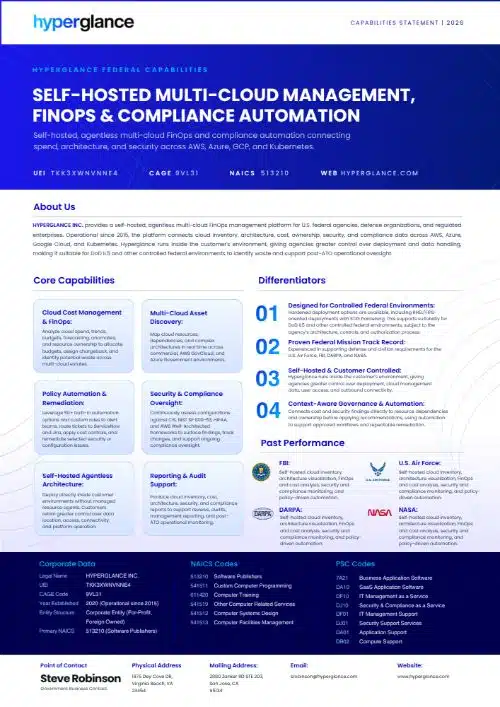
Federal Capabilities Statement
(PDF opens in a new window)
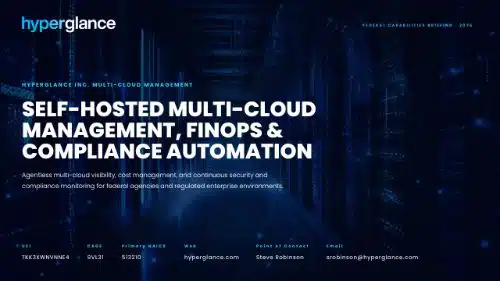
(PDF opens in a new window)
Talk Through Your Government Cloud Requirements
Evaluating cloud management, FinOps, or governance tooling for a government environment?
Book a short call with our team to discuss your cloud estate, deployment requirements, security constraints, and procurement route.
Prefer email? Contact us at government@hyperglance.com instead.
Hyperglance Public Sector FAQs
Can Hyperglance Be Self-Hosted?
Yes. Hyperglance is deployed inside the customer’s own cloud or infrastructure, giving organizations greater control over data location, access, connectivity, and platform operation.
Does Hyperglance Support AWS GovCloud and Azure Government?
Yes. Hyperglance supports AWS GovCloud and Azure Government alongside commercial AWS and Azure environments. It also supports Google Cloud and Kubernetes. Exact deployment requirements should be confirmed during technical evaluation.
Is Hyperglance FedRAMP Authorized?
No. Hyperglance is not currently FedRAMP authorized. Because it is self-hosted, agencies can evaluate Hyperglance within their own architecture, security boundary, and authorization process rather than using a Hyperglance-hosted SaaS environment.
Can Hyperglance Be Used in DoD IL5 Environments?
Hyperglance offers hardened deployment options that can support suitability for DoD IL5 and other controlled federal environments. Suitability depends on the agency’s architecture, controls, configuration, and authorization process.
Does Hyperglance Support STIG Hardening?
Hyperglance supports self-applied STIG hardening for selected deployment components and software configurations. Specific requirements should be reviewed with the Hyperglance technical team.
Does Hyperglance Support FIPS?
RHEL-based deployment options can support FIPS-mode operation using appropriate validated cryptographic modules. Exact requirements should be confirmed during technical evaluation.
Does Hyperglance Guarantee Compliance?
No. Hyperglance can support compliance monitoring, reporting, policy checks, and governance workflows, but it does not itself guarantee compliance or replace an agency’s authorization process.
Does Hyperglance Need Outbound Internet Access?
Hyperglance is self-hosted, and outbound connectivity can be controlled as part of deployment planning. Some functions, such as software updates and optional error-report submission, may require outbound access. Specific network requirements can be reviewed during technical evaluation.

Government Cloud Insights
Explore practical advice on AWS GovCloud, Azure Government, FinOps, security controls, and operating cloud environments with tighter deployment requirements.
AWS GovCloud vs Azure Government
In this article 1 2 3 4 5 6 7 8 AWS GovCloud and Azure Government are both designed for public sector and regulated workloads. But they are not the same thing with different branding. The real question is not, “Which one is more compliant?” The better question is,...
Self-Hosted FinOps Tools: What Regulated Teams Should Check First
In this article AI Spend Is Becoming A Shared Cloud Problem Not All AI Waste Is Infrastructure Waste Infrastructure Still Matters Once AI Workloads Hit The Cloud GPU-Backed Resources Raise The Cost Of Poor Visibility Kubernetes Can Hide AI Cost And Ownership Problems...
Best FinOps Tools For Government, Defense, And Public Sector Cloud Teams
In this article Why FinOps Is Different In Government What FinOps Really Is Public Sector FinOps Challenges The FinOps Tool Landscape For Public Sector Teams Best FinOps Tools For Government And Public Sector Teams Quick Comparison Table AWS GovCloud And Azure...