FinOps and Cloud Management for Energy, Utilities, and Critical Infrastructure
Understand cloud cost, ownership, and architecture before making changes that could affect important services

Complex Cloud Estates Need More Than Dashboards
Energy providers, utilities, and critical infrastructure operators often have to balance cost pressure with operational resilience, security requirements, and tight governance.
Hyperglance connects resources, cost, ownership, architecture, and risk across AWS, Azure, Google Cloud, and Kubernetes, so your teams can understand what is happening before deciding what should change.
Investigate cost increases across accounts, subscriptions, projects, and Kubernetes environments
Connect resources to owners, services, dependencies, and business context
Run Hyperglance in your own environment when deployment and cloud metadata need to stay under your control
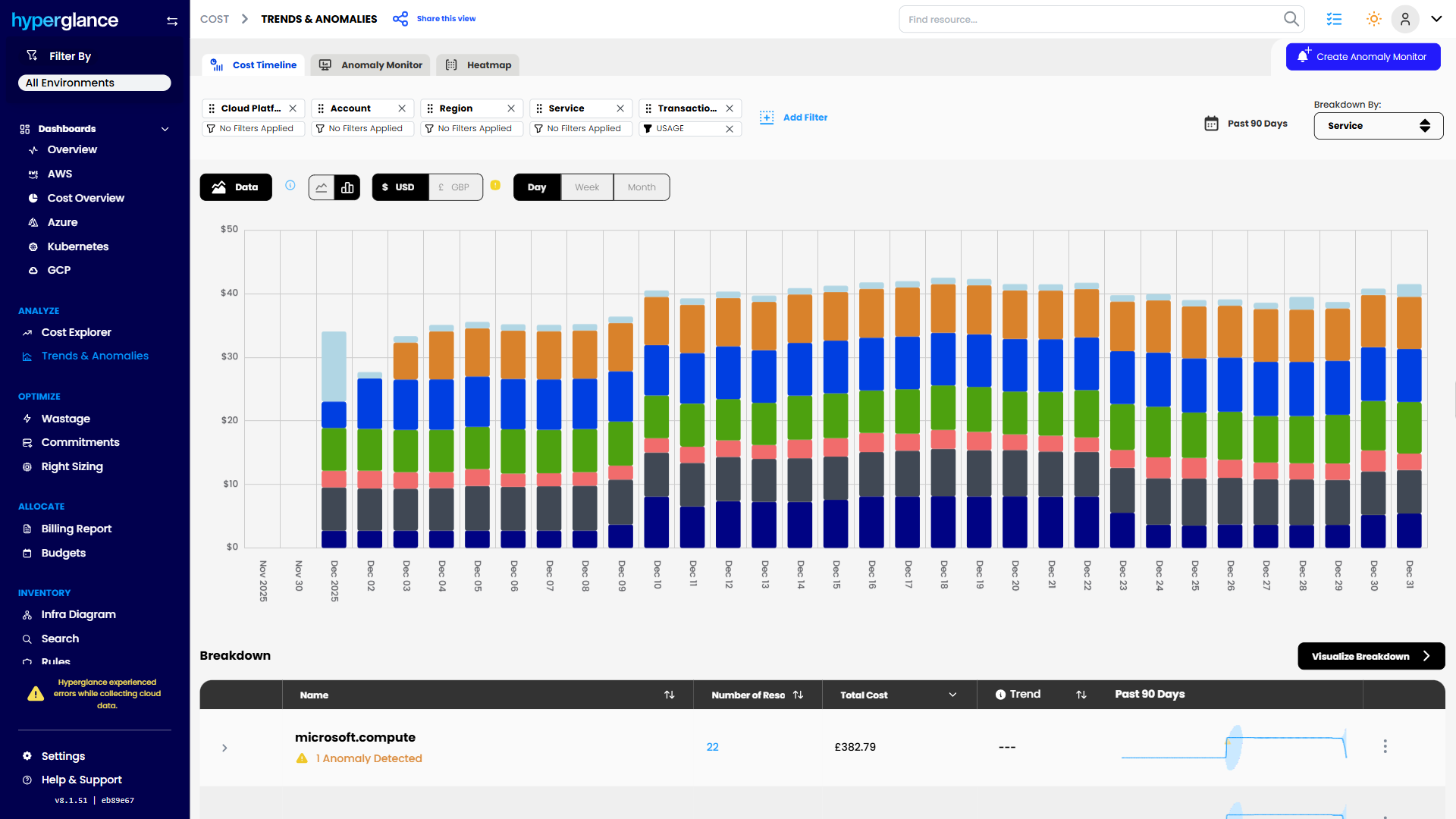
Cost Trend Analysis

What Makes Cloud Hard In Energy & Utilities
Cloud cost problems rarely exist on their own.
A new workload increases spend. An old migration leaves resources behind. A shared platform grows faster than expected. Kubernetes costs become difficult to attribute. Or a team finds an apparently idle resource and wants to remove it.
The difficult question usually isn't, “Can we save money here?”
It's, “What does this resource support, who owns it, and what happens if we change it?”
That matters more in environments supporting operational systems, customer services, field operations, analytics, infrastructure monitoring, internal platforms, and regulated workloads.
You may also have multiple AWS accounts, Azure subscriptions, Google Cloud projects, Kubernetes clusters, or hybrid environments owned by different teams. Finance sees the bill. Engineering sees the infrastructure. Security sees the risk. But those views do not always line up.
Hyperglance gives those teams a shared view of the resources behind the numbers.
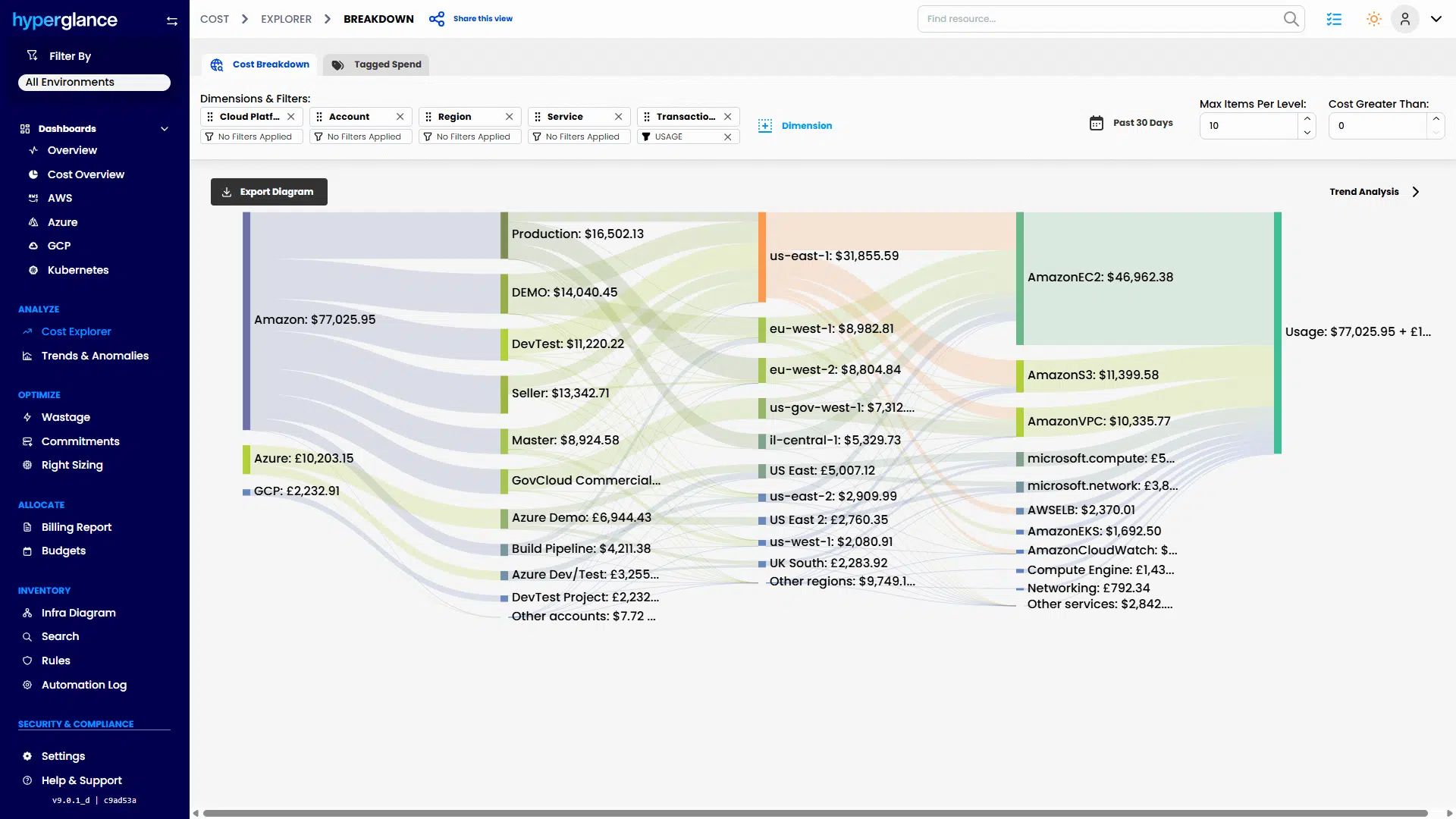
Multicloud Cost Explorer
The 3 Problems We See Most
Cost Is Spread Across Too Many Places
A cloud bill can tell you that spend increased. It does not always explain why.
Costs may be distributed across business units, operational regions, sites, applications, shared platforms, cloud accounts, subscriptions, projects, and Kubernetes workloads.
Hyperglance brings cost data together with the resources generating it, helping teams investigate where spend moved and what changed around it.
That makes questions such as “Why did this service cost more this month?” easier to answer without building another set of spreadsheets first.


Ownership Is Hard To Prove
Tags are useful. They are also frequently missing, inconsistent, outdated, or interpreted differently by different teams.
A cost-center tag might tell finance where a charge should go. It may not tell an engineer who can approve a change, what service depends on the resource, or whether it is still required.
Hyperglance combines tagging and cost allocation with resource and architecture context, helping teams identify gaps and build a clearer picture of ownership.
That is especially useful when responsibility is spread across central cloud teams, application teams, contractors, regional operations, and shared infrastructure groups.
Risk And Waste Are Hard To Separate
A low-utilization resource looks like an obvious saving until you discover that it supports a quiet but important dependency.
This is where cost-only recommendations become difficult to act on.
Before deleting, resizing, or stopping something, teams need to understand what it connects to, who owns it, whether there are related issues, and what role it plays in the wider environment.
The saving still matters. But architecture context helps you decide whether the saving is worth the operational risk.

How Hyperglance Helps

See
Map resources across AWS, Azure, Google Cloud, and Kubernetes.
See what exists, where it runs, how resources relate to one another, what they cost, and where ownership or tagging information is missing.
Instead of moving between multiple cloud consoles and exports, teams can investigate the environment from a connected view.

Validate
A recommendation should start an investigation, not automatically finish it.
Check resource relationships, ownership, utilization, cost, tagging, and relevant risk or compliance information before deciding what to do.
For example, an apparently unused virtual machine may be a genuine cleanup opportunity. Or its relationships may show that it supports another service that is still operationally important.

Fix
Once the context is clear, teams can decide what action makes sense.
That might mean removing waste, resizing infrastructure, correcting tags, assigning ownership, investigating a configuration issue, or routing the problem to the right team.
Hyperglance supports this workflow by connecting the issue to the infrastructure around it.

Stay Fixed
Cloud estates don't stay tidy for long.
New services appear. Teams reorganize. Resources lose owners. Tags drift. Cost allocation rules change.
Ongoing rules, reporting, tagging workflows, and governance checks can help identify those problems as the estate changes, rather than waiting for the next cost spike or audit to reveal them.
Who Hyperglance Helps
Cloud & Platform Teams
Understand what resources support before changing them.
Architecture views can make it easier to investigate unfamiliar infrastructure, trace dependencies, find unclear ownership, and give engineering teams context around cost recommendations.
FinOps & Finance Partners
Connect cloud spend to the infrastructure creating it.
Teams can allocate and report costs using structures that better reflect how the organization operates, such as departments, services, platforms, regions, sites, or other internal cost groupings.
That gives finance and engineering a better starting point when they need to explain the same number.
Security & Compliance Teams
Review cloud resources alongside ownership, architecture, tagging, and security or compliance findings.
A self-hosted deployment also gives organizations more control over where the platform runs and how cloud metadata is handled, which can matter when SaaS deployment creates security, data handling, or procurement concerns.
A Typical Scenario
Cloud spend rises significantly in a shared platform used across several operational teams.
Finance can see the increase, but the cost allocation is unclear. Some resources have reliable tags. Others don't. Engineering finds several low-utilization resources, but nobody wants to remove them without understanding what they support.
With Hyperglance, the team can investigate the resources behind the cost increase, review ownership and tags, see architecture relationships, and identify which potential savings need further engineering review.
Some resources may be safe candidates for cleanup.
Others may turn out to support low-traffic but important services.
The goal is not simply to find the cheapest option. It is to make the cost decision with enough context to understand the trade-off.
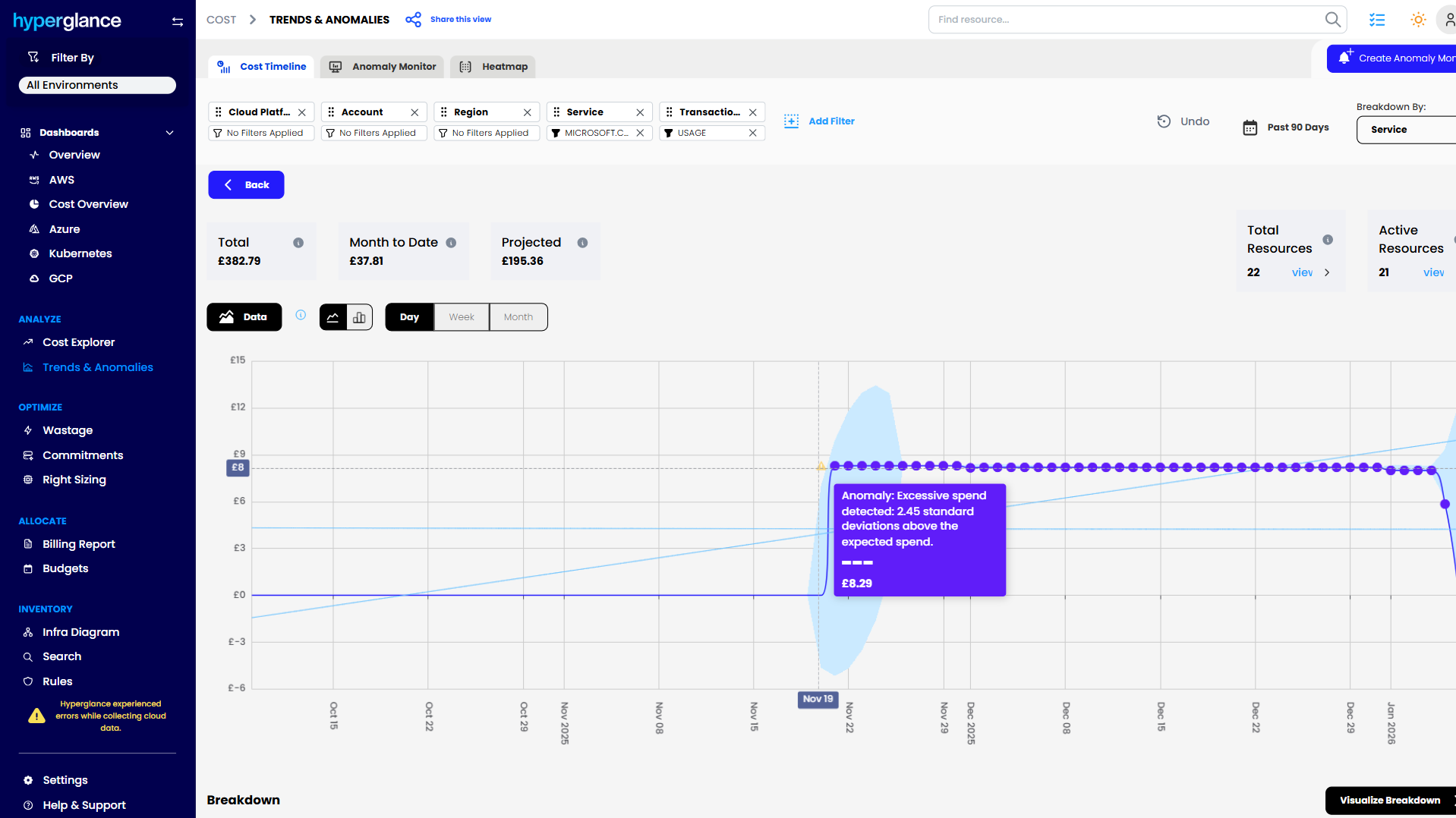
Cost Anomaly Detection
Why Hyperglance
Many cloud tools show cost. Others show infrastructure, security findings, or configuration data.
Hyperglance is useful when those areas need to be considered together.
You can connect:
- Cloud resources and architecture
- Cost and utilization
- Ownership and tagging
- Governance and compliance information
- Recommendations and the context needed to review them
Hyperglance supports AWS, Azure, Google Cloud, and Kubernetes and is designed for larger, more complex cloud estates where ownership, allocation, and safe action become harder as the environment grows.
And because it is self-hosted, you have more control over deployment and cloud metadata than you would with a conventional SaaS-only platform.
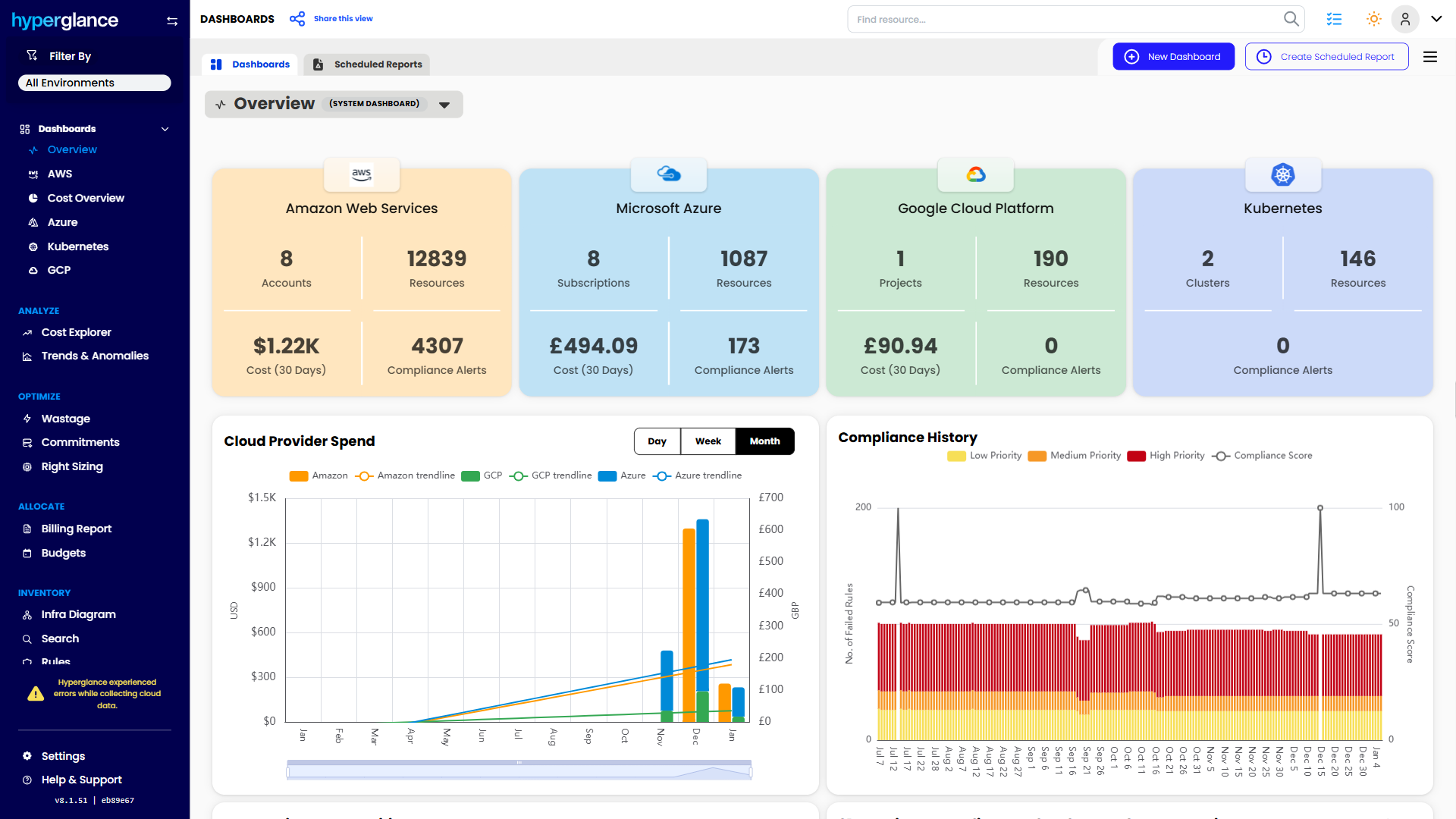
Multicloud Dashboard
The FinOps Tool for Every Stakeholder
Find out why so many Cloud & FinOps teams are making the move from tools like CloudHealth and Cloudability to Hyperglance.
FAQs
Can Hyperglance Be Self-Hosted?
Yes. Hyperglance is self-hosted, giving your organization more control over deployment, access, and data handling. This can be useful where security policies, procurement requirements, or internal governance make SaaS tooling difficult to approve.
Does Hyperglance Support Multi-Cloud Environments?
Yes. Hyperglance supports AWS, Azure, Google Cloud, and Kubernetes. This can reduce the need to investigate cost, ownership, and architecture independently across multiple provider consoles.
Can Hyperglance Help With Cloud Compliance?
Hyperglance includes security and compliance capabilities that can support governance and review workflows. It should not be positioned as guaranteeing compliance. Its value is in helping teams identify relevant issues, understand their context, document findings, and decide what needs attention.

91% of Fortune 100 Companies Use Partner Solutions
We're part of all 3 cloud partner networks - AWS, Microsoft Azure, and Google Cloud. That independent validation means we align with provider best practices, integrate cleanly with first-party APIs and billing data, and meet enterprise security and support standards, so procurement is smoother and adoption is faster.
Our Latest Thinking
Guides, tips, and product updates from our blog.