Introducing ServiceNow Integration in Hyperglance
We’re excited to announce that Hyperglance now integrates directly with ServiceNow, one of the most widely used ITSM platforms.
With this new integration, you can connect Hyperglance to your ServiceNow account and automatically generate incidents whenever Hyperglance rules are triggered.
That means no more manual effort moving issues from your cost, security, or compliance checks into your IT service workflows.
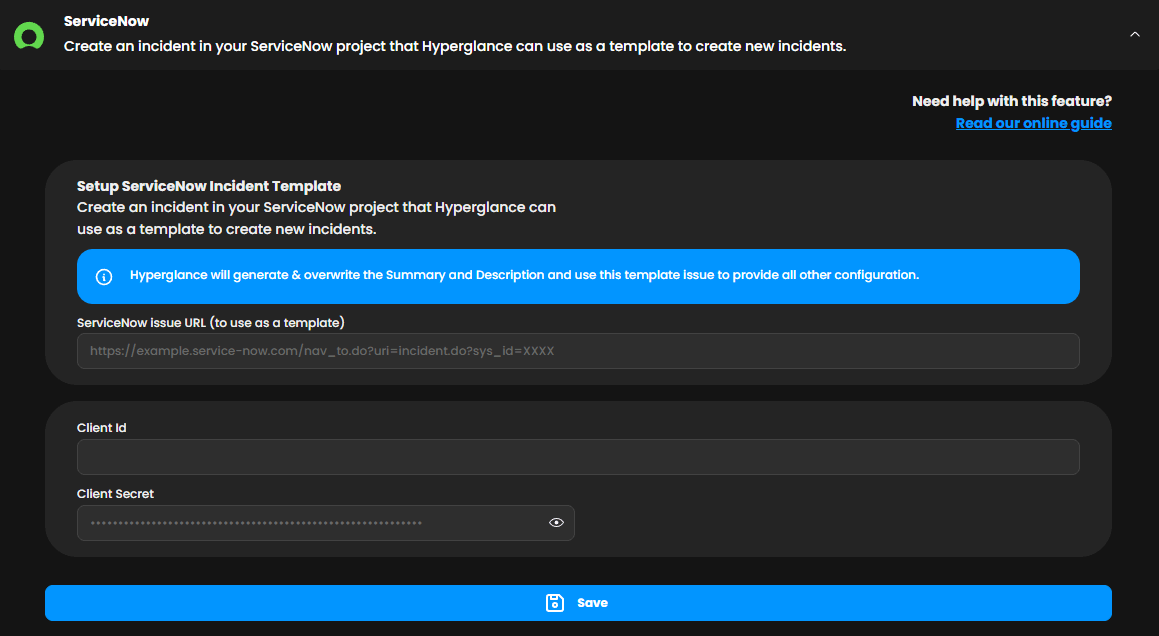
ServiceNow integration settings in Hyperglance
Why a ServiceNow Integration Matters
For FinOps, cloud, and infrastructure teams, time is often lost translating alerts into actionable tickets.
This integration helps you:
- Eliminate manual steps – Hyperglance sends incidents straight to your ServiceNow board.
- Reduce risk – Get cost spikes, security gaps, and compliance drifts raised instantly.
- Streamline FinOps workflows – Keep teams aligned by managing issues in the ITSM tool they already use.
- Act faster – Configure once, then let Hyperglance do the work every time a rule fires.
How it Works
- Connect your account – Configure ServiceNow in Hyperglance settings with your template URL, client ID, and client secret.
- Enable notifications – Add ServiceNow as a notification target when creating or editing a rule.
- See tickets instantly – Each time the rule triggers, Hyperglance automatically creates an incident in ServiceNow.
This setup ensures every high-priority cloud event detected in Hyperglance turns into a ServiceNow ticket your team can act on — without delay.
🧠 Need to brush up on your jargon? Head over to our FinOps glossary.
Release Details
When is it released?
The ServiceNow integration is available today for all Hyperglance users. If you’re already running Hyperglance, you can connect your ServiceNow account right away.
If you have configured automatic updates, this new release is available immediately. It will be downloaded and updated automatically (if it hasn't been already). Use these instructions to pull the latest update manually or enable automatic updates.
Whether your updates are automated or manual, all your existing configurations remain intact during & after the upgrade. The only changes you will see are the new features.
Who can access it?
All Hyperglance customers with up-to-date installs will get access to the new features.
There's no extra cost either - it's included in your standard Hyperglance package.
How can I provide feedback?
Please log a support ticket, or email Stephen Lucas, Chief Product Officer (slucas@hyperglance.com).
Schedule an Overview
Want to see more? Book a quick call with our team to get a personal walkthrough of the new release and explore how it can help you stay on top of your cloud costs. Use the scheduler below to pick a time that works for you.
Why Teams Choose Hyperglance in 2026
Hyperglance is a strong fit when cost data alone doesn’t give your team enough context.
That often happens when teams are asking questions like:
- What is running across our cloud estate?
- Who owns this resource?
- Why did this cost change?
- What else depends on it?
- Is it safe to clean up?
- Which policy, security, or compliance issue needs attention?
- Can we route this to the right owner or trigger an approved action?
We help teams connect cloud cost to infrastructure context across AWS, Azure, Google Cloud, and Kubernetes. That means FinOps, CloudOps, platform, security, and leadership teams can work from the same view.
Hyperglance is especially useful for mid-market, enterprise, MSP, public sector, and regulated teams where ownership, governance, automation, and data control matter.
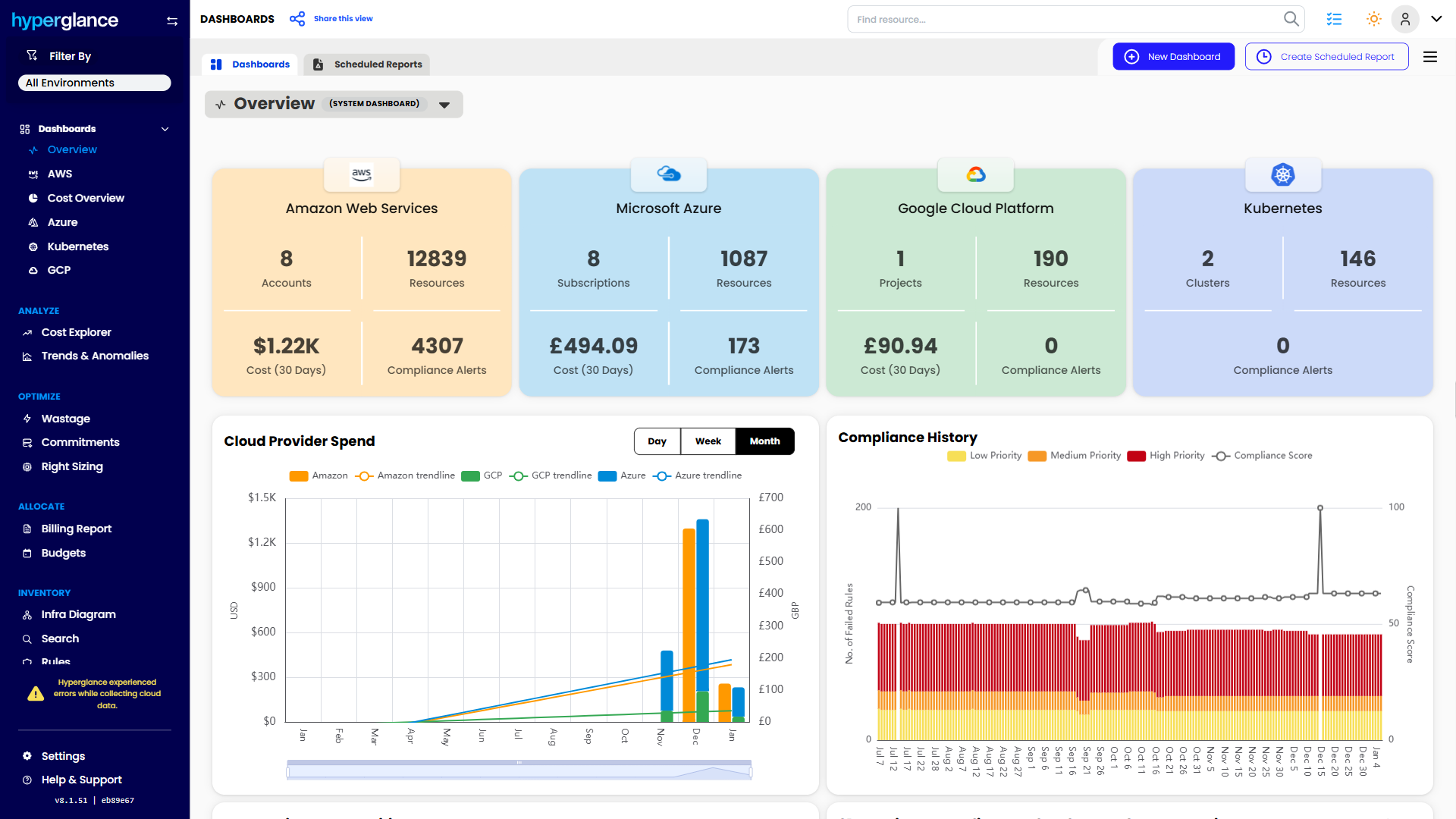
What You Can Do With Hyperglance
- See cost, resources, relationships, and ownership in one place
- Visualize cloud architecture with interactive diagrams
- Find waste, policy issues, and cost anomalies faster
- Route findings to the right team through existing workflows
- Use no-code automation for approved fixes
- Run Hyperglance in your own environment when data control matters
Want to see where Hyperglance fits in your FinOps stack?
Explore the product, start a free trial, or book a demo with the team.
About The Author: Stephen Lucas
As Hyperglance's Chief Product Officer (CPO), Stephen is responsible for the Hyperglance product roadmap. Stephen has over 20 years of experience in product management, project management, and cloud strategy across various industries.