Introducing AI in Hyperglance
Cloud environments generate a lot of information. Finding the right resources, understanding a search query, or building a dashboard can take time.
Hyperglance v10 introduces AI features that let you describe what you need in plain language. Use AI to create searches, explain filters, build dashboards, configure widgets, and ask questions about cost, inventory, and compliance data.
Search your cloud in plain language
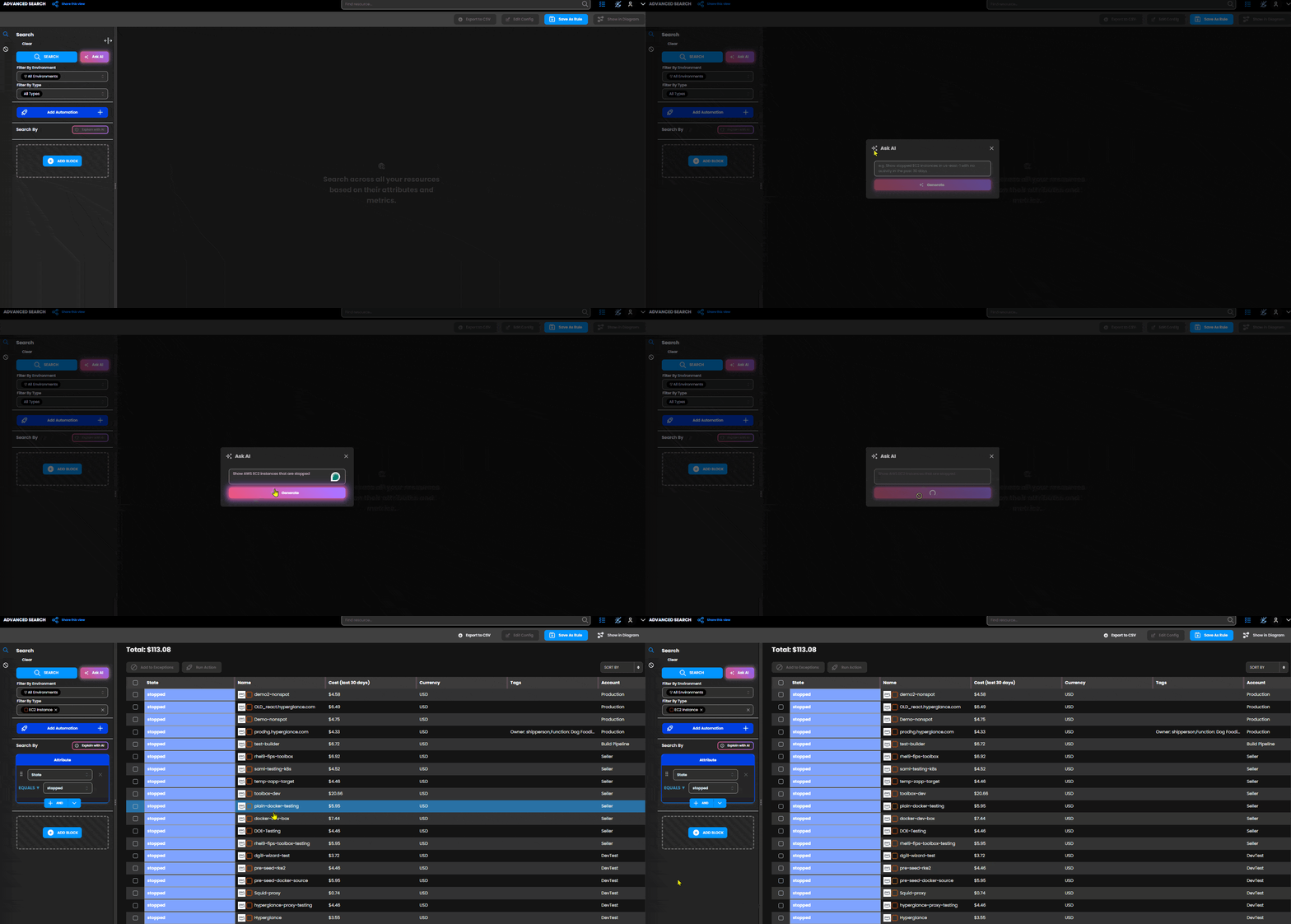
Instead of building every search filter manually, describe the resources you want to find. Ask AI turns your request into an advanced search query that you can review and run.
For example, ask Hyperglance to “show AWS EC2 instances that are stopped”. The request becomes a search filter you can inspect alongside the matching resources.
Already have a query? Explain with AI turns its filters into a plain-English description, making it easier to check what the search is looking for.
Build dashboards from a description
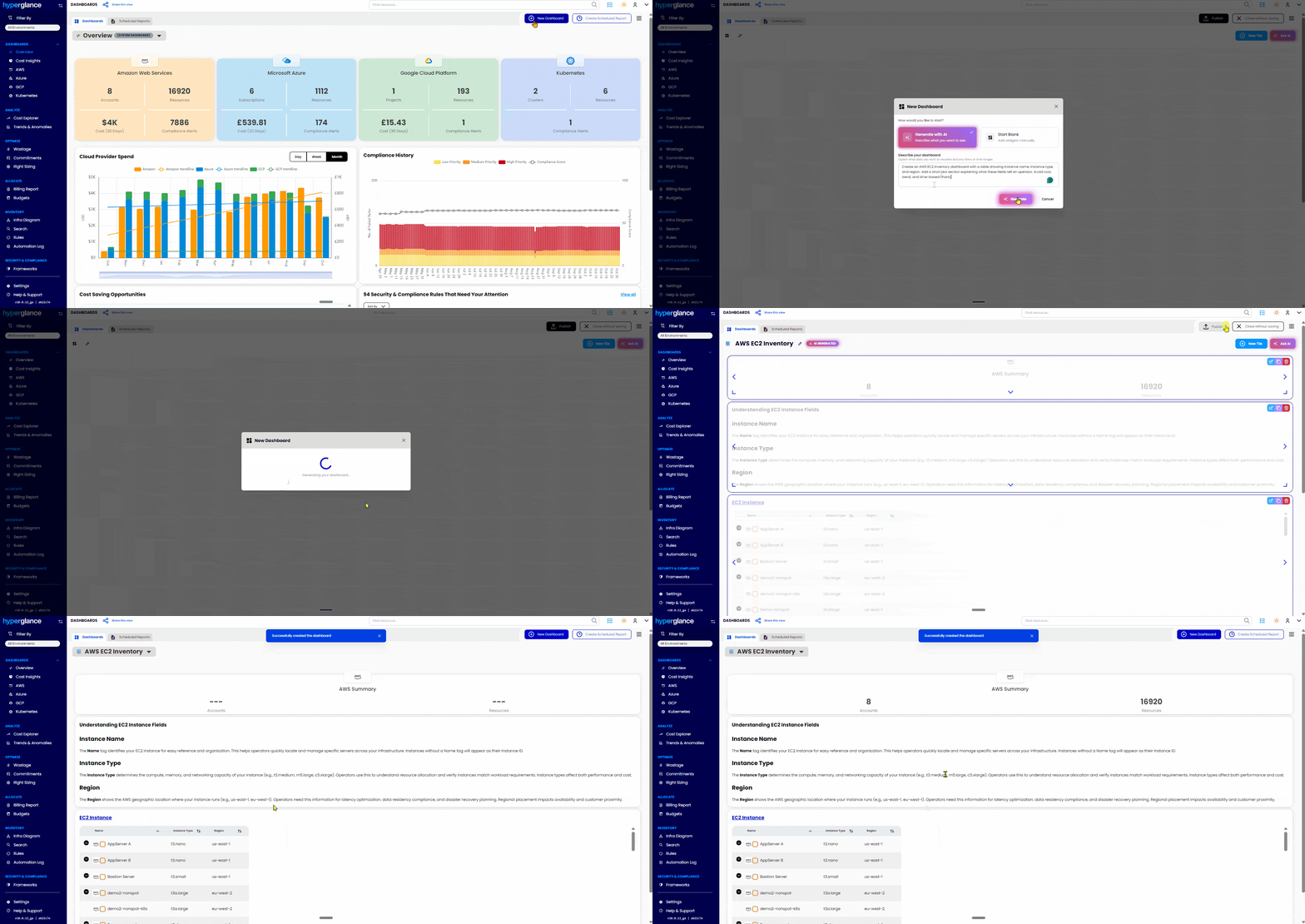
Tell Hyperglance what you want to monitor, and AI can create a dashboard with relevant widgets. Start with a view of cloud spend, inventory, or another area you want to keep an eye on, then review the generated layout.
You can also use Ask AI while editing a dashboard. Describe a change, and Hyperglance presents a suggestion for you to review, accept, or reject.
Configure widgets and ask questions
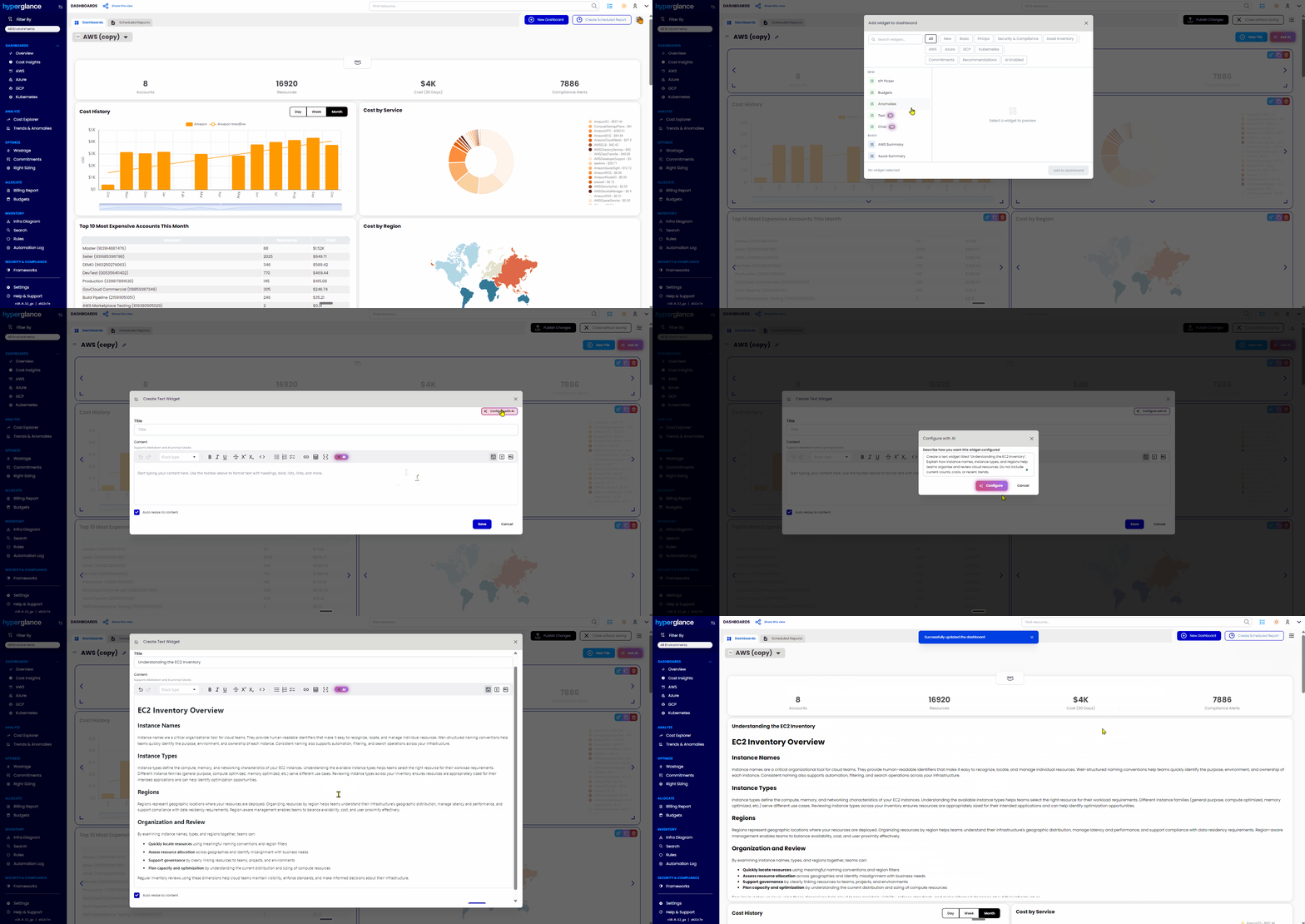
AI can configure individual widgets from a written description. For example, ask for a text widget that summarises AWS inventory and highlights stopped EC2 instances.
Add a Chat widget to a dashboard to ask questions about cloud spend, resources, or policies. The AI assistant can also answer questions about cost, inventory, and compliance data from dashboards.
Connect the assistants your team already uses
Hyperglance also supports Model Context Protocol (MCP) integration. Connect an MCP-compatible assistant, such as Claude Desktop, ChatGPT, or Cursor, to ask questions about cost, budgets, and inventory data from the tools your team already uses.
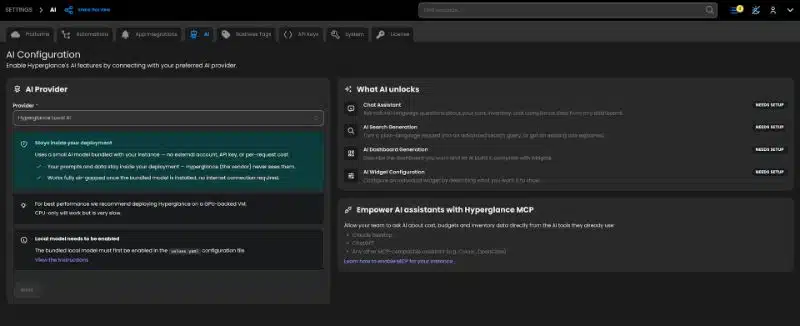
AI that works with your cloud data
From a quick search to a dashboard built around your needs, Hyperglance’s AI features help you get to relevant cloud information using everyday language. Review generated searches, dashboard changes, and widget configurations as part of your workflow.
See it in action
Book a personal overview, and we’ll show you how Hyperglance’s new AI features can help with your cloud workflows. Prefer to explore on your own? Start a free trial and try them for yourself.
Why Teams Choose Hyperglance in 2026
Hyperglance is a strong fit when cost data alone doesn’t give your team enough context.
That often happens when teams are asking questions like:
- What is running across our cloud estate?
- Who owns this resource?
- Why did this cost change?
- What else depends on it?
- Is it safe to clean up?
- Which policy, security, or compliance issue needs attention?
- Can we route this to the right owner or trigger an approved action?
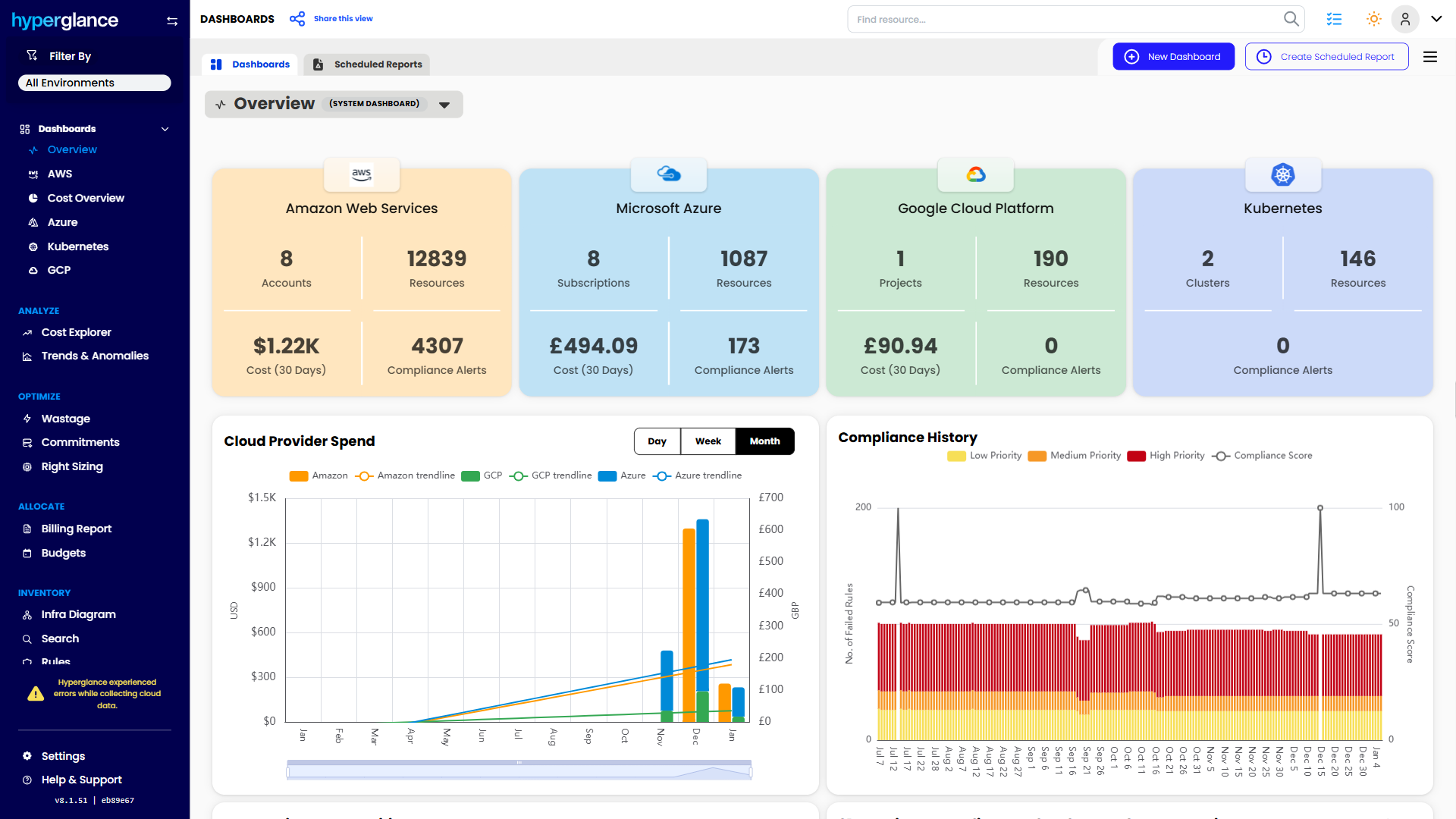
We help teams connect cloud cost to infrastructure context across AWS, Azure, Google Cloud, and Kubernetes. That means FinOps, CloudOps, platform, security, and leadership teams can work from the same view.
Hyperglance is especially useful for mid-market, enterprise, MSP, public sector, and regulated teams where ownership, governance, automation, and data control matter.
What You Can Do With Hyperglance
- See cost, resources, relationships, and ownership in one place
- Visualize cloud architecture with interactive diagrams
- Find waste, policy issues, and cost anomalies faster
- Route findings to the right team through existing workflows
- Use no-code automation for approved fixes
- Run Hyperglance in your own environment when data control matters
Want to see where Hyperglance fits in your FinOps stack?
Explore the product, start a free trial, or book a demo with the team.
About The Author: David Gill
As Hyperglance's Chief Technology Officer (CTO), David looks after product development & maintenance, providing strategic direction for all things tech. Having been at the core of the Hyperglance team for over 10 years, cloud optimization is at the heart of everything David does.