FinOps and Cloud Management for MSPs
Understand customer cloud costs, find the resources behind them, and act without losing the architecture context your engineers need

More Customer Cloud Environments Without More Manual Work
When you manage cloud for multiple customers, every new account, subscription, project, or cluster adds another layer of cost, ownership, and reporting complexity.
Hyperglance brings AWS, Azure, Google Cloud, and Kubernetes into a consistent operational view, so your teams can:
See which resources, services, and customers are driving cloud spend
Connect cost to ownership, architecture, tagging, and governance context before making changes
Standardize investigation and reporting across customer environments without relying on another SaaS platform for cloud metadata
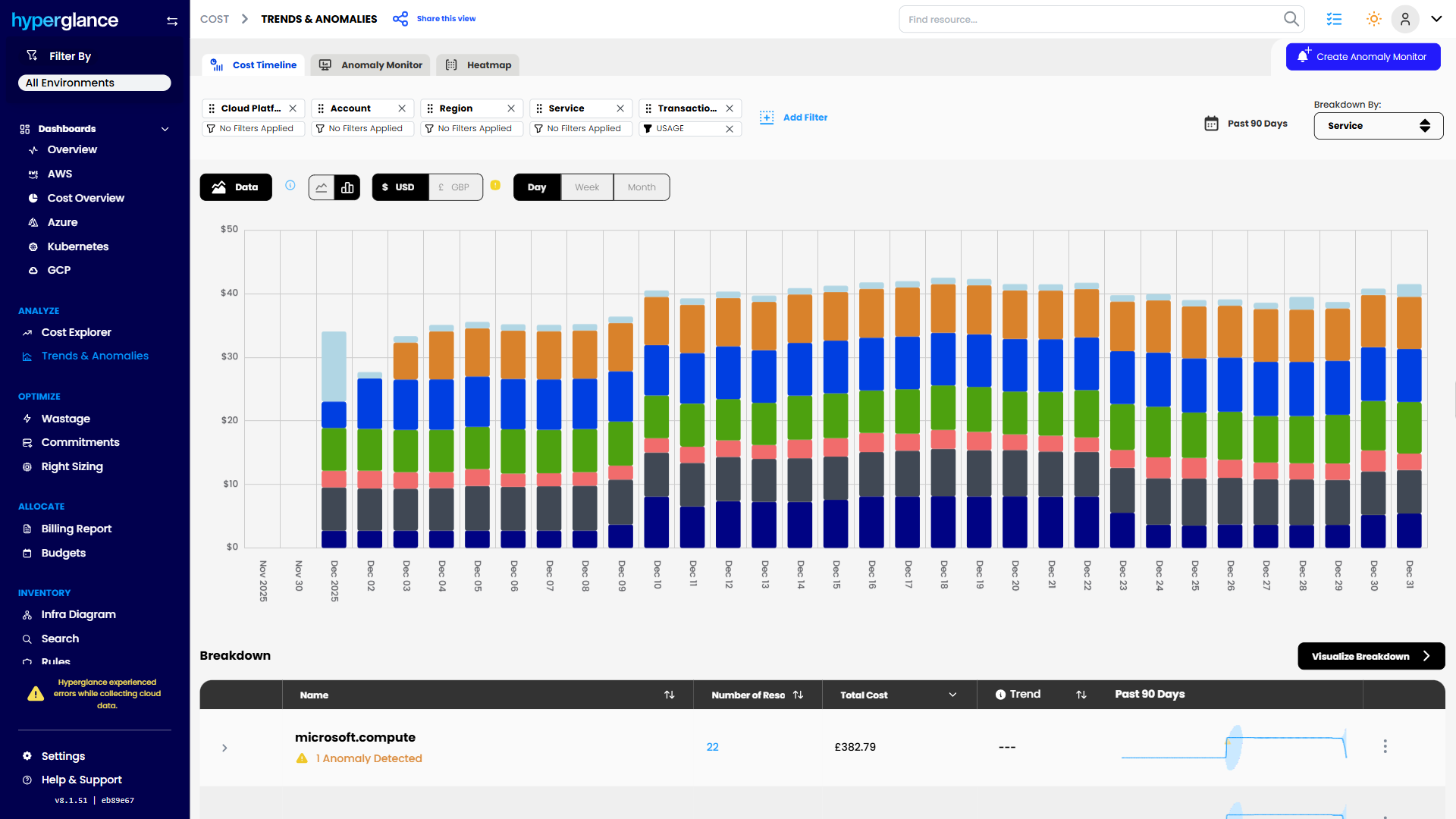
Cost Trend Analysis

What Makes Cloud Hard For MSPs
One cloud environment can be messy. Managing dozens of customer environments creates a different problem.
Every customer organizes cloud differently. Account structures vary. Tags mean different things. Ownership models aren't consistent. Some customers want monthly reports. Others expect you to explain a sudden cost increase before the end of the day.
At the same time, your engineers can't treat every cost recommendation as an instruction to delete something.
An apparently idle resource might be waste. Or it might support a quiet production dependency for a customer who won't appreciate discovering the distinction after it has been removed.
For MSPs, cloud cost management isn't only about spending less. It's about giving your teams enough context to protect customer environments, support margins, and explain what you're doing.
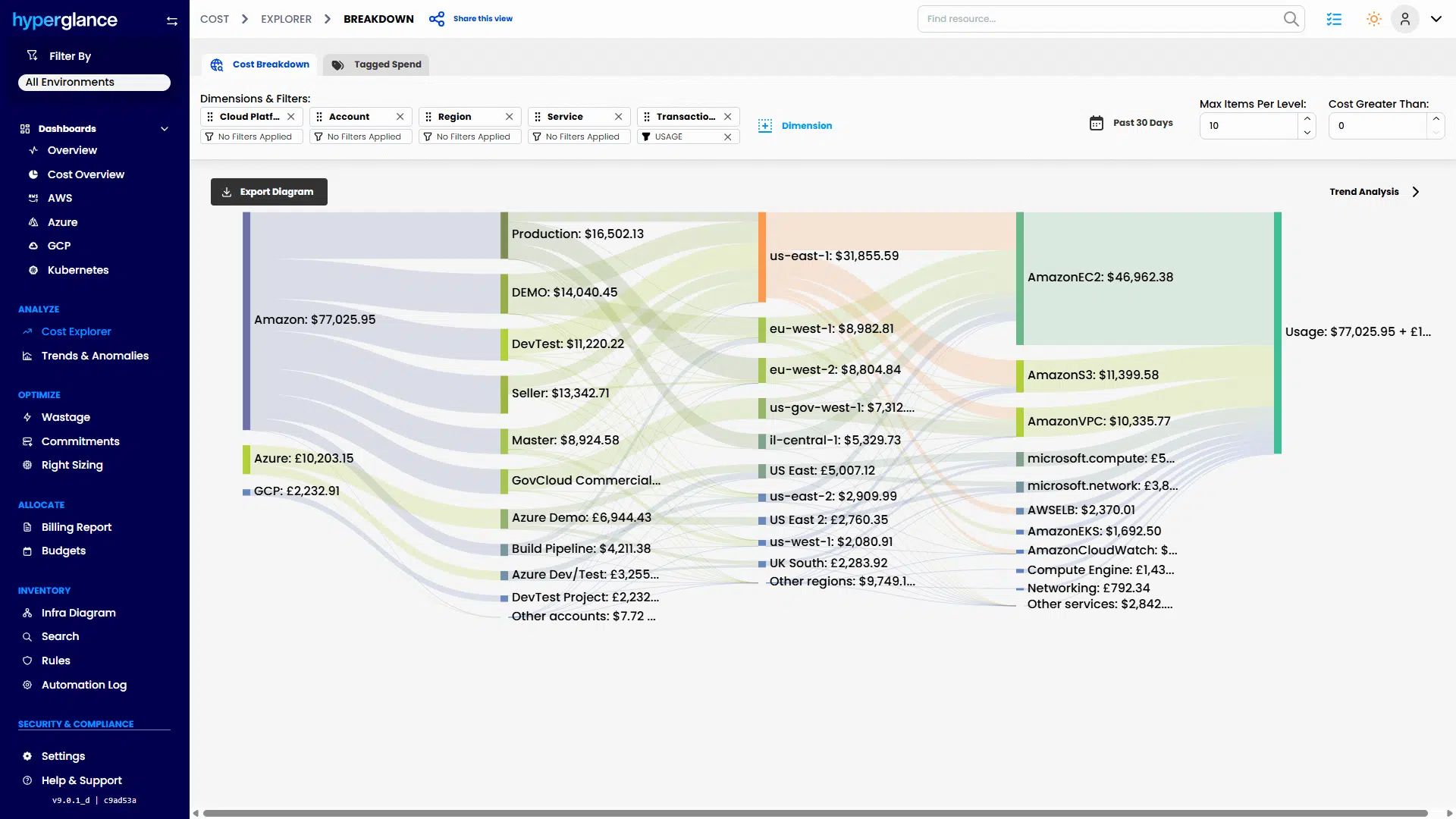
Multicloud Cost Explorer
The 3 Problems We See Most
Cost Is Spread Across Too Many Places
Your team may be working across AWS accounts, Azure subscriptions, Google Cloud projects, Kubernetes clusters, and several billing structures at once.
Then you need to turn all of that into something useful for each customer.
Hyperglance gives engineers and FinOps teams a shared way to investigate resources and costs across cloud environments. Cost can be viewed alongside the infrastructure behind it rather than as an isolated billing line.
That makes questions such as these easier to answer:
- Which customer or environment drove this month's increase?
- What resources sit behind that spend?
- Is this expected growth, configuration drift, or potential waste?
- What should the engineering team investigate first?
For MSPs using chargeback or showback models, clearer allocation can also reduce the amount of spreadsheet work needed to explain cloud costs back to customers.


Ownership Is Hard To Prove
Tags are useful, but relying entirely on tags becomes difficult when every customer has a different tagging standard.
A resource might have a project tag but no usable owner. Another might still carry the name of a team that disappeared 18 months ago.
Hyperglance lets teams combine tagging with resource, architecture, and relationship context.
Instead of asking only, “What tag does this have?”, engineers can investigate:
- What does this resource connect to?
- Which service or application might depend on it?
- Which customer environment does it belong to?
- Is there enough context to decide who should review it?
That matters when an MSP needs to move quickly without making assumptions inside a customer's production environment.
Risk And Waste Are Hard To Separate
Finding an underused resource is easy compared with deciding whether it should change.
A cost tool may tell you that something looks inefficient. Your engineers still need to know what it supports, what depends on it, and whether the saving justifies the operational risk.
Hyperglance connects cost findings with architecture and ownership context so teams can validate a recommendation before acting.
That extra step matters for MSPs.
Saving a customer $200 per month isn't a win if the change causes a production incident that takes 6 engineers to diagnose.

How Hyperglance Helps

See
Bring cloud resources from AWS, Azure, Google Cloud, and Kubernetes into a common inventory and architecture view.
See what is running, where it lives, how resources relate to one another, what they cost, and where ownership or tagging information is available.
For an MSP, that creates a more consistent starting point across customers even when their underlying cloud setups differ.

Validate
Investigate before changing anything.
When a cost issue or recommendation appears, engineers can look at related resources, architecture dependencies, ownership, utilization, tags, and governance context.
The question changes from “Can we save money here?” to “Can we safely change this, and what do we need to check first?”

Fix
Once the team understands the context, it becomes easier to decide what happens next.
That might mean removing an unused resource, correcting a tag, assigning an owner, escalating an issue, or deciding that the resource should stay exactly where it is.
Not every recommendation should become an action.
For an MSP responsible for customer uptime, knowing when not to make a change can be just as valuable.

Stay Fixed
Cloud estates don't stay tidy.
New resources appear. Projects change. Teams leave. Tags drift. Customers migrate workloads and introduce new services.
Hyperglance can support repeatable governance workflows that surface issues such as missing tags, unclear ownership, potential waste, or policy concerns as environments change.
That gives MSP teams a way to make cloud housekeeping an ongoing process rather than another quarterly cleanup project.
Who Hyperglance Helps
Cloud & Platform Teams
Give engineers one place to investigate what is running across customer AWS, Azure, Google Cloud, and Kubernetes environments.
Architecture context matters when your team is deciding whether a recommendation is safe, diagnosing an unexpected cost increase, or trying to identify the owner of a resource that nobody recognizes.
It also gives MSPs a more repeatable workflow across customers instead of expecting engineers to remember a different combination of consoles, scripts, and spreadsheets for every estate.
FinOps & Finance Partners
Connect cloud spend to the resources and customer environments creating it.
That can make customer allocation, chargeback, showback, cost investigation, and reporting easier to explain.
And when finance asks why a customer's bill jumped, engineering can investigate the same underlying environment rather than reconciling 2 different versions of the story.
Security & Compliance Teams
Give security and governance stakeholders a clearer view of resources, relationships, ownership, and relevant configuration issues across managed cloud estates.
Hyperglance is self-hosted, giving MSPs more control over deployment and cloud data handling where customer contracts, security policies, or procurement rules make another SaaS platform difficult.
It can also support audit and governance workflows by making cloud configuration and ownership information easier to investigate and report.
A Typical Scenario
An MSP sees a customer's monthly cloud spend rise unexpectedly.
The billing data shows where the increase occurred, but it doesn't explain whether the change is expected, who owns the resources involved, or whether anything can safely be removed.
The team uses Hyperglance to trace the spend back to the relevant resources and review their architecture context.
They find several recently created resources alongside an older, lightly utilized component.
At first glance, the older resource looks like an easy saving.
But its relationships show that it still supports part of the customer's production service.
Instead of deleting it based on utilization alone, the engineer routes it for review and focuses on the genuinely unneeded resources.
The customer still gets a clear explanation of the cost spike and a set of sensible actions.
The MSP avoids turning a cost-saving exercise into an incident.
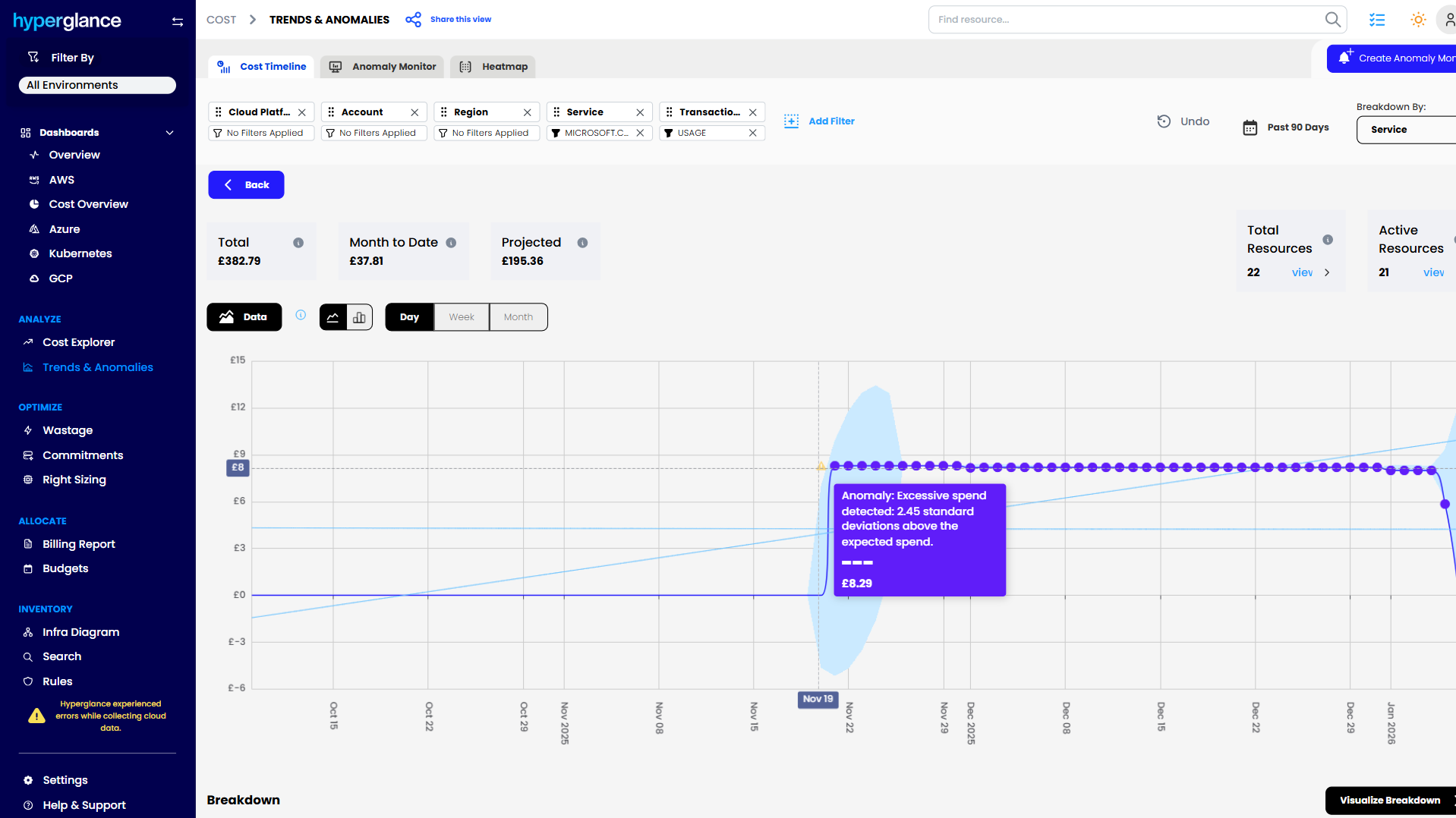
Cost Anomaly Detection
Why Hyperglance
MSPs don't need another dashboard that simply tells them cloud is expensive.
They need a practical way to move from:
Cost → Resource → Customer → Owner → Architecture → Decision → Action
Hyperglance brings those pieces closer together.
It can be particularly useful when you're:
- Managing multiple customer cloud estates
- Standardizing cloud reporting and governance across customers
- Supporting AWS, Azure, Google Cloud, or Kubernetes environments
- Trying to improve customer-level cost allocation
- Investigating cost spikes without enough ownership context
- Reducing cloud waste without creating unnecessary operational risk
- Working with customers whose security or procurement requirements favor self-hosted tooling
Hyperglance is self-hosted, so you retain more control over where the platform runs and how cloud metadata is handled.
For MSPs managing sensitive or regulated customer environments, that deployment model can be just as important as what the platform does.
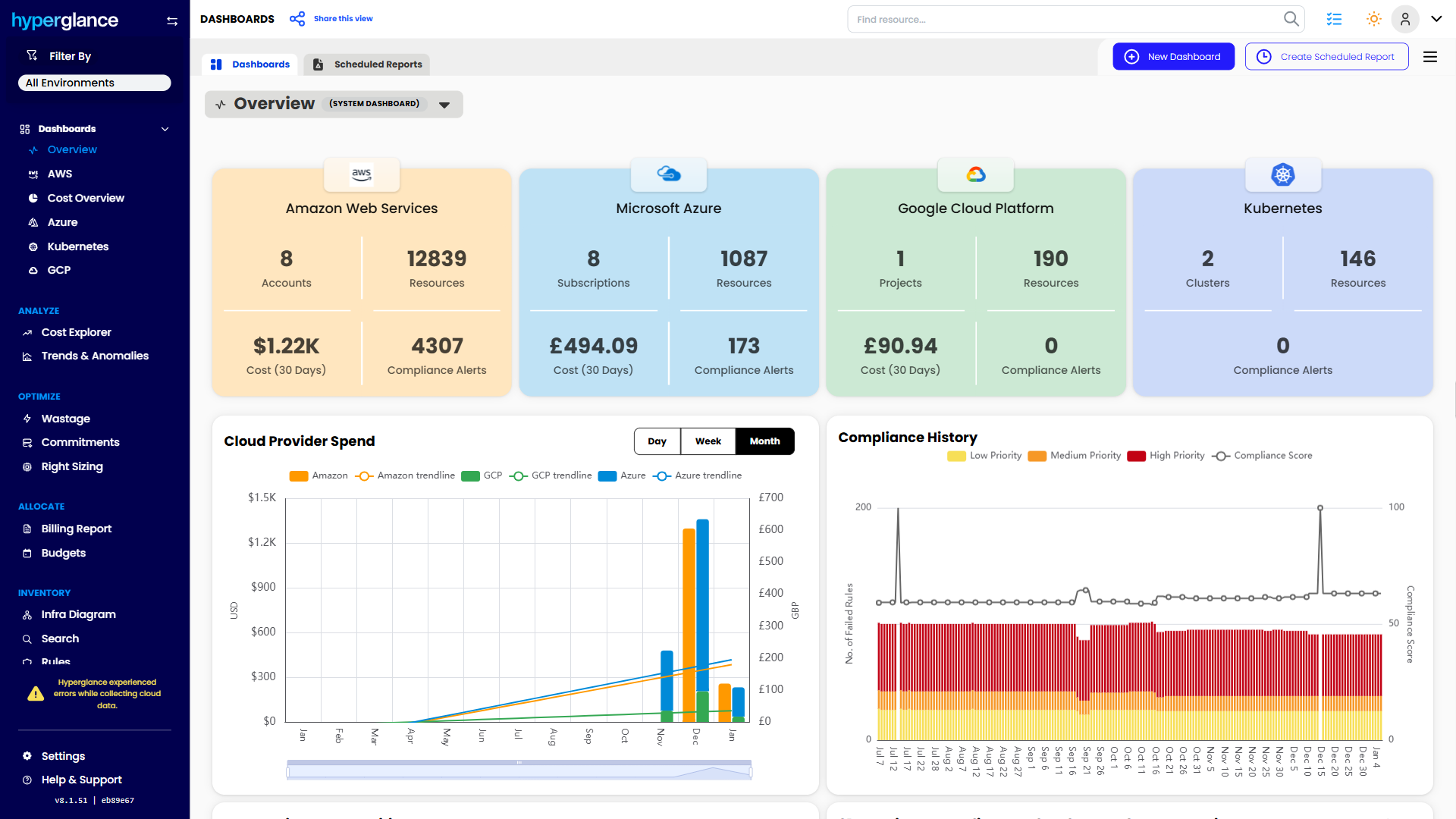
Multicloud Dashboard
The FinOps Tool for Every Stakeholder
Find out why so many Cloud & FinOps teams are making the move from tools like CloudHealth and Cloudability to Hyperglance.
FAQs
Can Hyperglance Manage Multiple Customer Cloud Environments?
Hyperglance can connect to AWS, Azure, Google Cloud, and Kubernetes environments, making it useful for MSPs that need a consistent way to investigate resources, cost, ownership, architecture, and governance across multiple customer estates.
Can Hyperglance Help With Chargeback And Showback?
Hyperglance can support cost allocation and reporting workflows, including situations where MSPs need to organize and explain cloud costs by customer or other business grouping. The exact approach will depend on how customer environments and cost data are structured.
Is Hyperglance SaaS?
No. Hyperglance is self-hosted. This gives MSPs more control over deployment and data handling, which can matter when customers have stricter security, data residency, or procurement requirements.

91% of Fortune 100 Companies Use Partner Solutions
We're part of all 3 cloud partner networks - AWS, Microsoft Azure, and Google Cloud. That independent validation means we align with provider best practices, integrate cleanly with first-party APIs and billing data, and meet enterprise security and support standards, so procurement is smoother and adoption is faster.
Our Latest Thinking
Guides, tips, and product updates from our blog.