Cloud cost is no longer something teams can review once a month and hope for the best.
As estates grow across AWS, Azure, Google Cloud, and Kubernetes, teams need faster answers to practical questions:
- What is running?
- Who owns it?
- What is it costing?
- What changed?
- What can we safely fix?
That’s where FinOps tools can help. Some focus on allocation and reporting. Some specialize in Kubernetes cost visibility. Others help with commitment management, governance, automation, or cloud estate visibility.
This guide compares 10 FinOps tools worth evaluating in 2026, with a focus on where each one fits and what kind of team it’s best suited for.
10 FinOps Tools Worth Evaluating in 2026

The tools below cover a mix of FinOps needs, including cost allocation, forecasting, commitment management, Kubernetes cost visibility, governance, and automation.
Some are broad multi-cloud platforms. Others are more specialized.
How To Use This List
There isn’t one “best” FinOps tool for every team.
The right choice depends on what you need to fix first. For example:
- If cost allocation is your biggest pain, look closely at tools with strong virtual tagging and shared cost support
- If Kubernetes spend is hard to explain, prioritize container-level cost visibility
- If commitment management is the issue, look for automation around Savings Plans and Reserved Instances
- If ownership, governance, and cloud context are the problem, look for tools that connect cost to resources, relationships, policies, and actions
Use this list as a shortlist, not a final verdict. The best tool is the one that fits your cloud estate, your team structure, and the way decisions get made.
Quick Comparison: Best FinOps Tools By Use Case
| Tool | Best For | Strongest Angle |
|---|---|---|
| CloudZero | Business-aligned cost allocation | Mapping spend to products, customers, teams, and features |
| Finout | Shared cost allocation | Virtual tagging and multi-cloud allocation |
| IBM Apptio Cloudability | Mature enterprise FinOps | Budgeting, forecasting, showback, and reporting |
|
Hyperglance Self-hosted option |
Cost visibility tied to cloud context | Ownership, topology, governance, automation, and deployment control |
| Kubecost | Kubernetes cost visibility | Cluster, namespace, workload, and pod-level cost views |
| ProsperOps | AWS commitment management | Automated Savings Plans and Reserved Instance optimization |
| Cast AI | Kubernetes optimization | Rightsizing, autoscaling, and workload placement |
| VMware CloudHealth | Enterprise cloud financial management | Multi-cloud reporting, governance, and financial operations |
| CloudBolt | Hybrid cloud management | Provisioning, automation, governance, and cost visibility |
| CloudCheckr | Cost, compliance, and governance | Reporting, policy controls, and compliance workflows |
1. CloudZero
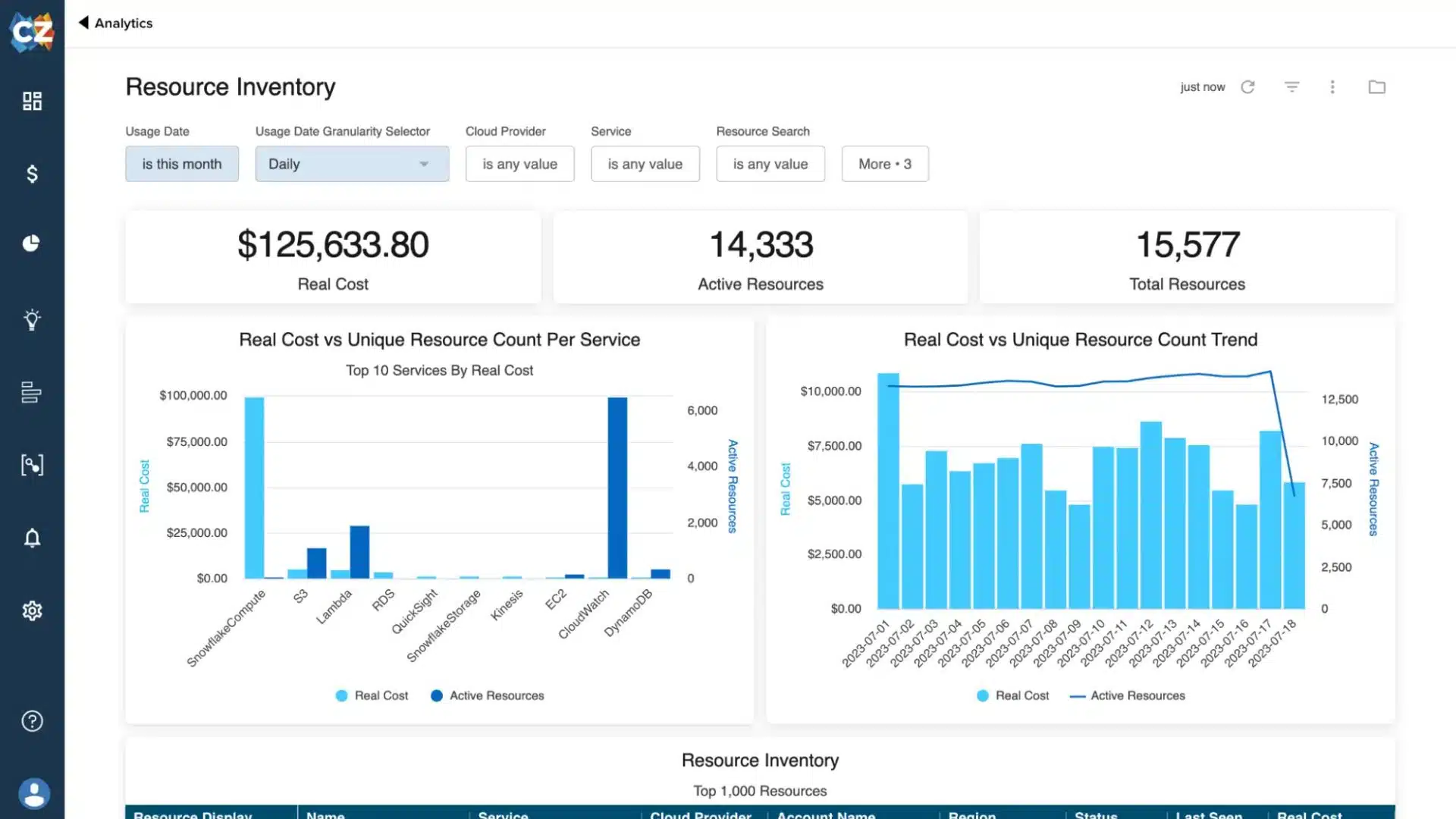
Cloudzero dashboard (source: cloudzero)
CloudZero is built to help teams understand cloud cost in business terms. It’s especially useful when you want to break spend down by product, customer, feature, or team, rather than just by account or service.
Core Features:
- Normalizes cost data across AWS, Azure, GCP, & Kubernetes
- Breaks down costs by customer, team, service, or product
- Role-based dashboards for finance & engineering teams
Value for FinOps Teams:
Useful for teams that need better cost allocation without relying entirely on perfect tagging. It helps connect spend to the parts of the business that actually drive it.
Quick Facts:
- Year Founded: 2016
- Category: Cloud cost intelligence
- Best For: Teams needing clear visibility into engineering & product cost drivers
- Pricing Model: Tiered pricing with custom quotes
2. Finout
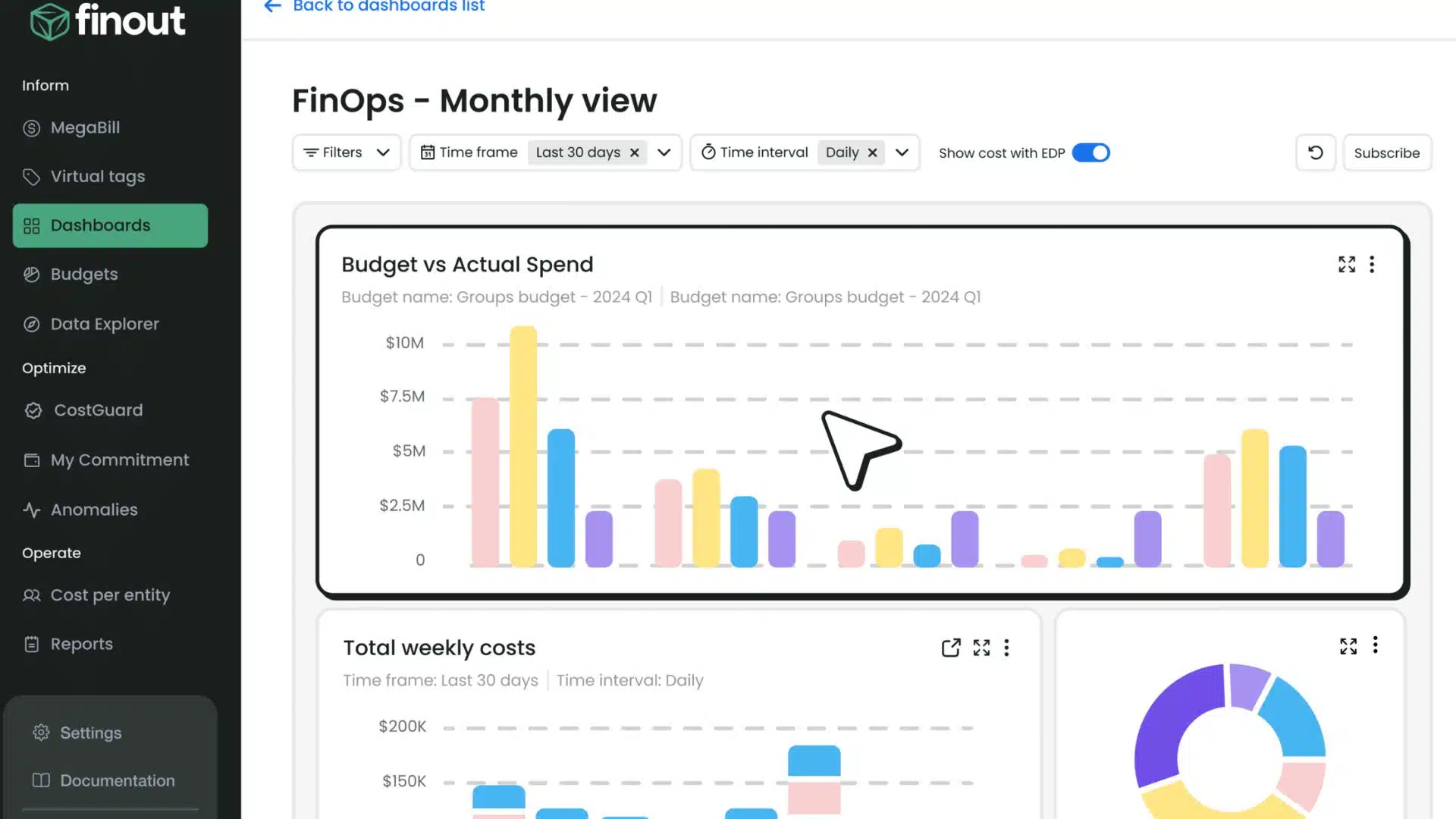
Finout dashboard (source: FinOut)
Finout focuses on cost allocation across multi-cloud and Kubernetes environments, with strong virtual tagging and shared cost capabilities.
Core Features:
- Virtual tagging & advanced cost allocation
- Unified analytics for AWS, Azure, GCP, & Kubernetes
- Integrations with finance & observability platforms
Value for FinOps Teams:
Helpful for teams that need cleaner allocation, especially when tagging is inconsistent and shared costs are hard to split fairly.
Quick Facts:
- Year Founded: 2021
- Category: FinOps automation & analytics
- Best For: Containerized or multi-cloud enterprises
- Pricing Model: Custom, based on usage
3. IBM Apptio Cloudability
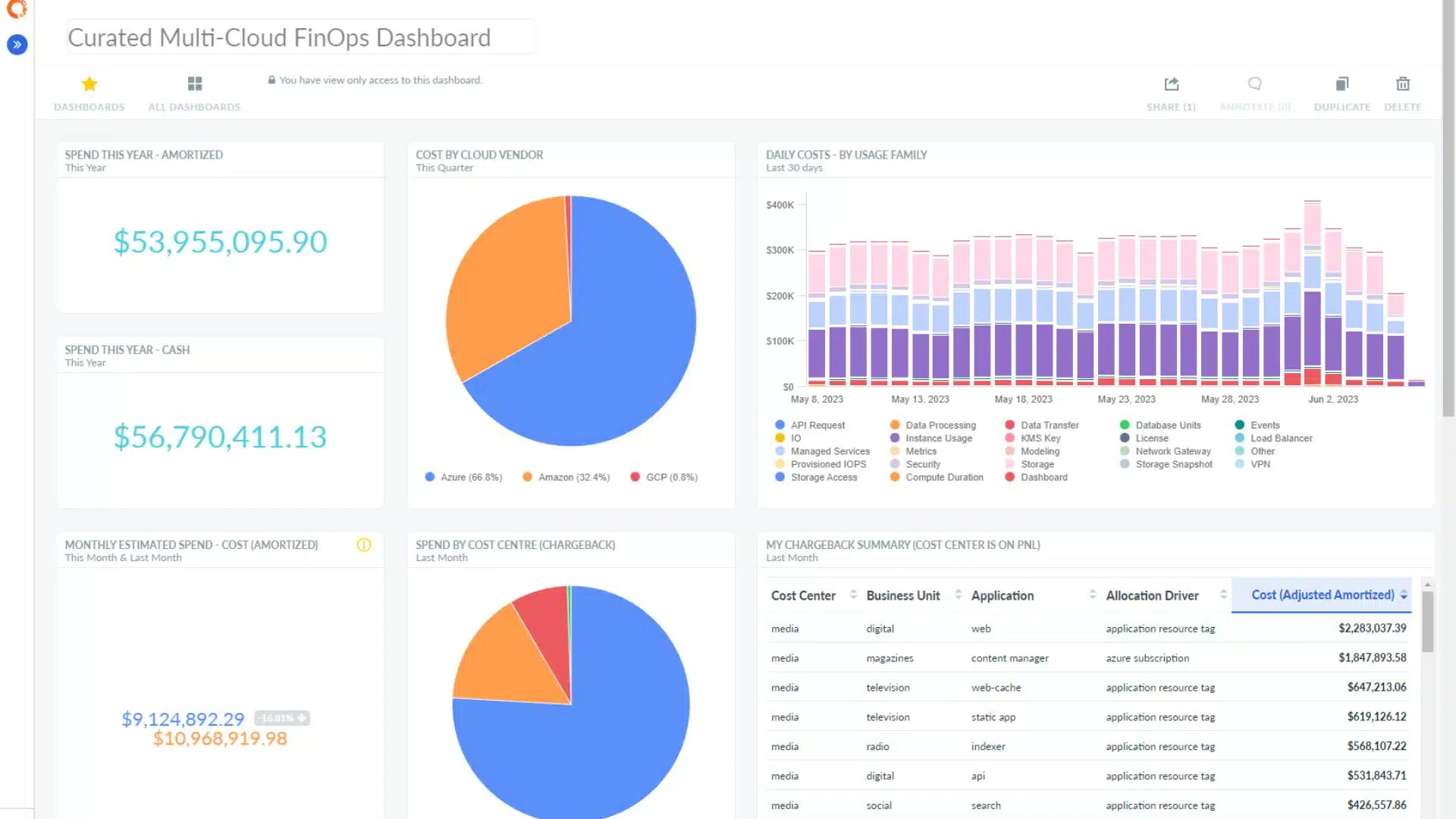
Cloudability Dashboard (Source: Apptio)
Cloudability is a long-established cloud financial management platform with strong budgeting, forecasting, showback, and reporting capabilities for large enterprises.
Core Features:
- Showback, chargeback, and financial forecasting
- Centralized multi-cloud visibility (AWS, Azure, GCP)
- Role-based dashboards for finance, IT, and engineering
Value for FinOps Teams:
Translates complex cost data into actionable insights. Governance and budgeting tools support strategic cost optimization for large-scale, mature FinOps teams.
Quick Facts:
- Year Founded: 2011
- Category: Cloud financial management
- Best For: Large enterprises with multi-cloud FinOps maturity
- Pricing Model: Custom enterprise pricing
4. Hyperglance
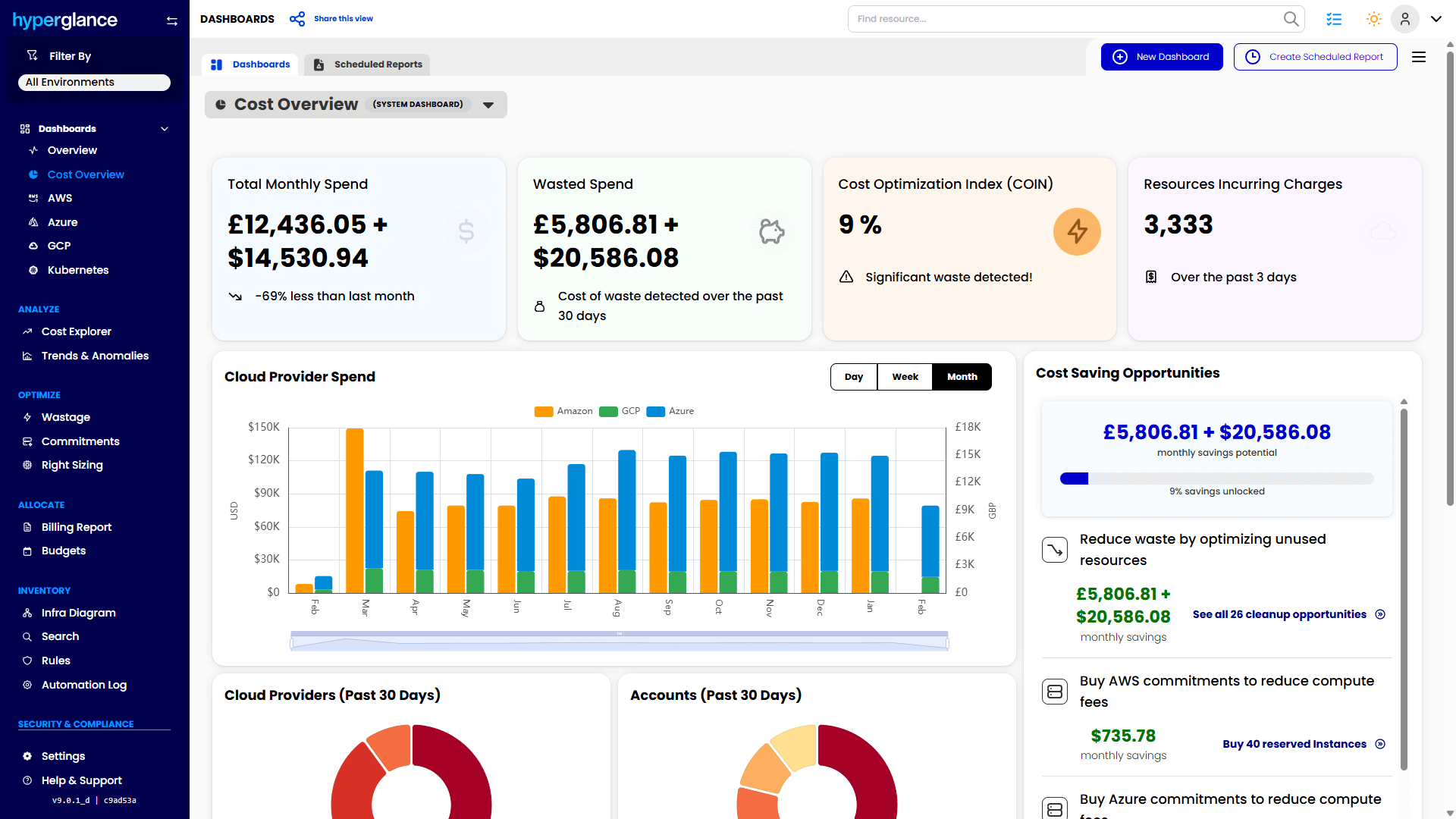
Hyperglance dashboard (Source: Hyperglance)
Hyperglance helps FinOps, CloudOps, and platform teams understand cloud cost in context.
Instead of looking at spend as a set of disconnected billing lines, teams can see cost alongside the resources, relationships, ownership, policies, and dependencies that explain it.
That makes it easier to answer questions like:
- What is this resource?
- Who owns it?
- What is it costing?
- What depends on it?
- What policy issue or waste risk needs attention?
- What action can we take next?
Core Features:
- Interactive topology, inventory, and dependency mapping across AWS, Azure, Google Cloud, and Kubernetes
- Cost visibility, custom allocation views, ownership reporting, and billing reports
- Policy-based governance, alerts, and no-code automation
- Cloud waste, security, and compliance checks in the same view
- Agentless deployment, with self-hosted options for sensitive or regulated environments
Value for FinOps Teams:
Hyperglance is useful when cost data alone isn’t enough.
It helps teams connect spend to real cloud context, so engineering, FinOps, security, and leadership can work from the same picture. It’s especially helpful for mid-market, enterprise, public sector, regulated, and MSP environments where ownership, control, and data handling matter.
Quick Facts:
- Year Founded: 2013
- Category: Cloud visualization and FinOps automation
- Best For: Mid-market and enterprise teams that need cloud visibility, ownership clarity, governance, automation, and self-hosted deployment options
- Pricing Model: Based on the number of cloud resources ingested
Best fit if:
You need to connect cost to cloud resources, ownership, dependencies, governance, and action across AWS, Azure, Google Cloud, and Kubernetes.
Consider another option if:
You only need narrow commitment automation or a Kubernetes-only cost tool.
5. Kubecost
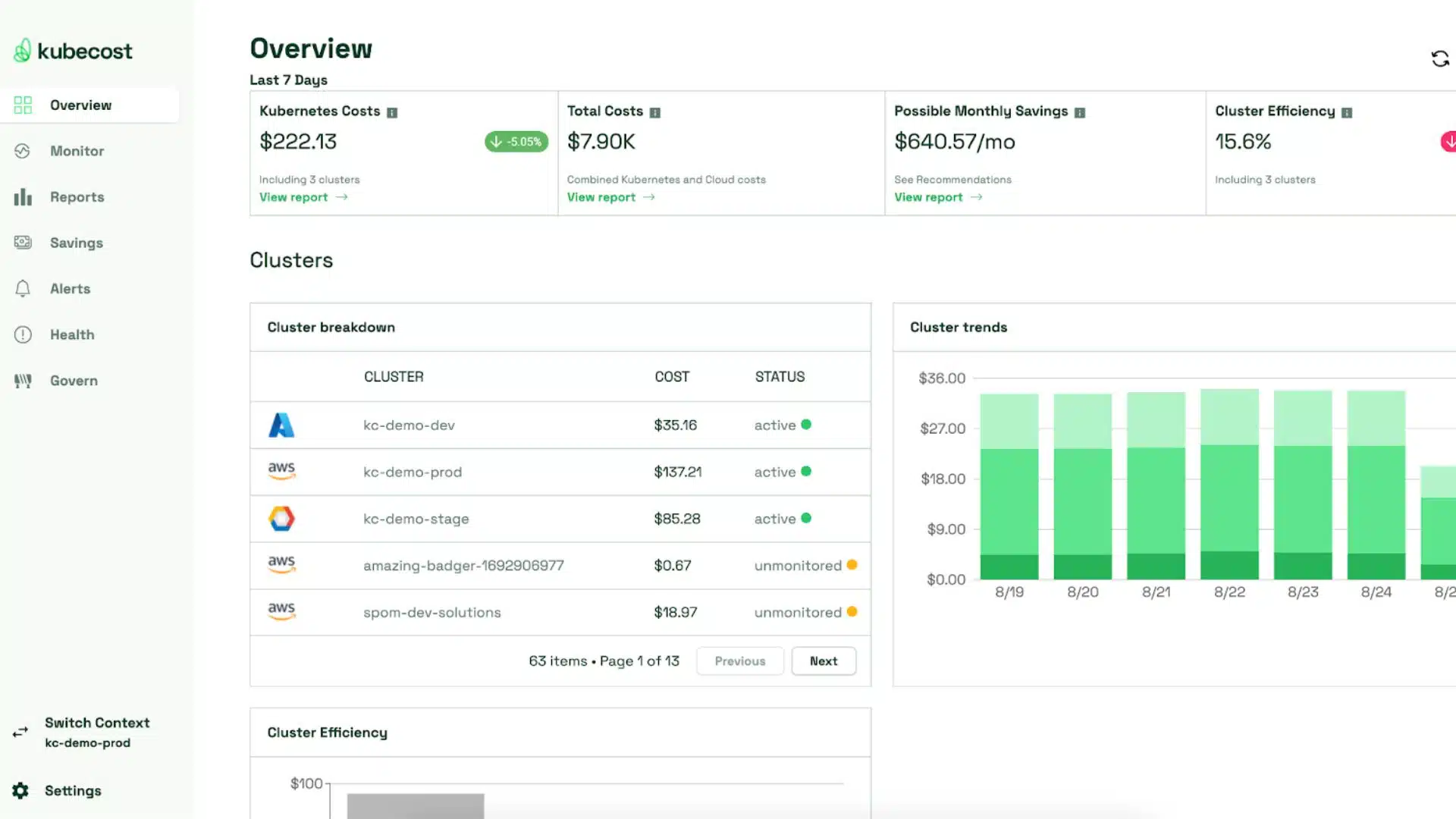
Kubecost Dashboard (Source: kubecost)
Best suited to teams that need granular Kubernetes cost visibility at the cluster, namespace, workload, or pod level.
Core Features:
- Real-time Kubernetes cost monitoring and allocation
- Prometheus integration for precise data tracking
- Cost-saving insights and recommendations for clusters
Value for FinOps Teams:
Brings financial transparency to containerized workloads, helping teams identify inefficiencies, allocate costs accurately, and optimize spending.
Quick Facts:
- Year Founded: 2019
- Category: Kubernetes cost visibility & FinOps
- Best For: Teams managing large-scale containerized deployments
- Pricing Model: Free open-source tier and paid enterprise plans
6. ProsperOps
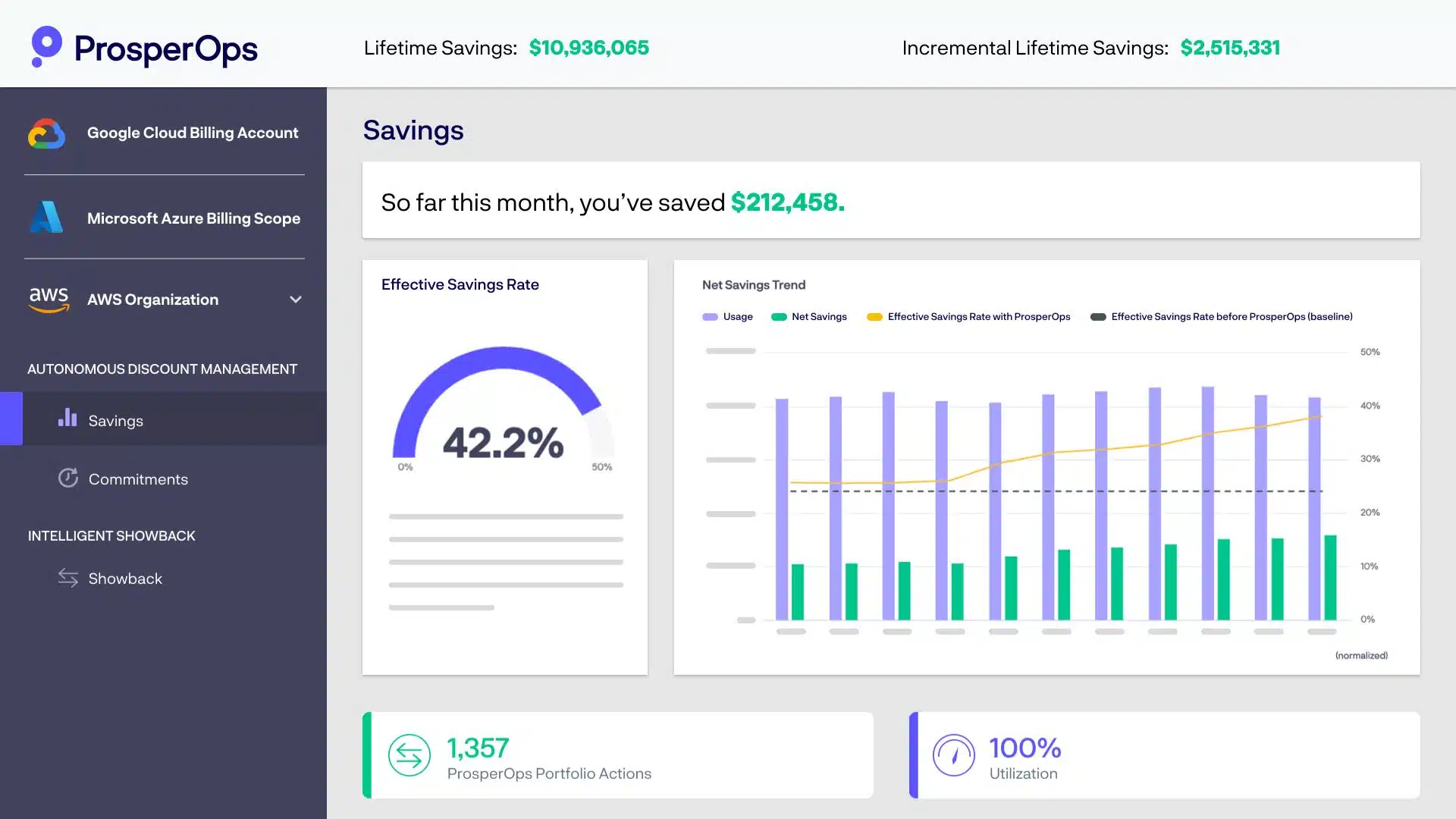
ProsperOps Dashboard (source: ProsperOps)
Strong option for AWS-heavy teams that want to automate Savings Plans and Reserved Instance management rather than handle it manually.
Core Features:
- Continuous optimization of AWS Savings Plans & RIs
- Real-time tracking of utilization and savings performance
- Automated cost adjustments based on workload changes
Value for FinOps Teams:
Eliminates manual savings management, enabling teams to focus on strategic cost control with intelligent automation.
Quick Facts:
- Year Founded: 2018
- Category: AWS cost optimization & FinOps automation
- Best For: AWS users seeking automated savings management
- Pricing Model: Percentage of total savings
7. Cast AI
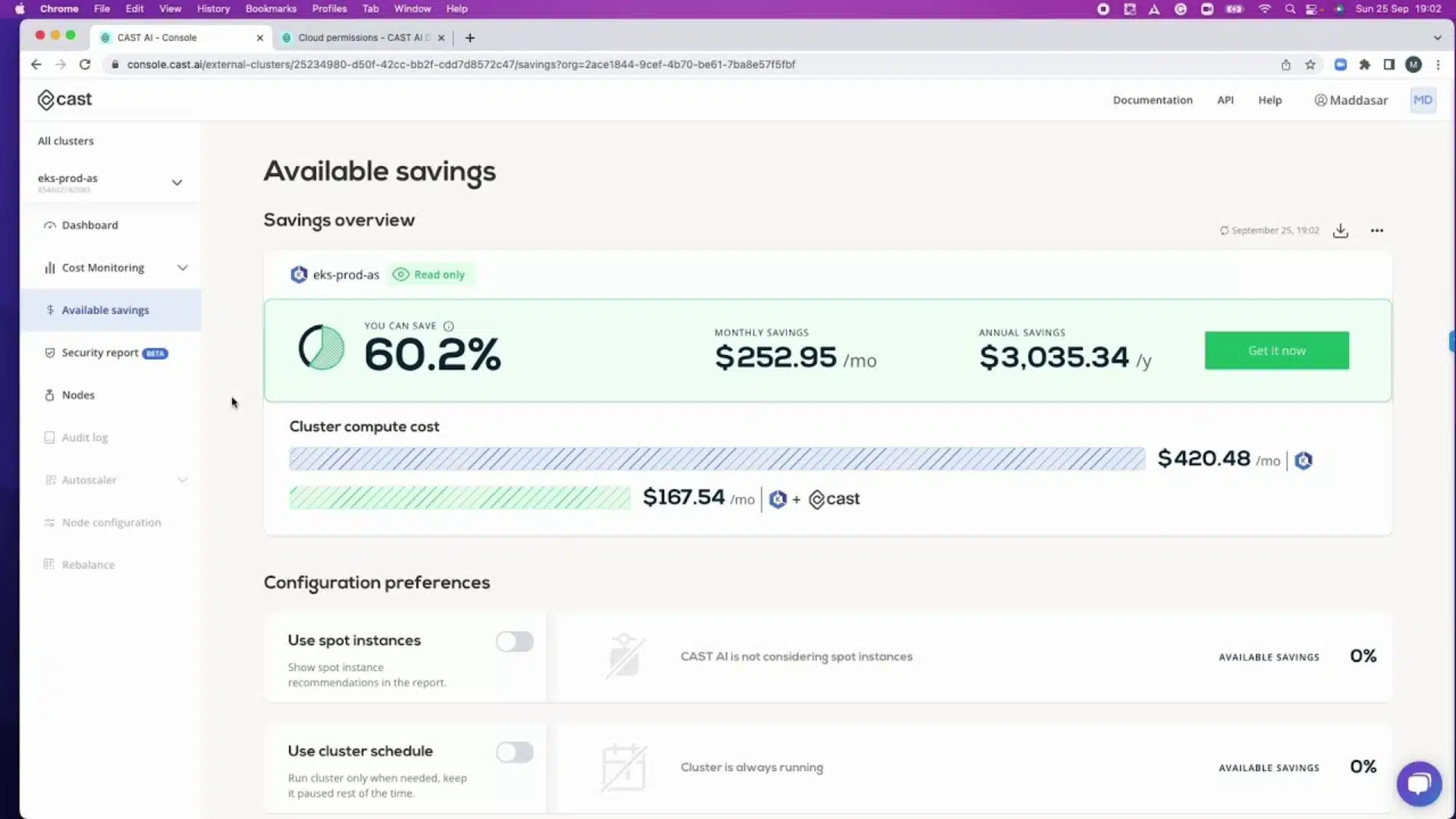
Cast AI dashboard (Source: cast.ai)
Cast AI focuses on Kubernetes cost optimization through automated rightsizing, scaling, and workload placement.
Core Features:
- AI-driven autoscaling & rightsizing for Kubernetes
- Continuous cost monitoring & optimization recommendations
- Integrates with major cloud providers for centralized cost management
Value for FinOps Teams:
Enables hands-off Kubernetes cost control, balancing performance and spend with automation.
Quick Facts:
Year Founded: 2019
Category: Kubernetes cost optimization
Best For: Cloud-native teams running Kubernetes on multi-cloud
Pricing Model: Percentage of savings or usage-based
8. VMware CloudHealth (Aria)
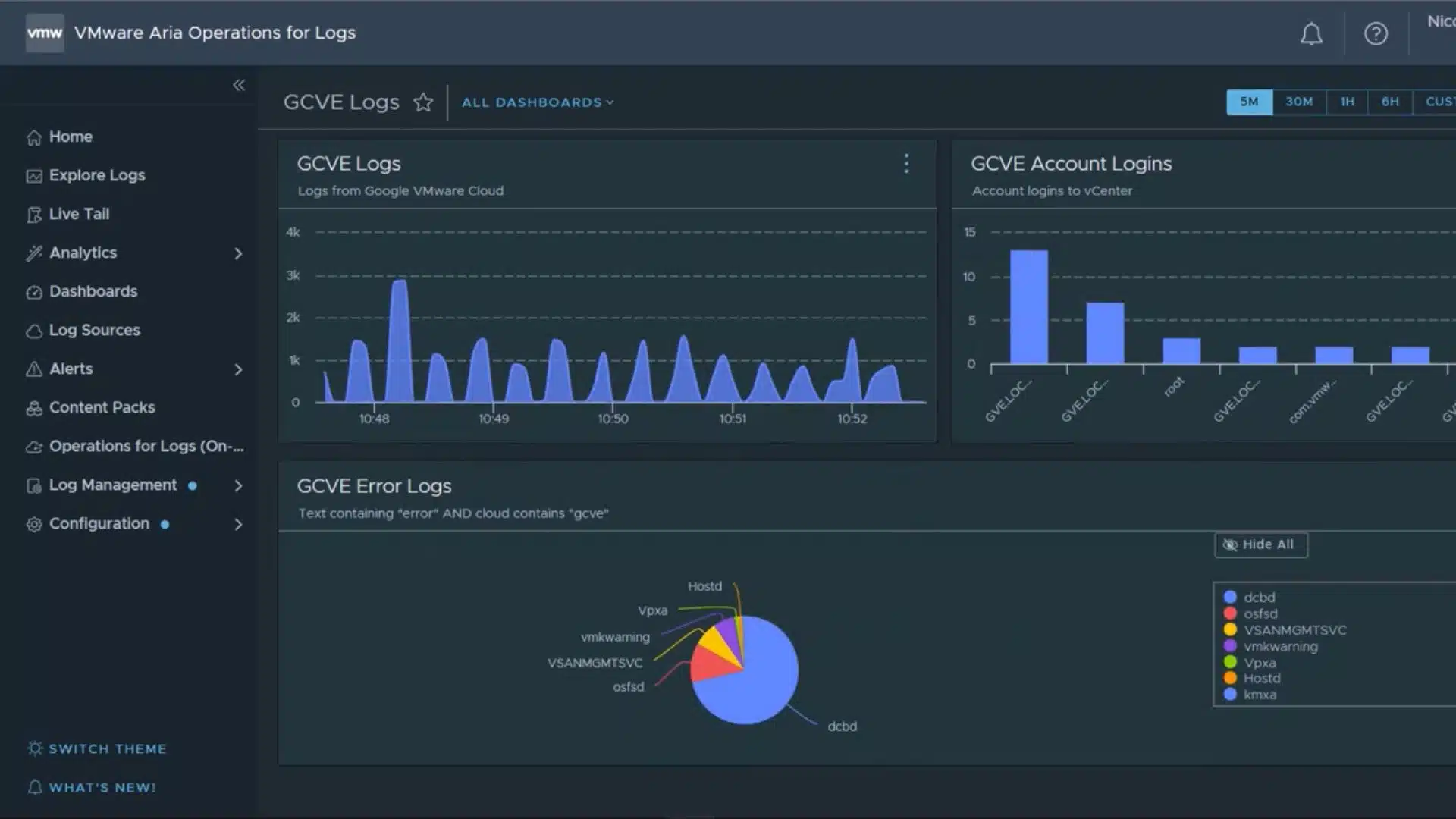
CloudHealth Dashboard (source: cloudhealth)
CloudHealth (VMware Aria) is a comprehensive FinOps and governance platform offering visibility into usage, spend, and performance across AWS, Azure, and GCP.
Core Features:
- Centralized multi-cloud cost, usage, & performance visibility
- Automated cost allocation & budgeting
- Policy-driven governance for spend optimization & compliance
Value for FinOps Teams:
Useful for enterprise teams that want broad multi-cloud reporting, governance, and financial management in one platform.
Quick Facts:
- Year Founded: 2012 (acquired by VMware in 2018)
- Category: Cloud management & FinOps platform
- Best For: Enterprises managing multi-cloud infrastructures
- Pricing Model: Subscription-based, tiered by usage
9. CloudBolt
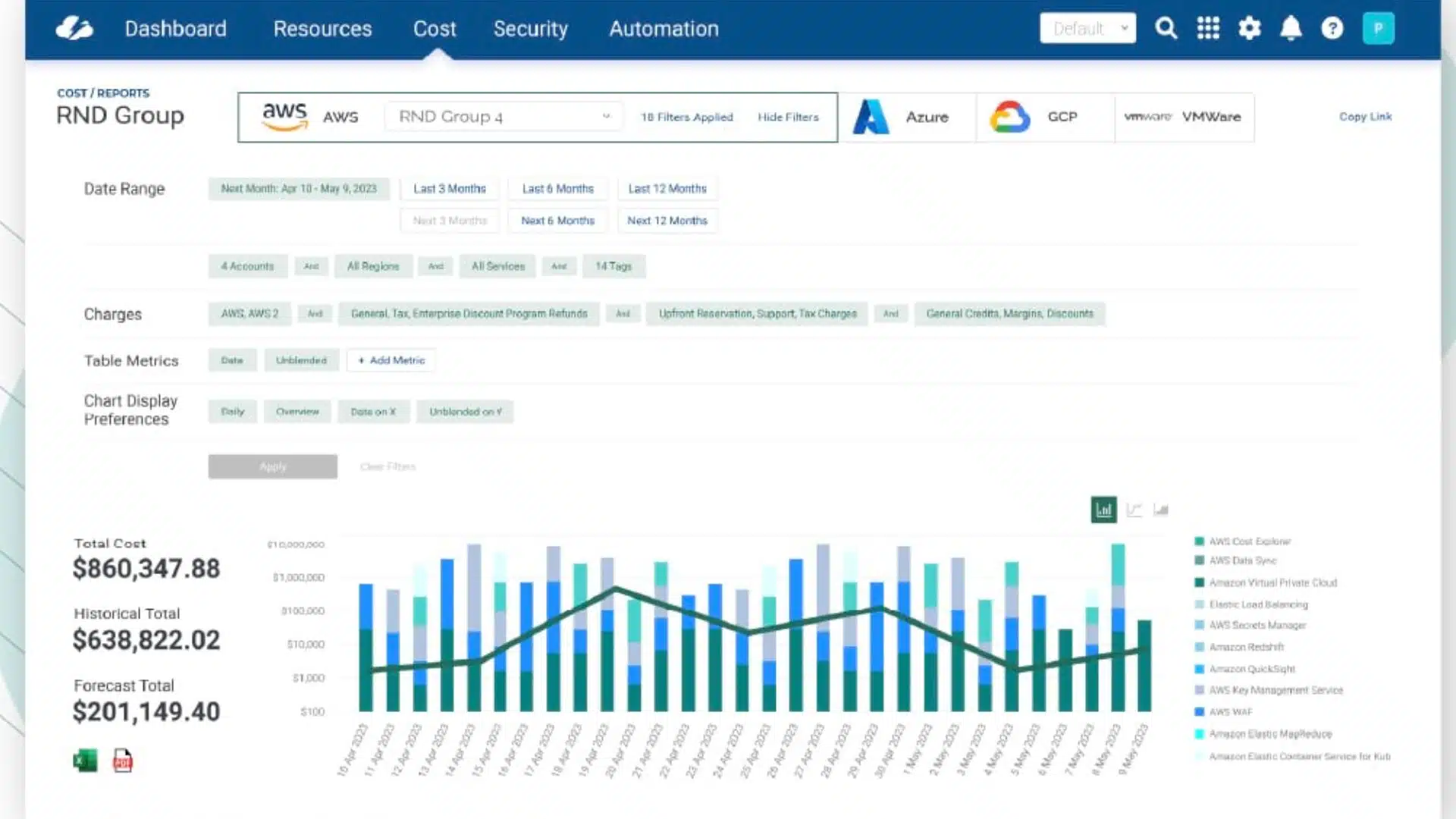
CloudBolt Dashboard (Source: cloudbolt)
CloudBolt offers hybrid and multi-cloud management with cost governance, automation, and visibility across private, public, and hybrid environments.
Core Features:
- Unified visibility & governance across hybrid clouds
- Intelligent cost analytics & optimization insights
- Self-service automation for provisioning & usage
Value for FinOps Teams:
Could be a fit for teams managing hybrid environments that need cost governance alongside provisioning and automation.
Quick Facts:
- Year Founded: 2012
- Category: Hybrid cloud management & FinOps
- Best For: Enterprises using both cloud and on-prem infrastructures
- Pricing Model: Custom enterprise pricing
10. CloudCheckr
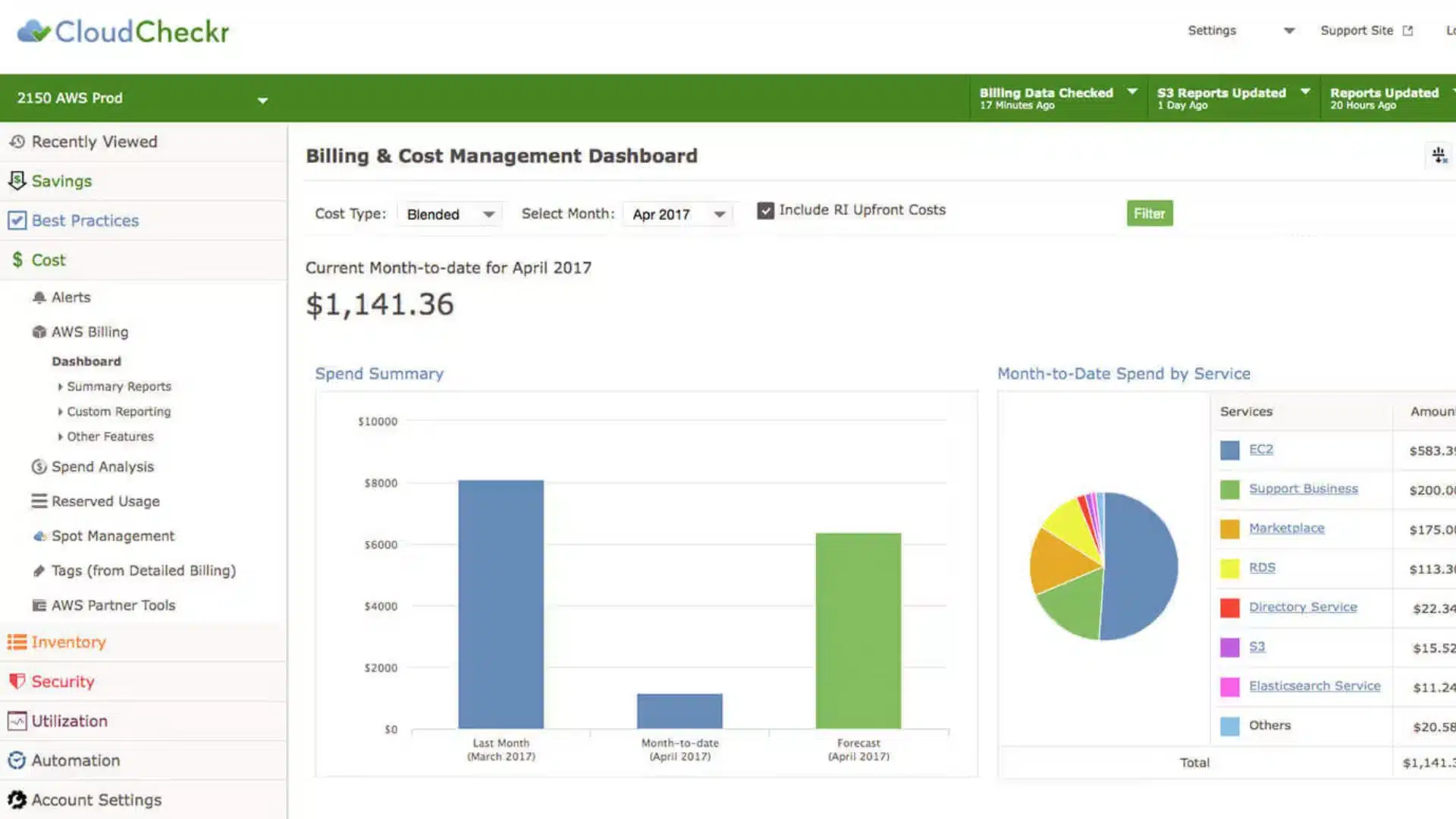
CloudCheckr Dashboard (source: Flexera)
CloudCheckr (part of Flexera) delivers automated cost optimization, compliance, and governance across AWS, Azure, and GCP.
Core Features:
- Advanced cost reporting & policy-based governance
- Automated detection of anomalies & security issues
- Detailed usage analytics for forecasting & budgeting
Value for FinOps Teams:
Best suited to enterprise teams that want cost reporting, governance, and compliance controls in the same workflow
Quick Facts:
- Year Founded: 2011
- Category: Cloud cost optimization & governance
- Best For: Enterprises needing unified cost, compliance, & security visibility
- Pricing Model: Custom quote based on cloud spend
Key Features to Look for in the Best Cloud FinOps Tools
When you compare FinOps tools, don’t start with the longest feature list.
Start with the problem you need to solve first. That might be allocation, forecasting, commitment management, Kubernetes visibility, governance, automation, or ownership.
A good platform should help finance, engineering, and operations teams work from the same picture. If each team trusts a different dashboard, decisions slow down.
1. Unified Multi-Cloud Visibility
A good FinOps tool should bring AWS, Azure, Google Cloud, Kubernetes, and other environments into one consistent view.
That matters because most waste doesn’t sit neatly inside one account or subscription. It spreads across teams, services, projects, and environments. The faster you can see that picture, the easier it is to explain spend and decide what to fix.
2. Real-Time Cost Monitoring and Alerts
Monthly reports are useful, but they’re often too late.
Look for tools that can spot unusual cost movement, alert the right people, and help teams act before small issues become expensive ones.
3. Automation and Policy Enforcement
Automation is useful when it removes repeat work without removing control.
Look for tools that can enforce tagging rules, trigger shutdown schedules, route issues to owners, or apply approved fixes. The best automation supports human decision-making rather than hiding it.
4. Kubernetes and Container Cost Allocation
Kubernetes can make cost allocation harder because spend often needs to be split by cluster, namespace, workload, pod, team, or application.
If Kubernetes is a major part of your estate, check how each tool handles container cost data. Some tools specialize in Kubernetes. Others include it as part of a wider cloud visibility and governance picture.
5. Forecasting and Budgeting Capabilities
Forecasting helps teams plan, but only if the data is trusted.
Look for tools that make budget trends clear, show what changed, and help teams explain why spend moved. Forecasts are most useful when they’re connected to ownership and action.
6. Role-Based Dashboards and Collaboration Tools
FinOps works best when teams can see the same truth from different angles.
Finance may need budget and allocation views. Engineers may need resource-level detail. Leaders may need trends, risks, and progress. The tool should support all 3 without forcing everyone into the same workflow.
7. Integrations and Extensibility
FinOps work shouldn’t live in a separate reporting silo.
Look for integrations with the systems your teams already use, such as ITSM, ticketing, chat, monitoring, or CI/CD tools. Findings are more likely to get fixed when they reach the right owner in the right workflow.
8. Deployment And Data Control
For some teams, how a FinOps tool is deployed matters as much as what it reports.
If you work in government, financial services, healthcare, defense, critical infrastructure, or another regulated environment, check whether the tool is SaaS-only or can run inside your own environment.
Self-hosted deployment can be useful when data residency, security policy, or procurement rules limit what cost and infrastructure data can leave your cloud.
The right FinOps tool should support your current maturity level and still fit as your cloud estate grows.
How to Choose the Right FinOps Tool
Choosing a FinOps tool is less about finding the platform with the longest feature list, and more about finding one that fits your cloud estate, your team structure, and the way you actually work.
Cloud Coverage
Check that the tool supports the environments you actually run today, plus the ones you’re likely to add next.
For many teams, that means AWS, Azure, Google Cloud, Kubernetes, and sometimes hybrid or on-premises infrastructure. If your estate is already multi-cloud, make sure the tool can show cost and context across providers without forcing teams to stitch reports together manually.
Integration and Automation
Look for tools that fit the way your teams already work.
That might mean ticketing, chat, monitoring, CI/CD, billing, CMDB, or reporting workflows. Automation should help teams move from “we found an issue” to “the right owner knows what to do.”
Actionable Insights
A dashboard is only useful if it helps teams decide what to do next. The best platforms show where spend is moving, why it changed, who owns it, and what action is safe to take.
Collaboration and Governance
FinOps depends on shared accountability.
That means the tool needs to support different users without creating different versions of the truth. Look for role-based views, shared dashboards, ownership mapping, policy checks, and ways to route findings to the right team.
Scalability and Flexibility
Your FinOps needs will change as your estate grows.
A tool that works for 5 accounts may struggle with 500. Check how easily it handles new accounts, subscriptions, projects, clusters, teams, tags, policies, and reporting structures.
Looking Ahead
FinOps is becoming more practical, more technical, and more closely tied to day-to-day cloud operations.
The strongest tools won’t just show cost. They’ll help teams understand ownership, explain change, reduce waste, and take action without adding more manual work.
That’s why tool choice matters. A reporting-focused platform may be enough for one team. Another may need Kubernetes depth, commitment automation, governance, or self-hosted cloud visibility.
The best place to start is simple: define the problem you need to solve first. Then choose the tool that fits that problem best.
Frequently Asked Questions (FAQs)
What Is A FinOps Tool?
A FinOps tool helps teams understand, allocate, manage, and optimize cloud spend.
The best tools do more than show a bill. They help finance, engineering, operations, and leadership teams understand what is driving cost, who owns it, and what can be done next.
How Do FinOps Tools Differ From Cloud Cost Management Tools?
Cloud cost management tools often focus on reporting, dashboards, and spend visibility.
FinOps tools usually go further. They support accountability, allocation, forecasting, governance, optimization, collaboration, and automation across teams.
What Features Should You Look For In A FinOps Tool?
Start with your biggest pain point.
Common features to compare include:
- Multi-cloud visibility
- Cost allocation
- Tagging support
- Kubernetes cost visibility
- Forecasting and budgeting
- Waste detection
- Commitment management
- Governance and policy checks
- Automation
- Integrations
- Deployment and data control
What Should Teams Look For First When Evaluating A FinOps Platform?
Start with the problem you need to solve.
For some teams, that’s allocation and reporting. For others, it’s Kubernetes visibility, commitment management, governance, ownership, self-hosted deployment, or automation.
Once that’s clear, it’s much easier to build a useful shortlist.
What Is The Difference Between CloudOps And FinOps?
CloudOps focuses on running cloud environments reliably, securely, and efficiently.
FinOps focuses on cloud financial accountability. It helps teams understand spend, allocate costs, reduce waste, and make better trade-offs between cost, speed, and performance.
The 2 disciplines often overlap, especially when engineering teams are responsible for cost-aware decisions.
Is FinOps Only About Cloud Spend?
FinOps started with cloud spend, but the discipline is expanding.
Many teams now apply FinOps thinking to Kubernetes, SaaS, AI workloads, shared platforms, and other variable technology costs. The goal is the same: help teams understand usage, ownership, cost, and value.
Which FinOps Tool Is Best?
There isn’t one best tool for every team.
CloudZero may fit teams focused on business cost allocation. Kubecost or Cast AI may fit Kubernetes-heavy teams. ProsperOps may fit AWS teams focused on commitment automation. Hyperglance may fit teams that need cost visibility tied to cloud resources, ownership, governance, automation, and self-hosted deployment.
The best choice depends on your estate, your team structure, and the decisions you need the tool to support.
Why Teams Choose Hyperglance in 2026
Hyperglance is a strong fit when cost data alone doesn’t give your team enough context.
That often happens when teams are asking questions like:
- What is running across our cloud estate?
- Who owns this resource?
- Why did this cost change?
- What else depends on it?
- Is it safe to clean up?
- Which policy, security, or compliance issue needs attention?
- Can we route this to the right owner or trigger an approved action?
We help teams connect cloud cost to infrastructure context across AWS, Azure, Google Cloud, and Kubernetes. That means FinOps, CloudOps, platform, security, and leadership teams can work from the same view.
Hyperglance is especially useful for mid-market, enterprise, MSP, public sector, and regulated teams where ownership, governance, automation, and data control matter.
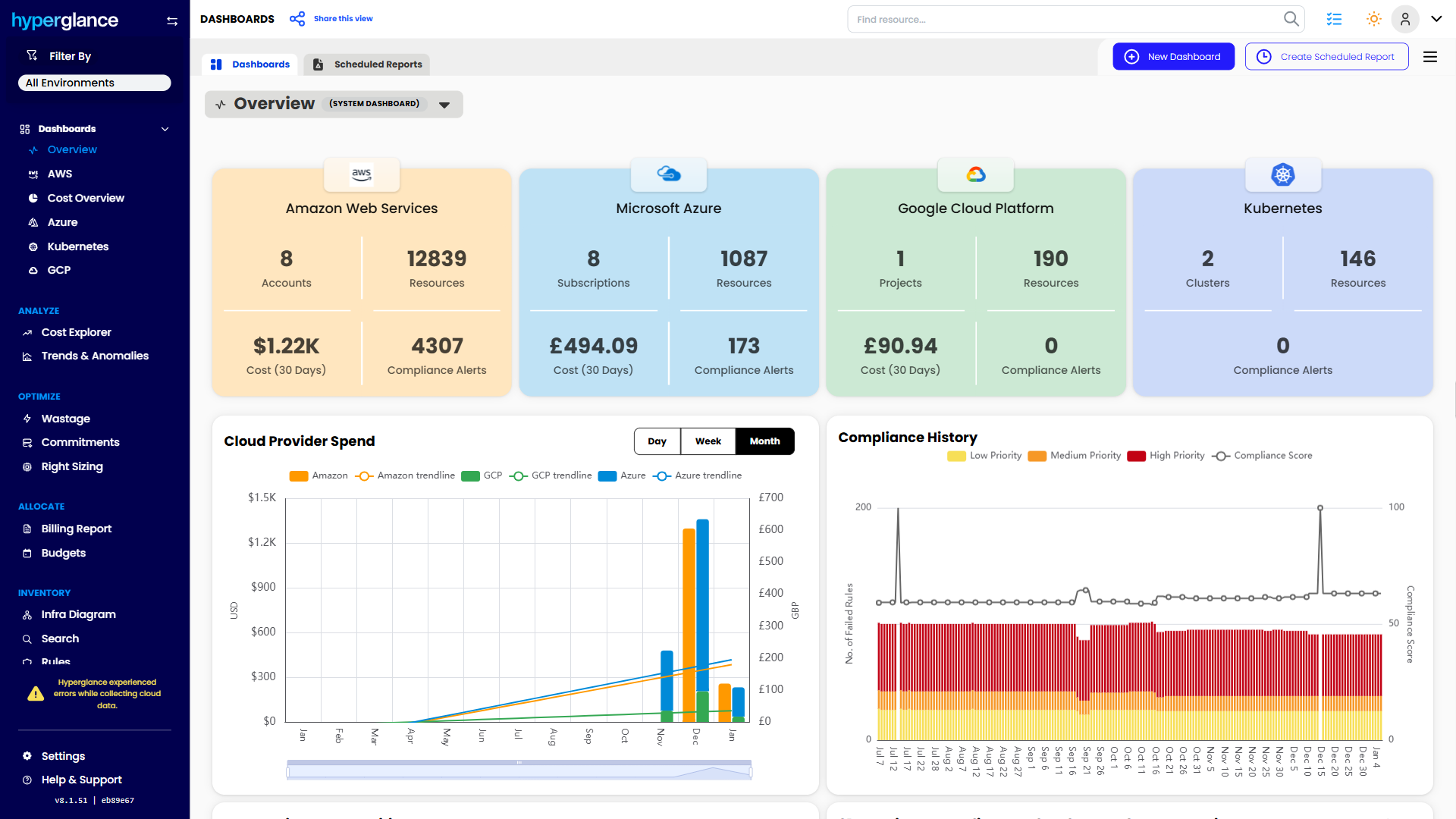
What You Can Do With Hyperglance
- See cost, resources, relationships, and ownership in one place
- Visualize cloud architecture with interactive diagrams
- Find waste, policy issues, and cost anomalies faster
- Route findings to the right team through existing workflows
- Use no-code automation for approved fixes
- Run Hyperglance in your own environment when data control matters
Want to see where Hyperglance fits in your FinOps stack?
Explore the product, start a free trial, or book a demo with the team.
About The Author: Stephen Lucas
As Hyperglance's Chief Product Officer (CPO), Stephen is responsible for the Hyperglance product roadmap. Stephen has over 20 years of experience in product management, project management, and cloud strategy across various industries.