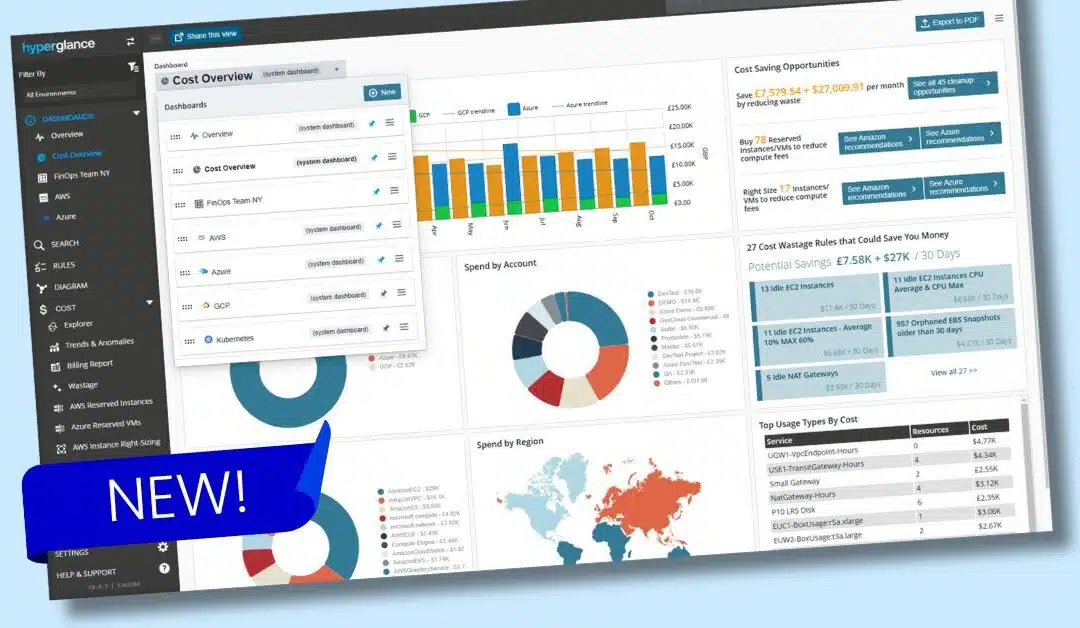
New in Hyperglance v8.0: Custom Dashboards
Following quickly behind cost heatmaps, anomaly alerts, and billing reports is Custom Dashboards.
You can now build and share your own dashboards using a growing library of customizable tiles.
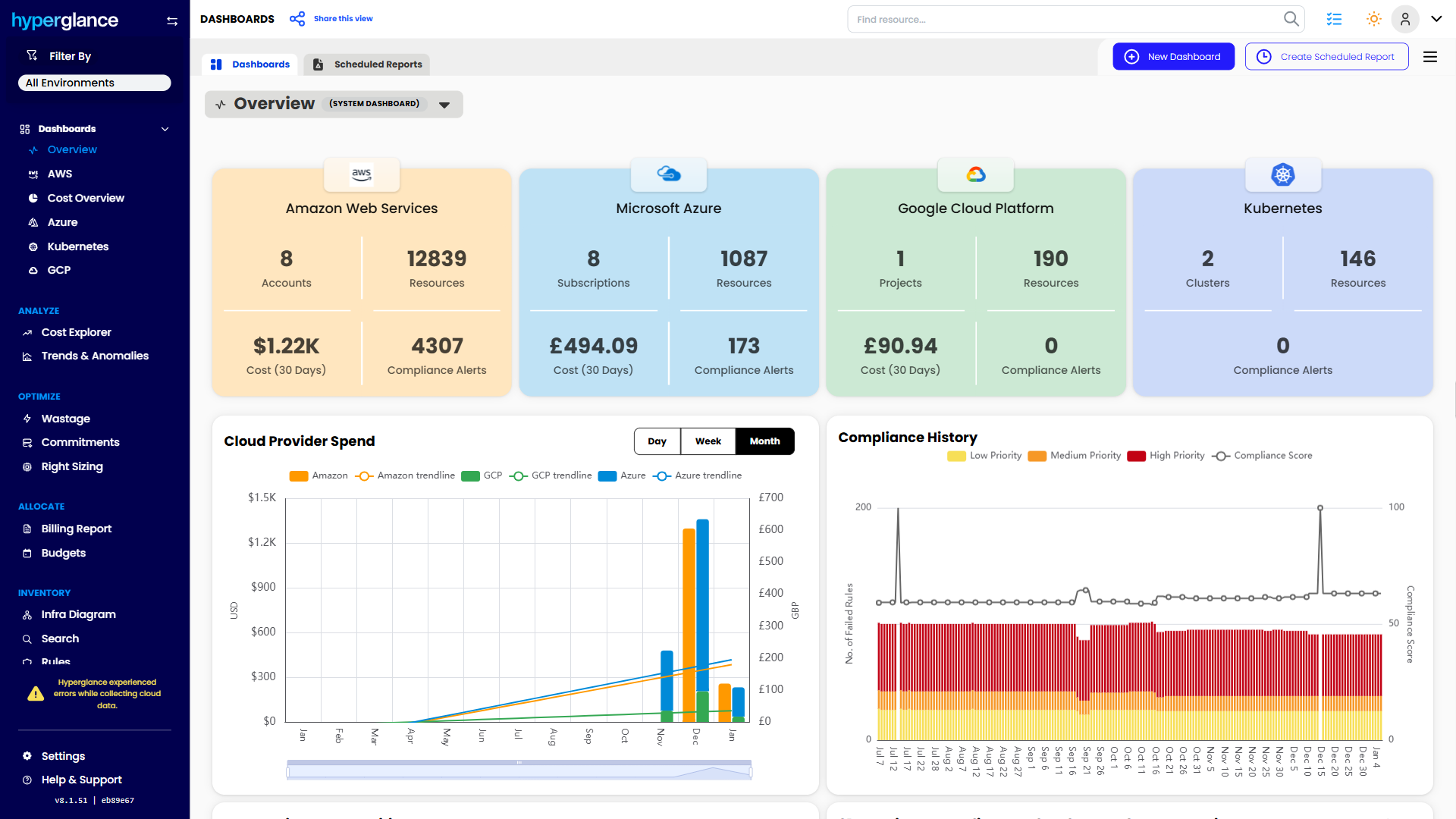
Stay ahead of your cloud expenses using our brand-new Cost Overview dashboard, or enhance visibility with improved AWS, Azure, GCP, and Kubernetes dashboards.
Easily schedule PDF reports for your team, set your favorite dashboard as your default landing page, and even pin key dashboards for quick access.
Custom Cloud Dashboards are another way we're putting the power of cloud visibility and cost management at your fingertips.
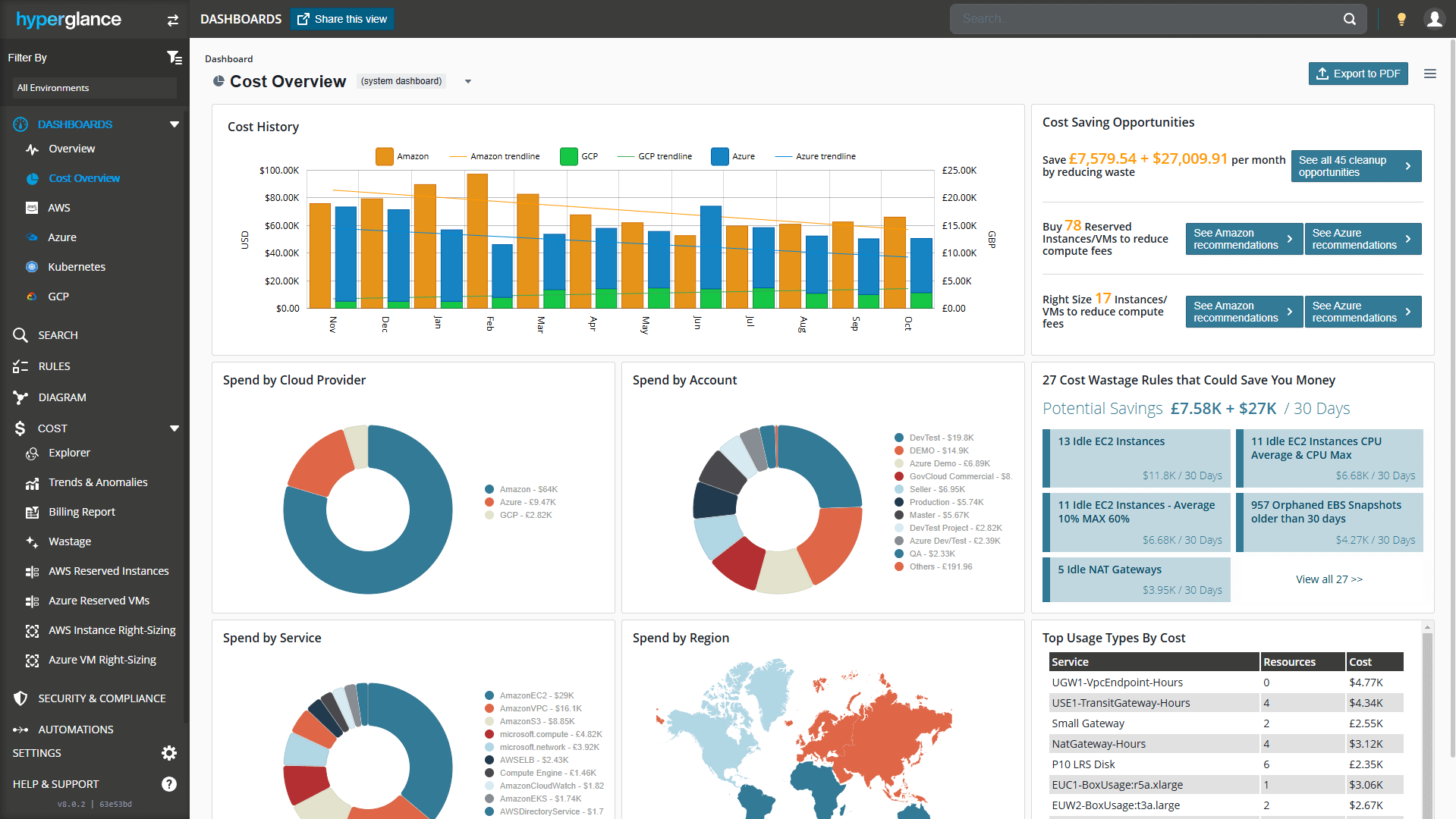
An example cloud cost dashboard in Hyperglance
Feature Spotlight
You can access custom dashboards as soon as you log in.
The default landing page when you open Hyperglance in your browser is the Overview system dashboard - something that's now customizable.
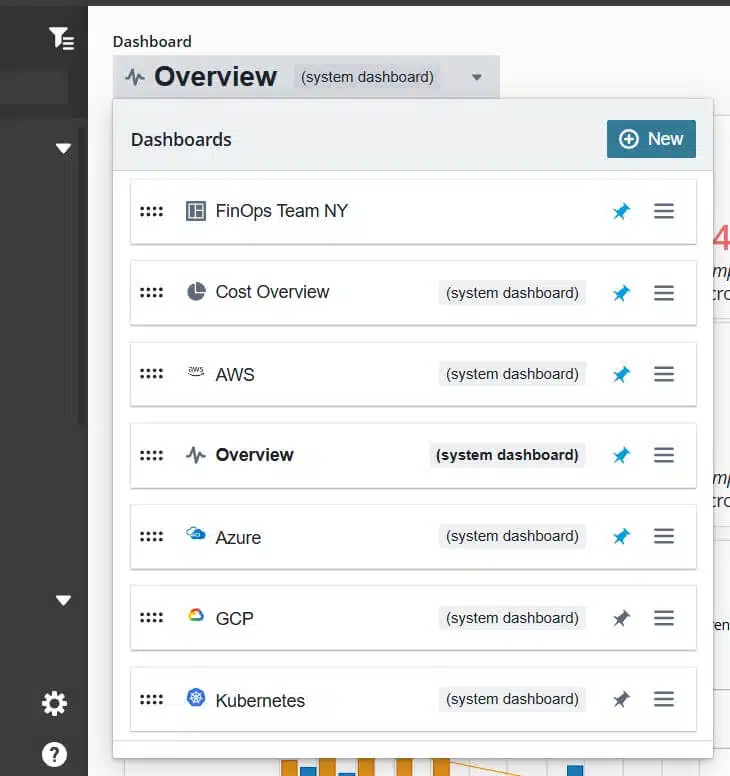
Organize your dashboards or create your own.
- Create and share your own cloud dashboards using an ever-growing library of customizable tiles (reports)
- Stay on top of your cloud costs using the new Cost Overview dashboard
- Use the built-in email scheduler to automatically send PDF versions of dashboards to you and your team
- Utilize our improved AWS, Azure, GCP & Kubernetes dashboards
- Re-order custom & system dashboards, and pin them to your left-hand menu
- Choose your favourite custom/system dashboard as your default landing page
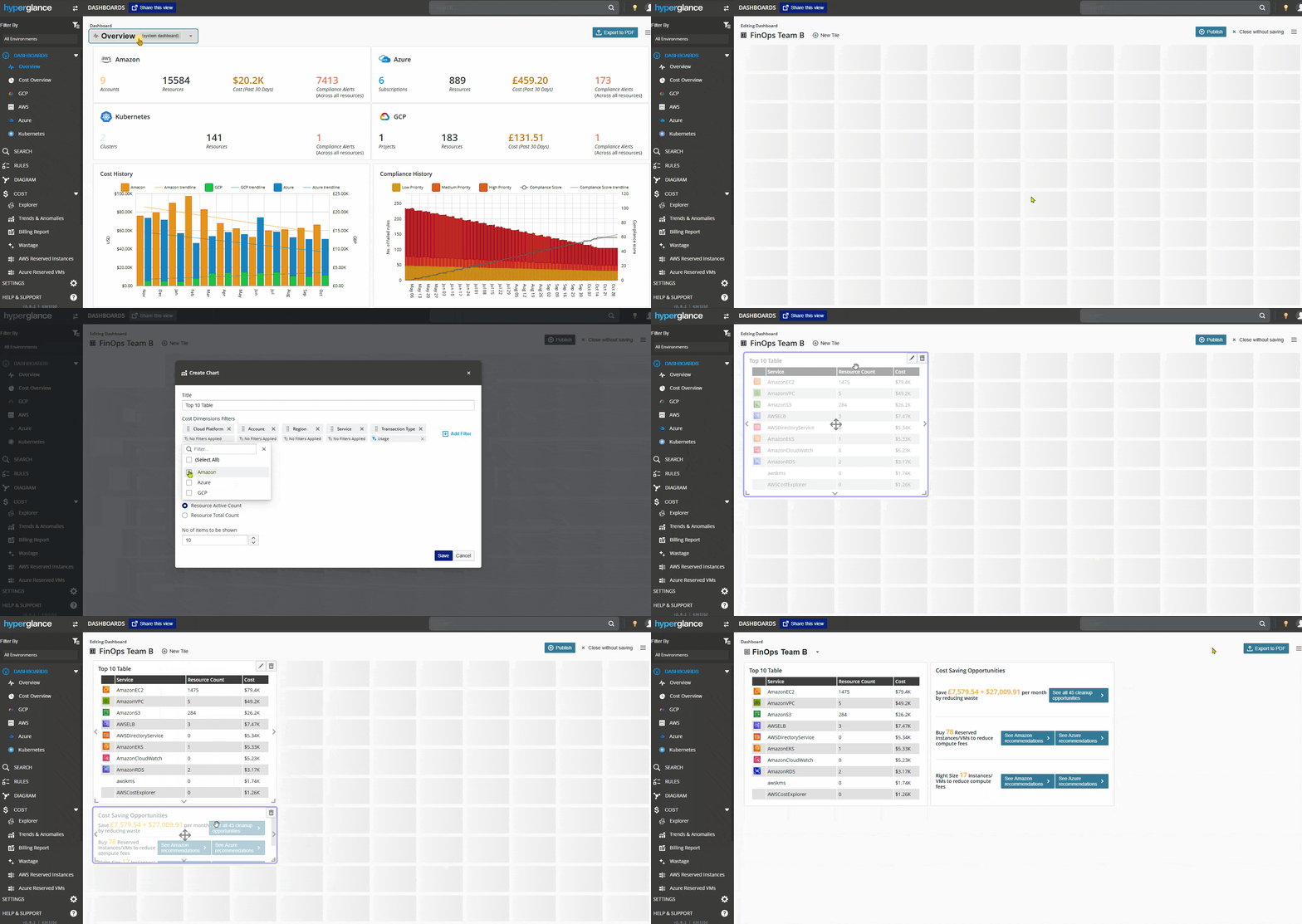
Creating a custom dashboard in Hyperglance
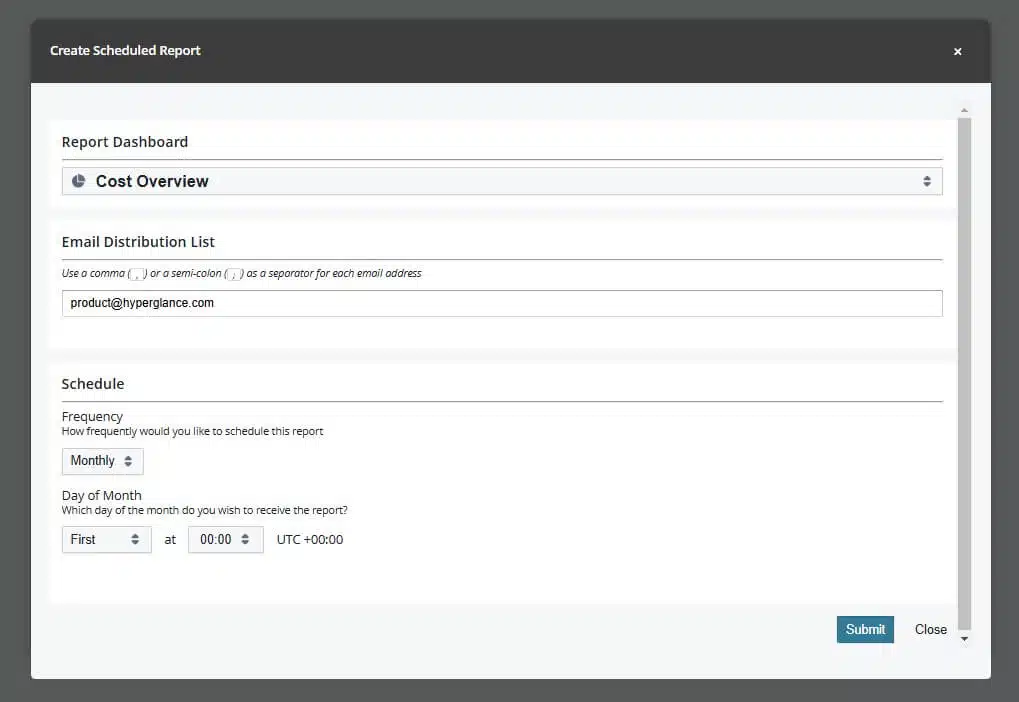
Automatically email cloud dashboards
Why use Custom Cloud Dashboards?
Personalized Cloud Insights: Customize dashboards to reflect the metrics and data that matter most to you, ensuring you get the insights you really care about.
Comprehensive Multi-Cloud View: Combine AWS, Azure, GCP, and Kubernetes metrics in one unified view, giving you better control and visibility over your cloud environment.
Streamlined Team Collaboration: Easily share dashboards and schedule PDF reports to keep your team informed and aligned on cloud performance and costs.
Quick Access to Critical Data: Pin key dashboards to your left-hand menu for immediate access, and set your favorite dashboard as the default landing page for a time-saving workflow.
Hyper-Efficient Cost Management: Stay on top of your cloud expenses with the Cost Overview dashboard, helping you quickly identify trends, anomalies, and opportunities for savings.
🧠 Need to brush up on your jargon? Head over to our FinOps glossary.
Release Details
When are Custom Dashboards Released?
Customizable Cloud Dashboards are available now.
If you have configured automatic updates, this new release is available immediately.
It will be downloaded and updated automatically (if it hasn't been already). Use these instructions to pull the latest update manually, or enable automatic updates.
Whether your updates are automated or manual, all your existing configurations remain intact during & after the upgrade. The only changes you will see are the new features.
Who can access Custom Dashboards?
All Hyperglance customers with up-to-date installs will get access to the new features.
There's no extra cost either - it's included in your standard Hyperglance package.
How can I provide feedback?
Please log a support ticket, or email Stephen Lucas, Chief Product Officer (slucas@hyperglance.com).
Why Teams Choose Hyperglance in 2026
Hyperglance is a strong fit when cost data alone doesn’t give your team enough context.
That often happens when teams are asking questions like:
- What is running across our cloud estate?
- Who owns this resource?
- Why did this cost change?
- What else depends on it?
- Is it safe to clean up?
- Which policy, security, or compliance issue needs attention?
- Can we route this to the right owner or trigger an approved action?
We help teams connect cloud cost to infrastructure context across AWS, Azure, Google Cloud, and Kubernetes. That means FinOps, CloudOps, platform, security, and leadership teams can work from the same view.
Hyperglance is especially useful for mid-market, enterprise, MSP, public sector, and regulated teams where ownership, governance, automation, and data control matter.
What You Can Do With Hyperglance
- See cost, resources, relationships, and ownership in one place
- Visualize cloud architecture with interactive diagrams
- Find waste, policy issues, and cost anomalies faster
- Route findings to the right team through existing workflows
- Use no-code automation for approved fixes
- Run Hyperglance in your own environment when data control matters
Want to see where Hyperglance fits in your FinOps stack?
Explore the product, start a free trial, or book a demo with the team.

About The Author: Stephen Lucas
As Hyperglance's Chief Product Officer (CPO), Stephen is responsible for the Hyperglance product roadmap. Stephen has over 20 years of experience in product management, project management, and cloud strategy across various industries.