🆕 This guide helps you choose the right cloud cost optimization tool based on your needs and infrastructure.
Cloud spend grows faster than most teams expect. Native billing consoles show totals and trends, but they rarely explain why costs are changing or who owns them. As environments scale, engineers are expected to understand not just what the bill says but the architectural decisions that drive it. That’s why dedicated FinOps platforms exist, but choosing one is far from simple.
Most teams start with native billing tools like AWS Cost Explorer, Azure Cost Management, or GCP’s billing console. From there, they look at third-party platforms such as CloudZero, Apptio Cloudability, Lucidity, or Harness. On the surface, many of these tools look similar. In practice, they solve very different problems.
Engineers often end up comparing feature lists instead of outcomes, unsure which option will actually help them investigate spikes, assign ownership, and prevent repeat issues.
If you’re weighing your options, this guide explains what separates basic cost tools from platforms that genuinely help teams see, understand, and act on cloud spend — without adding unnecessary complexity.
🔍 Want deeper insights into cloud behavior? Explore powerful trend analysis and anomaly detection capabilities.
Why Cloud Cost Tools Matter
Cloud bills rarely spike because someone made a single bad decision. They spike because modern architectures scale automatically, hide costs inside managed services, and spread ownership across teams.
Engineers feel this first. By the time finance flags an issue, the trail is cold.
Cost tools matter because they add context. They connect spend back to resources, environments, and architectural choices. Instead of reacting at month-end, teams can see changes as they happen, understand who owns them, and fix issues early.
This isn’t about cutting costs for the sake of it. It’s about running a system where engineering decisions and financial outcomes align with the foundation that mature FinOps practices depend on.
💥 Want to build cost efficiency from the ground up? Explore our breakdown of the 5 pillars of cloud cost efficiency.
Types Of Cloud Cost Optimization Tools
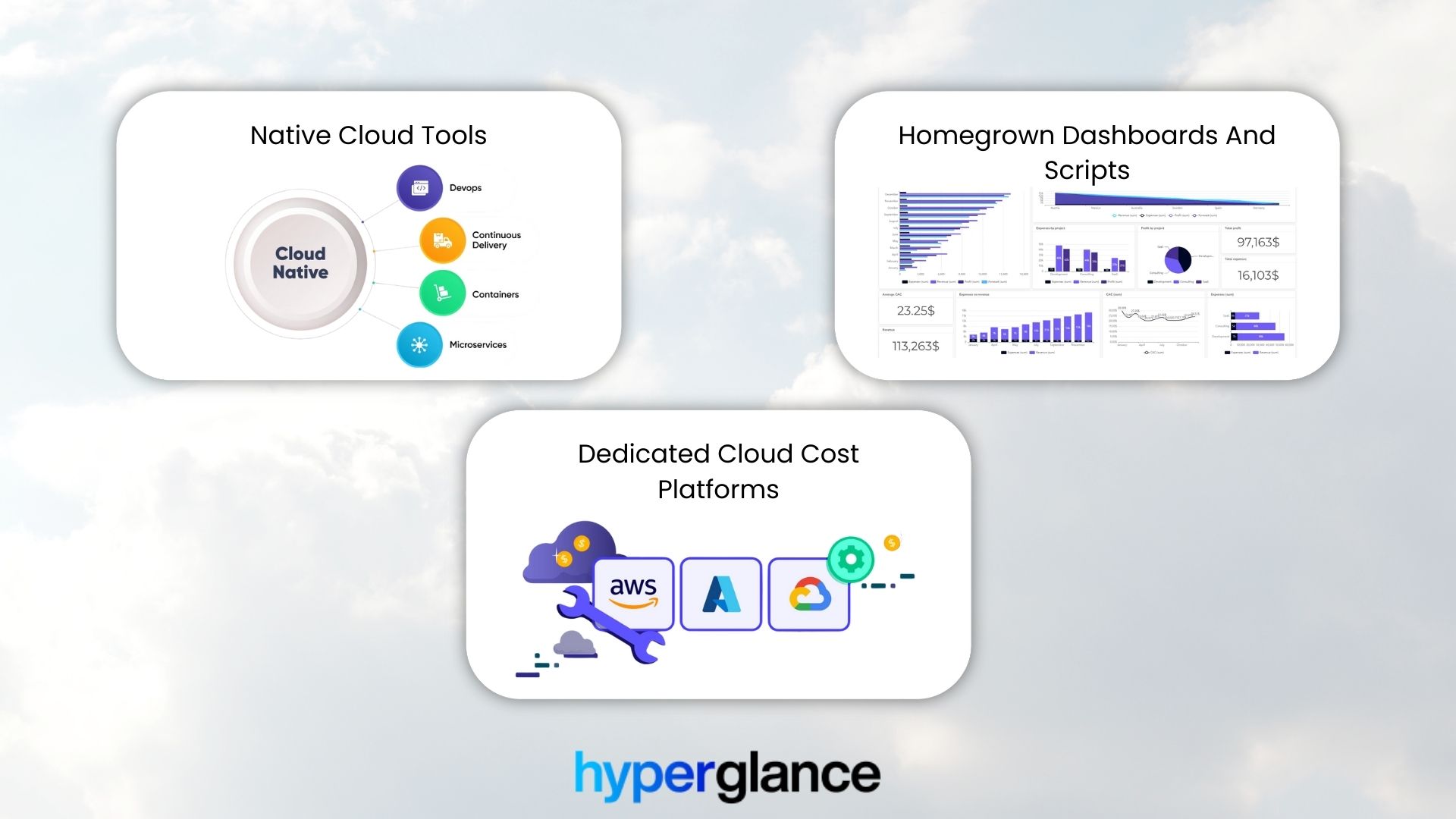
Comparing Cloud Cost Management Approaches at Scale
Native Cloud Tools
Built-in tools like AWS Cost Explorer, Azure Cost Management, and GCP Billing provide basic visibility, especially in single-cloud setups.
Pros
- Included with the cloud provider
- Good starting point for usage and spending
- Directly integrated with each platform
Cons
- Limited to one cloud
- Little automation or workflow support
- Harder to manage multiple accounts or teams
Homegrown Dashboards And Scripts
Some teams build internal dashboards using BI tools, spreadsheets, or custom scripts. While these approaches are flexible, they often highlight the need for a cloud cost management solution that can scale, automate, and provide standardized insights.
Pros
- Flexible and tailored to internal needs
- Can include custom metadata or KPIs
- Full control over data sources
Cons
- Ongoing maintenance burden
- Fragile as environments change
- Knowledge is often concentrated in a few people
- Limited automation and governance at scale
Dedicated Cloud Cost Platforms
These tools sit on top of native billing data and provide a centralized, consistent view across multiple clouds and accounts.
Pros
- Unified visibility across AWS, Azure, GCP, and hybrid environments
- Built-in rules, alerts, and waste detection
- Standardized workflows that improve team collaboration and accountability
- Scales easily with growing accounts, teams, and projects
Cons
- Additional cost compared to native or homegrown solutions
- Implementation and setup can require time and planning
- Less flexibility for highly customized or unique internal reporting
💡 Need visibility tailored to your team? Learn how to build a custom cloud dashboard that actually gets used.
What To Look For In A Cloud Cost Platform
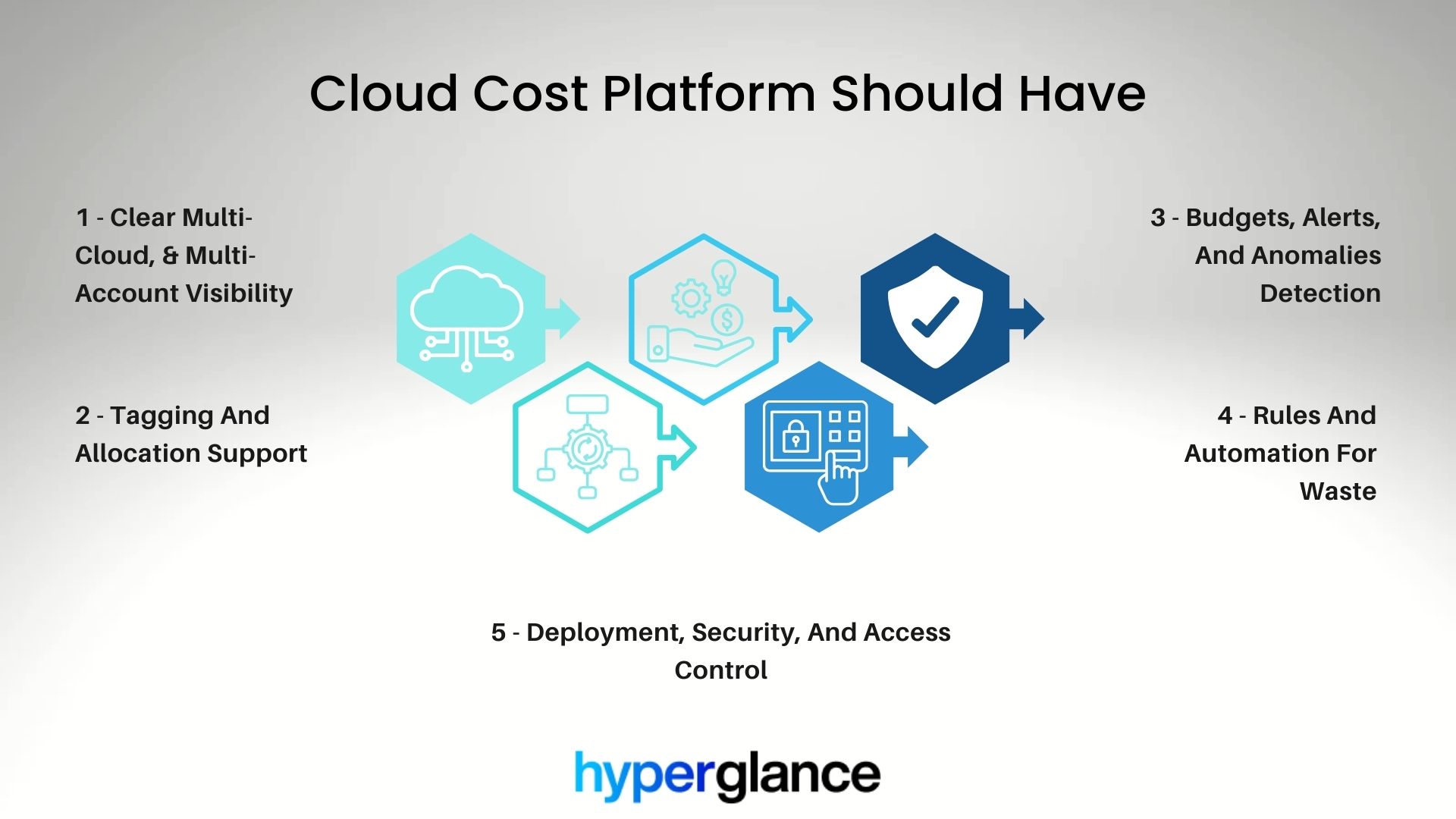
Core Capabilities of Effective Cloud Cost Optimization Tools
Choosing the right cloud cost optimization tools goes beyond dashboards and alerts. The best tools give teams a complete view of spending, clarify ownership, and surface actionable inefficiencies. Core capabilities ensure the platform aligns with workflows and scales as your cloud environment grows.
Clear Multi-Cloud, Multi-Account Visibility
A strong platform gives you one view across all accounts, subscriptions, and projects. That makes it easier to:
- Track spending across multiple clouds without jumping between dashboards
- Identify which teams or projects are driving costs
- Spot anomalies or unexpected spikes quickly
- Make cross-cloud comparisons to optimize resources
Without this, teams spend too much time manually stitching data together.
📊 Want full control over your cloud data? Discover the power of customizable dashboards built for flexibility.
Tagging And Allocation Support
Effective cost management depends on accurate tagging and allocation. A good platform should provide:
- Visibility into tag coverage and highlight untagged resources
- The ability to group spend by tag, team, product, or environment
- Clear insights that support chargebacks, showbacks, and accountability
- Poor tagging breaks cost ownership. Good tooling makes gaps obvious and easier to fix
Budgets, Alerts, And Anomalies
A strong cloud cost platform helps teams stay on track with spending by providing:
- Budgets set at the team, project, or environment level
- Early warnings when actual spend drifts from the plan
- Detection of unusual patterns or anomalies that could indicate inefficiencies
These features, part of cloud cost management automation, enable proactive cost control instead of reactive cleanup.
☁️Curious how your spending patterns are shifting? Dive into our cloud cost trend analysis feature
Rules And Automation For Waste
Useful features include:
- Rules for idle or oversized resources
- Alerts or tickets tied to ownership
- Optional automation that supports, not replaces, human decisions
Deployment, Security, And Access Control
When evaluating a cloud cost platform, it’s essential to consider how the tool is deployed and how it handles access. Key factors include:
- Where the platform runs
- Role-based access controls
- Audit trails for decisions and actions
Real-World Comparison: Native Tools vs Platforms
A product engineer notices a sudden jump in cloud spend during a weekly review. Their first stop is the native billing dashboard. They see the spike, but it’s split across services and accounts. Tagging is inconsistent. Ownership isn’t obvious.
They dig deeper. Exports, filters, spreadsheets. After an hour, they suspect a scaling issue but can’t tie it cleanly to a workload or team. Follow-up stalls.
On a dedicated platform, the same spike is automatically flagged. Spend is already grouped by environment and owner.
A rule highlights an oversized resource tied to a recent deployment. The engineer sees the context, not just the number, and the issue gets fixed before the next billing cycle.
That difference, context, ownership, and follow-through are what platforms are designed to provide.
How Hyperglance Fits Into A Cloud Cost Tool Stack
How Hyperglance Enhances Cloud Cost Management
Hyperglance is designed to work alongside native billing tools, not replace them. It pulls data from AWS, Azure, and GCP and adds the context FinOps teams need to act.
- Visual Infrastructure Diagrams
Automatically generated diagrams map cloud resources and their relationships across clouds, with cost and rule insights overlaid.
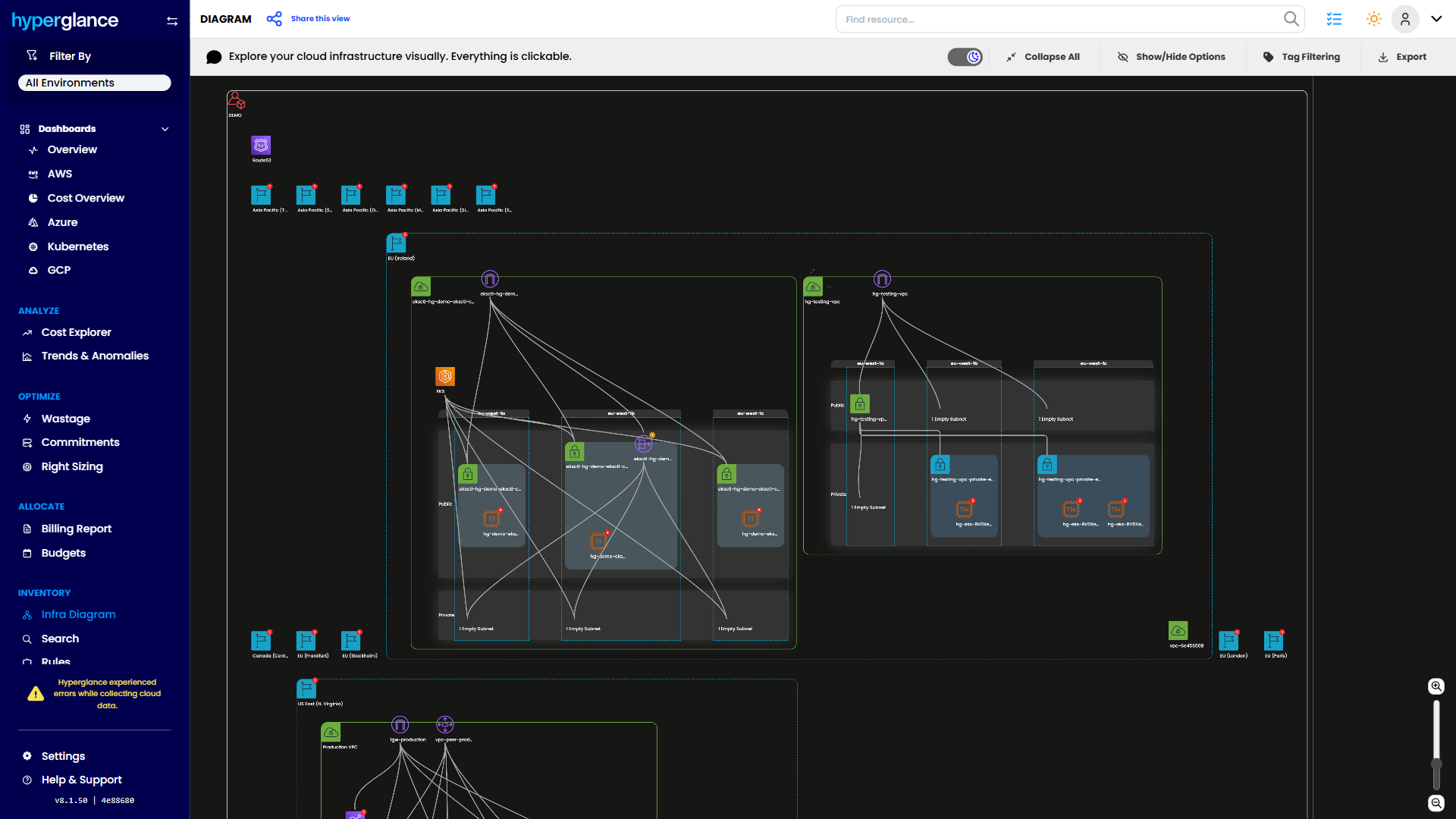
Detailed cloud infrastructure topology in Diagram view
- Rules and Alerts
Built-in rules surface idle, oversized, or underutilized resources and notify the right teams.
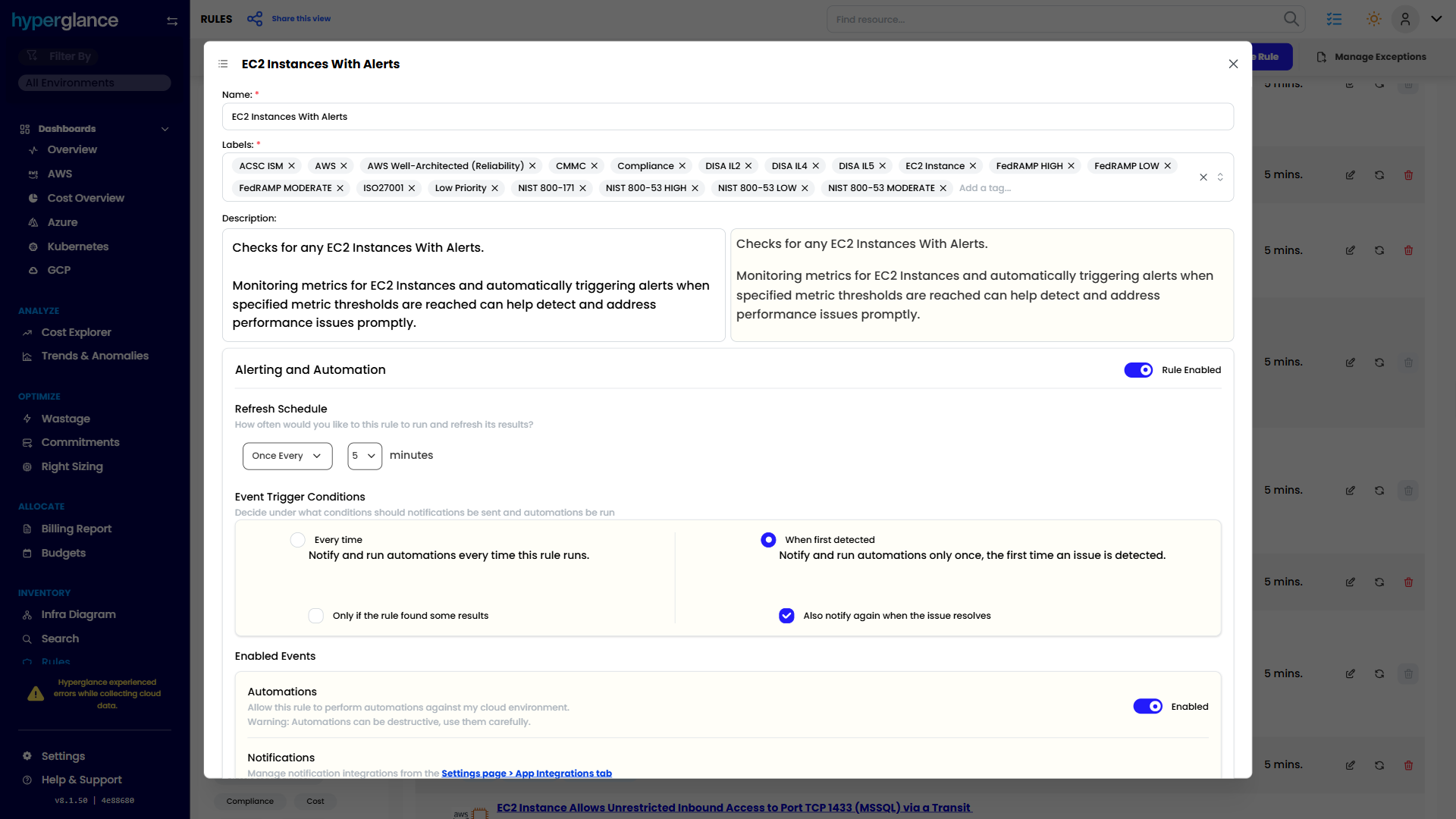
Setting up an automated rule for EC2 instance alerts
- Optional Automation
Teams can trigger safe actions, such as notifications or tickets, keeping humans in control.
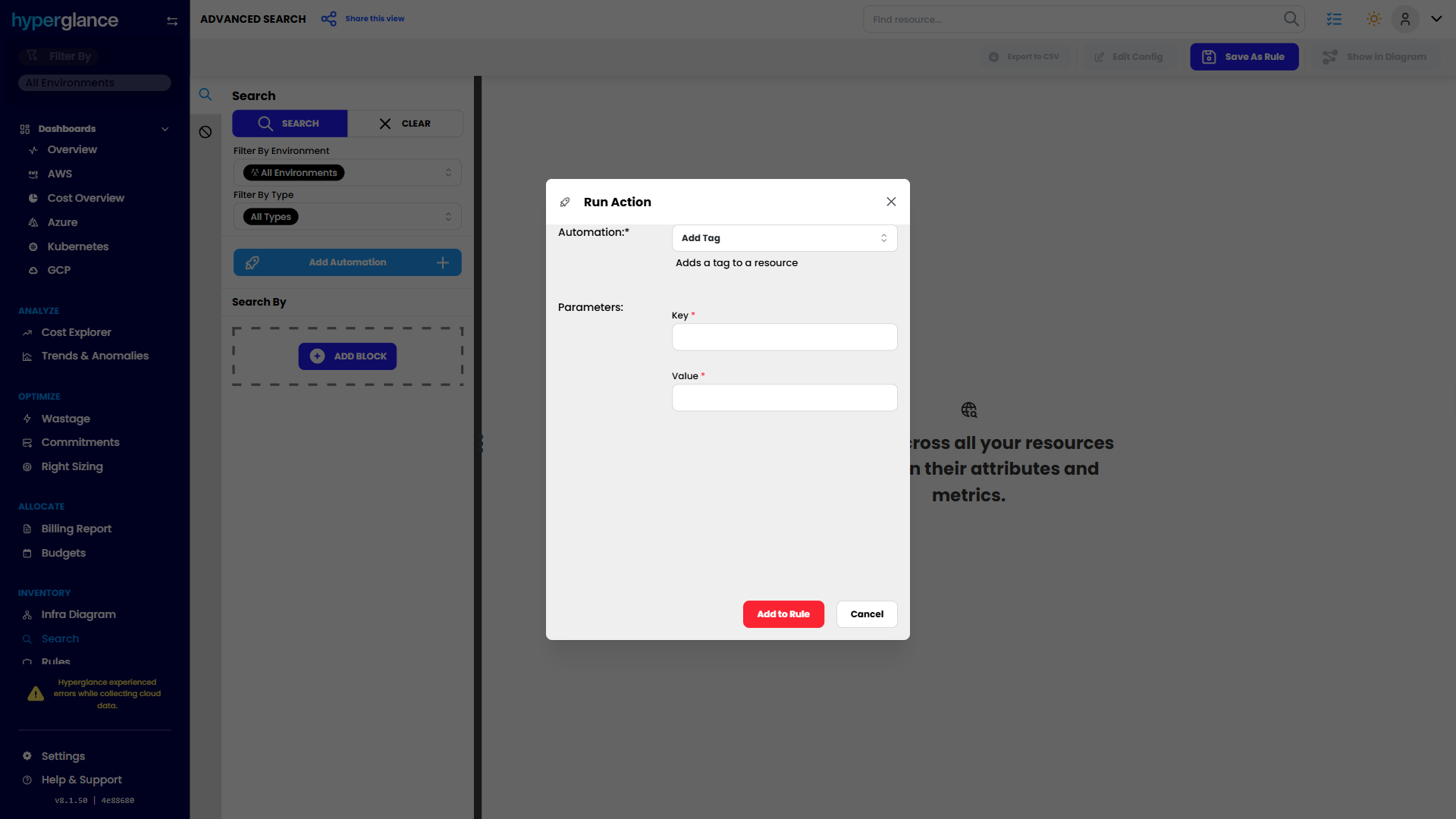
Run Action dialog to execute an automation (e.g., Add Tag)
- Cross-Cloud Context
A single view across clouds and accounts makes investigation faster and clearer.
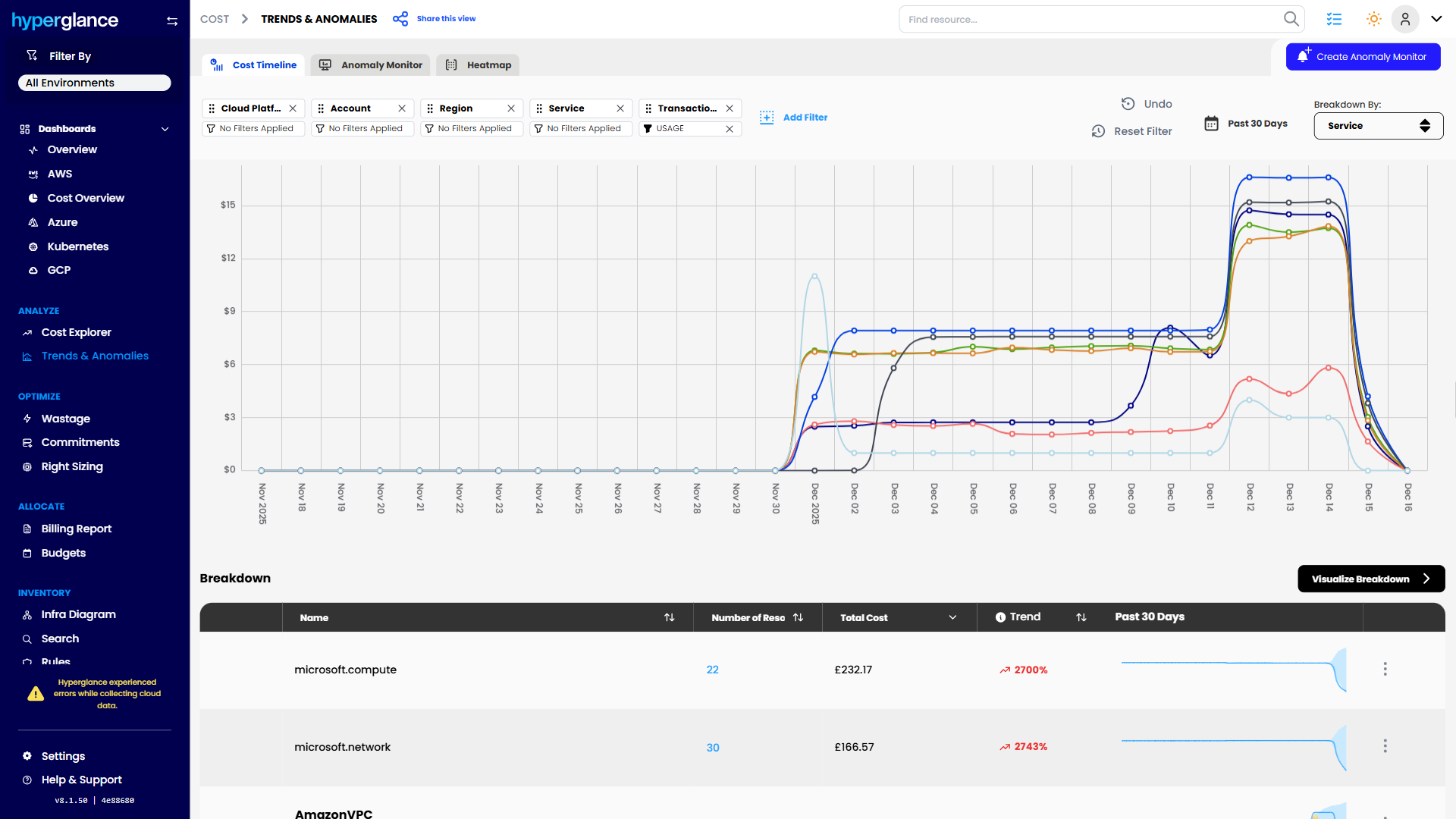
Cost trends and anomaly identification, broken down by service
- Governance and Collaboration
Role-based access, audit trails, and tagging support help teams share accountability.
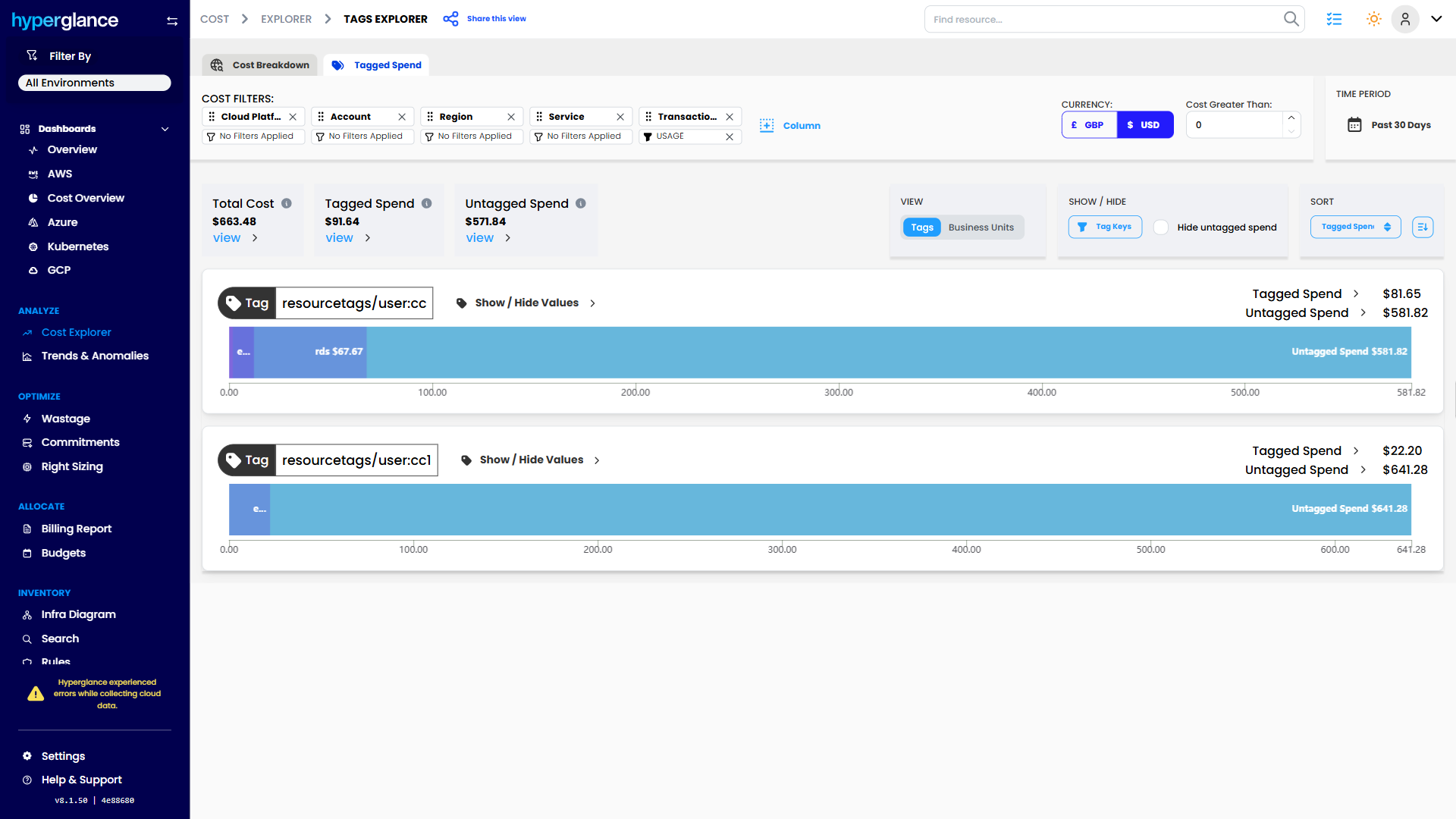
Tag Explorer analysis of tagged vs. untagged spend
Next Steps: Build A Simple Shortlist Checklist
Start by listing 5–10 must-have capabilities for your cloud cost platform’s dashboard. Suggested features to consider include:
- Multi-cloud and multi-account visibility
- Clear tagging and allocation support
- Budgets, alerts, and anomaly detection
- Rules for idle, oversized, or underutilized resources
- Optional automation for safe actions
- Visual infrastructure diagrams with cost overlays
- Role-based access and audit trails
- Integration with existing workflows and tools
- Historical trend analysis and anomaly detection
- Reporting and dashboards tailored to team or project needs
Next, check the cloud cost optimization tools your team already uses, such as native cloud dashboards, internal scripts, or BI dashboards, against your checklist. Then look at one or two dedicated platforms to see how they compare.
See how Hyperglance aligns with your checklist in a short demo. Test its features and understand how it could fit your team before making any decisions.
For more insights into cost management and trends, see the best practices for cloud cost optimization.
FAQs
Which tool is best for multi-cloud cost optimization?
Dedicated platforms are typically better for multi-cloud environments, as they provide unified visibility, cross-cloud context, and standardized workflows across AWS, Azure, and GCP.
How do I choose the right cloud cost optimization platform?
Start by listing your must-have capabilities, compare current tools like native dashboards or internal scripts, and evaluate one or two platforms against your checklist.
How much money can cloud cost optimization tools help save?
Results vary by environment and maturity. Many teams find meaningful savings early, especially once idle resources, poor tagging, and oversized services are addressed.
Why Teams Choose Hyperglance
Hyperglance gives FinOps teams, architects, and engineers real-time visibility across AWS, Azure, and GCP — costs, security, and performance in one view.
Spot waste, fix issues automatically, and stay ahead of your spend with built-in FinOps intelligence and no-code automation.
- Visual clarity: Interactive diagrams show every relationship and cost driver.
- Actionable automation: Detect and fix cost and security issues automatically.
- Built for FinOps: Hundreds of optimization rules and analytics, out of the box.
- Multi-cloud ready: Unified visibility across AWS, Azure, and GCP.
Book a demo today, or find out how Hyperglance helps you cut waste and complexity.
About The Author: Stephen Lucas
As Hyperglance's Chief Product Officer (CPO), Stephen is responsible for the Hyperglance product roadmap. Stephen has over 20 years of experience in product management, project management, and cloud strategy across various industries.