Contents
- Azure Storage Pricing in 5 Minutes
- Azure Storage Services: The Cost Landscape
- Azure Blob Storage: Pricing Fundamentals
- Azure File Storage: Pricing Explained
- Azure Queue Storage: Pricing in Practice
- Azure Table Storage: Pricing Breakdown
- Azure Managed Disks: Cost Overview
- What’s Changed Since Late 2025 (2026 Edition)
- Azure Storage Cost Optimization Checklist
- Cost Optimization Strategies Across Azure Storage
- How Hyperglance Helps with Azure Storage Cost Visibility & Control
- Conclusion: Building Cost-Resilient Cloud Storage in 2026
- Frequently Asked Questions (FAQs)
In 2026, Azure Storage pricing is no longer just about cost per GB. Real spend is shaped by access tiers, redundancy choices, transaction volume, early deletion penalties, and where data moves. With new tiers maturing and legacy account types being retired, small configuration choices now havean outsized cost impact.
This guide is written for FinOps, platform, and engineering teams who need a clear mental model of how Azure Storage is billed and a practical way to choose the right service and tier without overpaying.
Azure Storage Pricing in 5 Minutes
What you actually pay for
Across all Azure Storage services, costs come from four levers:
- Capacity (GB/month stored or provisioned)
- Transactions (per 10,000 operations)
- Retrieval & early deletion (tier-dependent)
- Data transfer (egress) out of a region or to the internet
The 3 biggest Blob Storage cost drivers
- Access tier (Hot, Cool, Cold, Archive, Premium)
- Redundancy (LRS vs ZRS vs GRS/GZRS)
- Transaction volume (GET, PUT, LIST, DELETE)
5 common causes of Azure storage bill shock
- Early deletion fees (Cool / Cold / Archive)
- Archive rehydration charges and delays
- High LIST or GET rates on small objects
- Unexpected inter-region or internet egress
- Over-provisioned redundancy for low-risk data
Jump to what you need
- Blob Storage → tiers, lifecycle, retrieval costs
- Azure Files → provisioned vs pay-as-you-go models
- Managed Disks → SSD v2, Ultra, snapshots
- Queue Storage → transaction-driven costs
- Table Storage → low-cost key-value workloads
1. Azure Storage Services: The Cost Landscape
Choosing the right storage service is the first and most important cost decision. Each service is optimized for different workloads and uses a distinct billing model.
| Service | Type | Common Use Cases | Primary Cost Drivers |
| Azure Blob Storage | Object | Backups, data lakes, media, archives | Tier, transactions, redundancy, egress |
| Azure File Storage | File shares | Lift-and-shift apps, hybrid access | Capacity model, transactions, redundancy |
| Azure Queue Storage | Messaging | Async processing, microservices | Transactions |
| Azure Table Storage | NoSQL Key-Value | Metadata, logs | Storage and operations |
| Azure Managed Disks | Block | VM and database storage | Disk size and performance |
Capacity-centric vs access-centric models
- Capacity-centric: You primarily pay for the size you provision or store (Files, Disks)
- Access-centric: Lower storage cost, but higher sensitivity to transactions and retrieval (Blob tiers)
2. Azure Blob Storage: Pricing Fundamentals
Blob pricing is shaped by four components: access tier, transactions, data transfer, and redundancy.
2.1 Access tiers
Access tiers apply only to Block Blobs.
Quick warning: Cool and Cold can cost more than Hot if you read data more often than you expect. Don’t choose a tier on $/GB alone. Model reads, LISTs, writes, and retrieval fees too. This catches teams out when they have lots of small blobs or “chatty” workloads.
| Tier | Availability | Cost Profile | Typical Use |
| Hot | Immediate | Higher storage, lower access costs | Active data |
| Cool | Immediate | Lower storage, higher access costs | Infrequent access (30+ days) |
| Cold | Immediate | Lower storage, higher retrieval costs | Rare access (1–2 times/year) |
| Archive | Delayed | Lowest storage, highest retrieval costs | Long-term retention |
| Premium Block Blob | Ultra-low latency | High storage, lower transaction costs | Analytics, HPC |
Cold tier insight: Cold sits between Cool and Archive. It lowers capacity cost compared to Cool, but frequent access can wipe out those savings through retrieval and transaction fees.
Lifecycle rules (don’t forget the ops): Lifecycle policies can look “clean” on paper, but they can generate a lot of transactions at scale. If you re-tier or move huge numbers of blobs, you may see a jump in operations charges. Keep rules simple and check transaction volume after rollout.
Premium Block Blob: Designed for latency-sensitive workloads. Storage costs are higher, but transaction costs are lower. Lifecycle tiering is not supported.
2.2 Transactions and operations
Each API call is billed as a transaction. High-frequency workloads can see significant cost variance due to:
- Write-heavy operations (PUT)
- Frequent LIST or metadata scans
- Large volumes of small files
2.3 Data transfer and egress
- Ingress is typically free
- Intra-region transfers are usually free
- Inter-region and internet egress are charged and can be significant
2.4 Redundancy options
Redundancy increases durability and cost:
- LRS: Lowest cost, single datacenter
- ZRS: Higher availability within a region
- GRS / RA-GRS: Cross-region protection
- GZRS / RA-GZRS: Zone + region resilience
2.5 Cost controls
- Lifecycle policies to automate tier movement
- Reserved capacity for predictable data volumes
⭐ Working in regulated environments? Explore how Hyperglance supports Azure Government with secure, compliant cloud optimization.
3. Azure File Storage: Pricing Explained
Azure Files provides managed file shares accessible via SMB or NFS. Unlike Blob Storage, billing depends on the selected performance tier.
Azure Files supports both pay-as-you-go and provisioned models, depending on the tier:
- Standard (HDD-backed): Pay-as-you-go capacity plus transactions
- Premium (SSD-backed): Provisioned capacity, IOPS, and throughput
Right-sizing is essential, especially for Premium shares. You can reference Azure Files Pricing for up-to-date per-GB and per-IOPS rates.
4. Azure Queue Storage: Pricing in Practice
Azure Queue Storage is optimized for high-throughput messaging. Pricing is dominated by transaction volume rather than stored data size.
There is no separate retention fee; retention affects costs indirectly by increasing storage and operational costs. Optimization focuses on batching operations and setting message TTLs.
5. Azure Table Storage: Pricing Breakdown
Azure Table Storage is a schemaless key-value store available in both GPv1 and GPv2 accounts. While GPv1 is still supported, it is being retired, making GPv2 the practical default.
Costs are driven by:
- Stored data size
- Transaction volume
Efficient partition key design is the most important cost lever.
6. Azure Managed Disks: Cost Overview
Azure Managed Disks are block storage for VMs and stateful workloads.
Key disk types include:
- Standard HDD and SSD
- Premium SSD
- Premium SSD v2
- Ultra Disk
Premium SSD v2 allows independent scaling of IOPS and throughput, helping align cost with actual demand.
Snapshots are billed based on the data they use, making cleanup policies important.
7. What’s Changed Since Late 2025 (2026 Edition)
GPv1 retirement
- New account creation disabled March 3, 2026
- Full retirement expected October 2026
- Auto-migration to GPv2 can change the default billing behavior
Unmanaged disks deprecation
- Migration deadline: March 31, 2026
These changes should be treated as cost review events, not just technical migrations.
8. Azure Storage Cost Optimization Checklist
- Automate lifecycle policies for Blob data
- Right-size File Shares and Managed Disks
- Co-locate compute and storage to reduce egress
- Batch Queue and Table Operations
- Monitor transaction and egress spikes
9. Cost Optimization Strategies Across Azure Storage
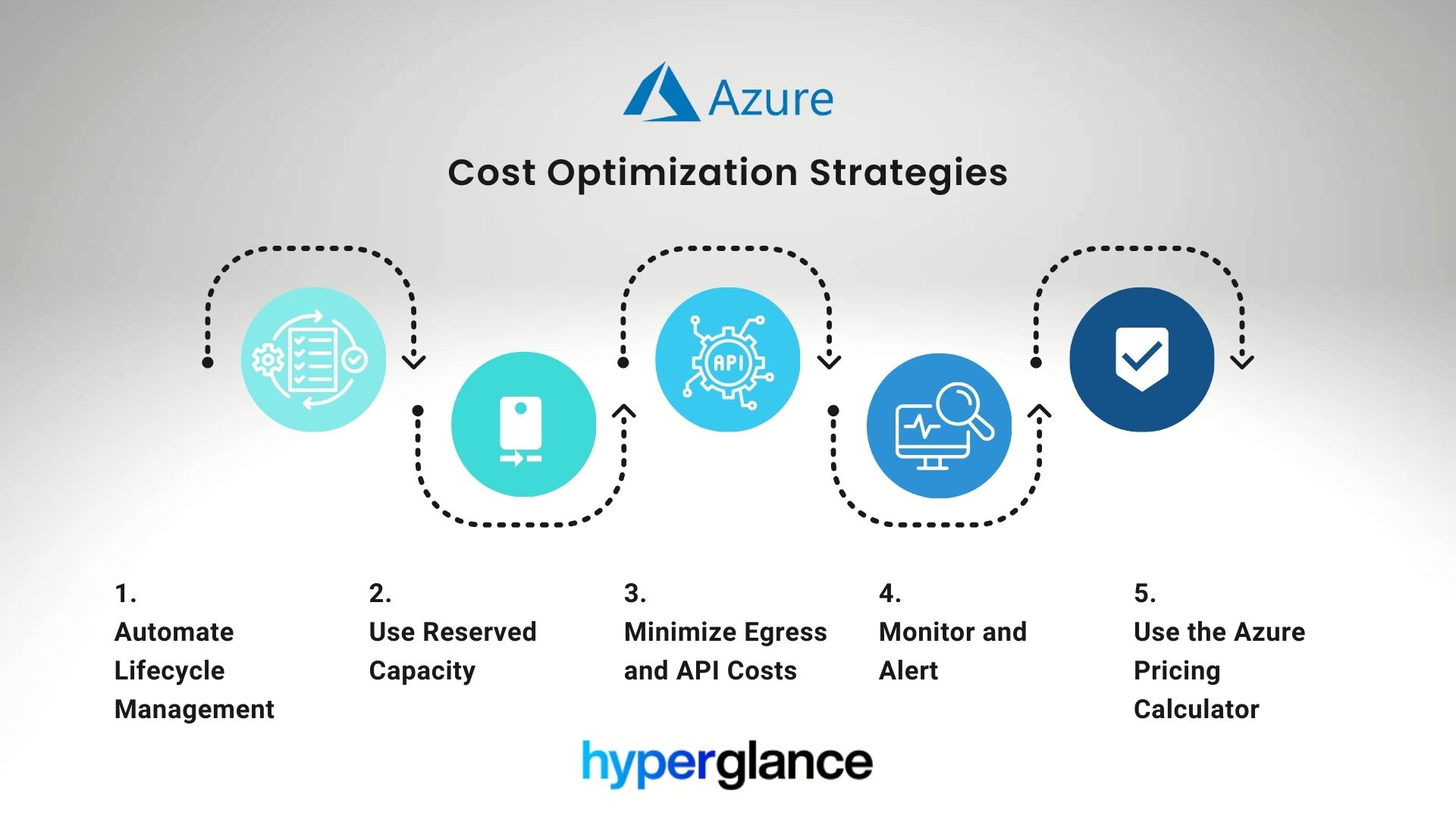
9.1 Automate Lifecycle Management
This is the most impactful step for Blob Storage. Automated tier transitions based on the last-modified or creation date ensure data flows from expensive (Hot) to cheaper (Archive) tiers without human intervention.
- Example Policy: Move all blobs to Cool after 30 days, then to Cold after 90 days, and finally to Archive after 180 days.
- Disk Automation: Use scripts or Azure Automation to delete old, unattached managed disks, which are often forgotten but still billed by capacity.
9.2 Use Reserved Capacity
For both Azure Blob storage and Azure File storage, reserved capacity is an essential FinOps tool if your historical data shows consistent storage usage above a certain threshold; reserve that baseline capacity.
- Action: Purchase 1-year or 3-year reservations to lock in deep discounts on the capacity component of your Azure storage cost optimization.
9.3 Minimize Egress and API Costs
Reducing the frequency and size of data movement is critical.
- Co-locate Resources: Ensure that storage and compute (VMs, Azure Functions, etc.) are in the same Azure region to avoid inter-region transfer costs.
- Use CDN: For public-facing web content, use Azure CDN to cache content closer to users, reducing internet egress costs from your storage account.
- Reduce API Calls: Use batch operations in Azure Queue storage and Azure Table storage, and design applications to avoid redundant LIST or GET calls against Blob Storage.
9.4 Monitor and Alert
Visibility is the cornerstone of proactive cost management. You can’t optimize what you can’t see.
- Azure Monitoring: Use Azure Monitor and Cost Management to track transaction volumes and egress charges, which are the variables that spike unpredictably.
- Anomaly Detection: Set alerts for sudden increases in egress or transaction counts, especially on Cool/Cold/Archive tiers, as this indicates a potential workload misconfiguration.
9.5 Use the Azure Pricing Calculator
The Azure Storage Cost Calculator is your sandbox for "what-if" scenarios.
- Scenario Testing: Test the difference in total monthly cost between using Cool storage with high transaction volume and using Hot storage with the same transactions.
- Forecasting: Integrate calculator results into your FinOps forecasting and governance models to set budget guardrails for new projects.
Hyperglance aggregates pricing data and visualizes anomalies across Blob, File, and Disk accounts, enabling proactive Azure cost control rather than reactive response.
10. How Hyperglance Helps with Azure Storage Cost Visibility & Control
FinOps teams often struggle with two key problems in Azure Storage: understanding the root causes of cost spikes and aligning storage usage with business needs. Hyperglance addresses these directly.
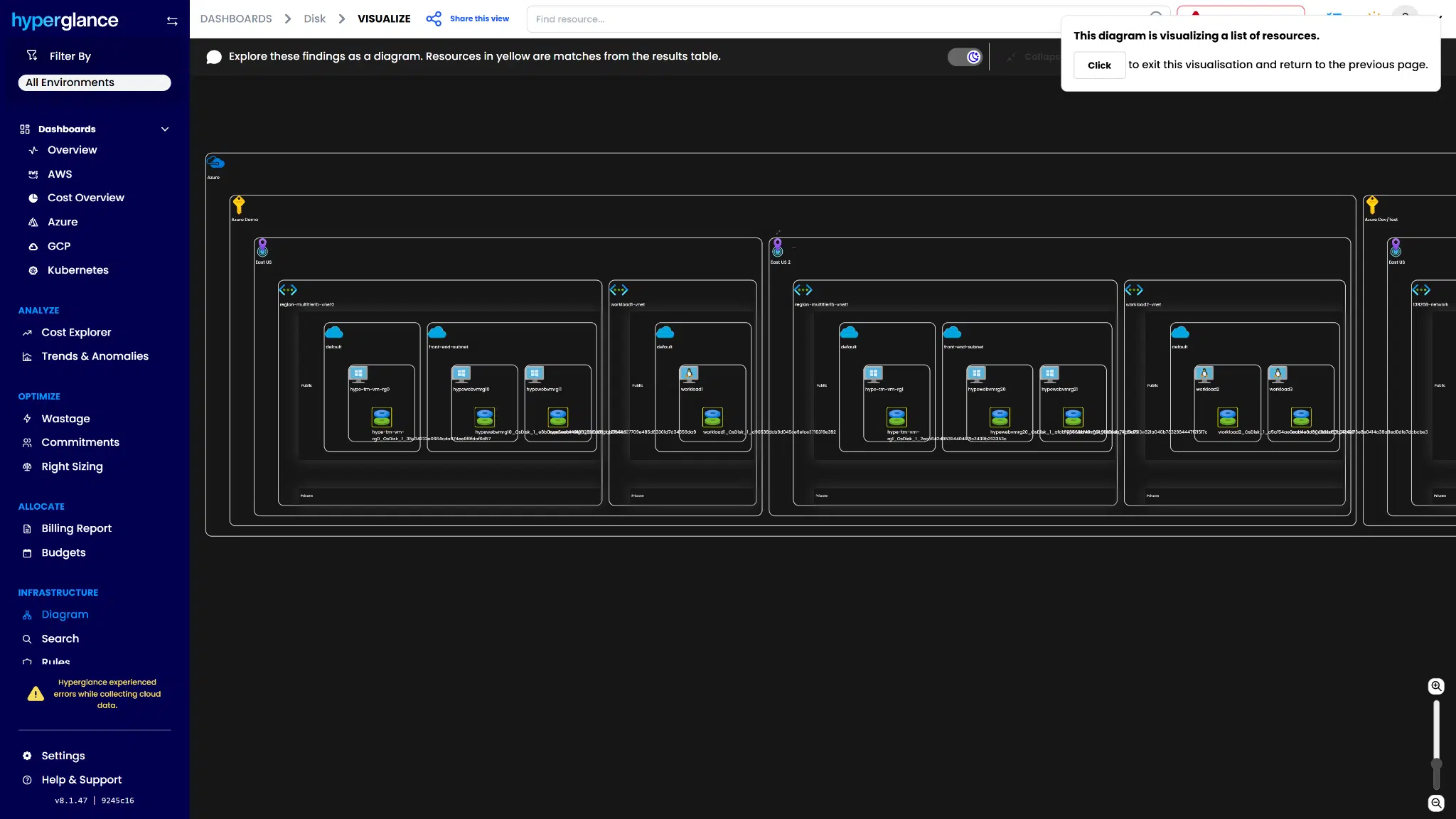
Unified Visibility: We provide a holistic view across all five Azure storage services, Blob, File, Queue, Table, and Disk, in a single, navigable dashboard. This replaces the tedious manual work of correlating data from multiple Azure Cost Management reports.
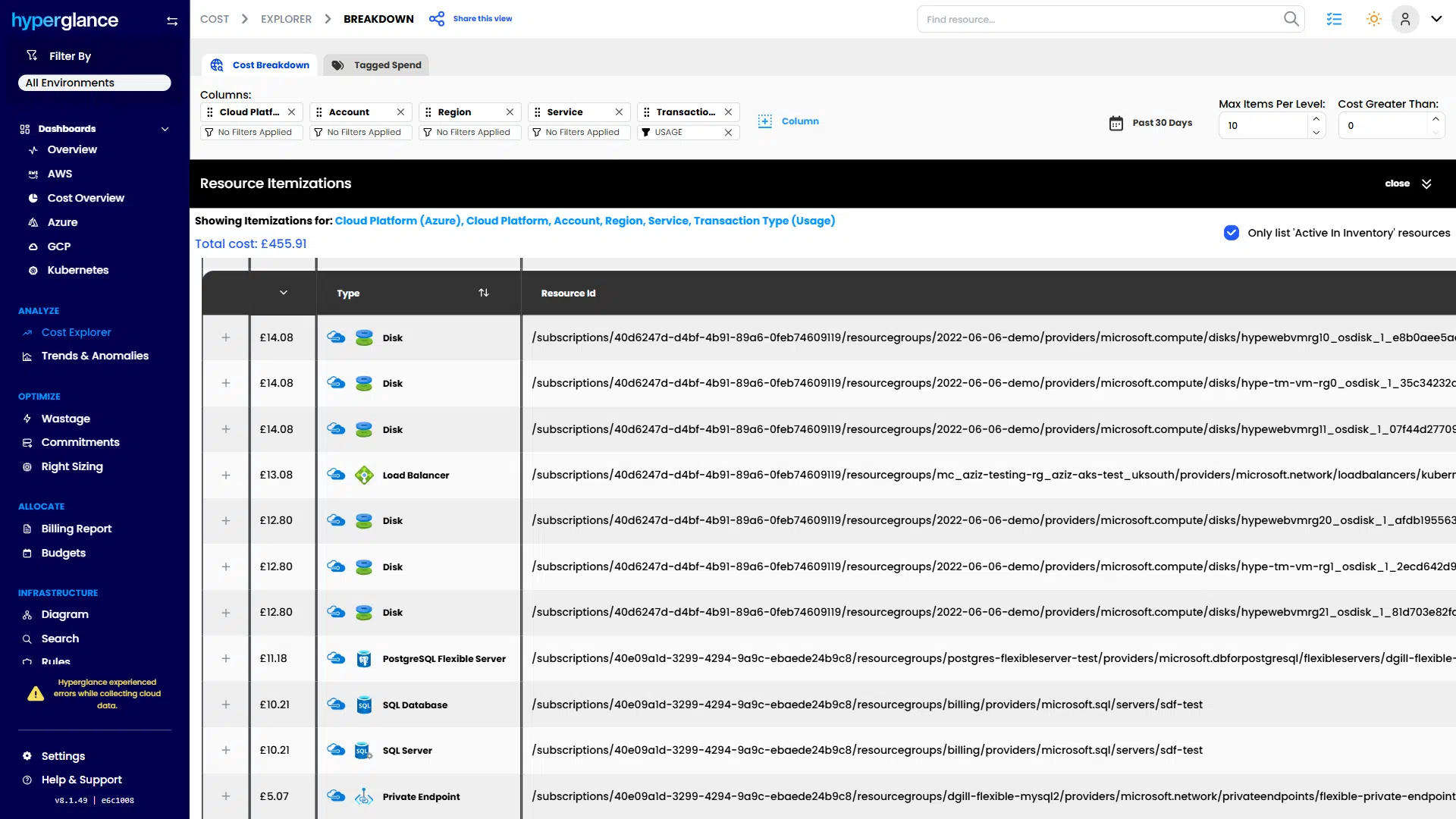
FinOps Dashboarding:
- Visualize cost by the critical dimension: redundancy type (LRS vs. GRS), storage tier (Hot vs. Archive), and associated tags (owner, project, environment).
- Pinpoint unattached or oversized disks and misconfigured Azure Blob storage accounts instantly.
Automated Alerts & Governance:
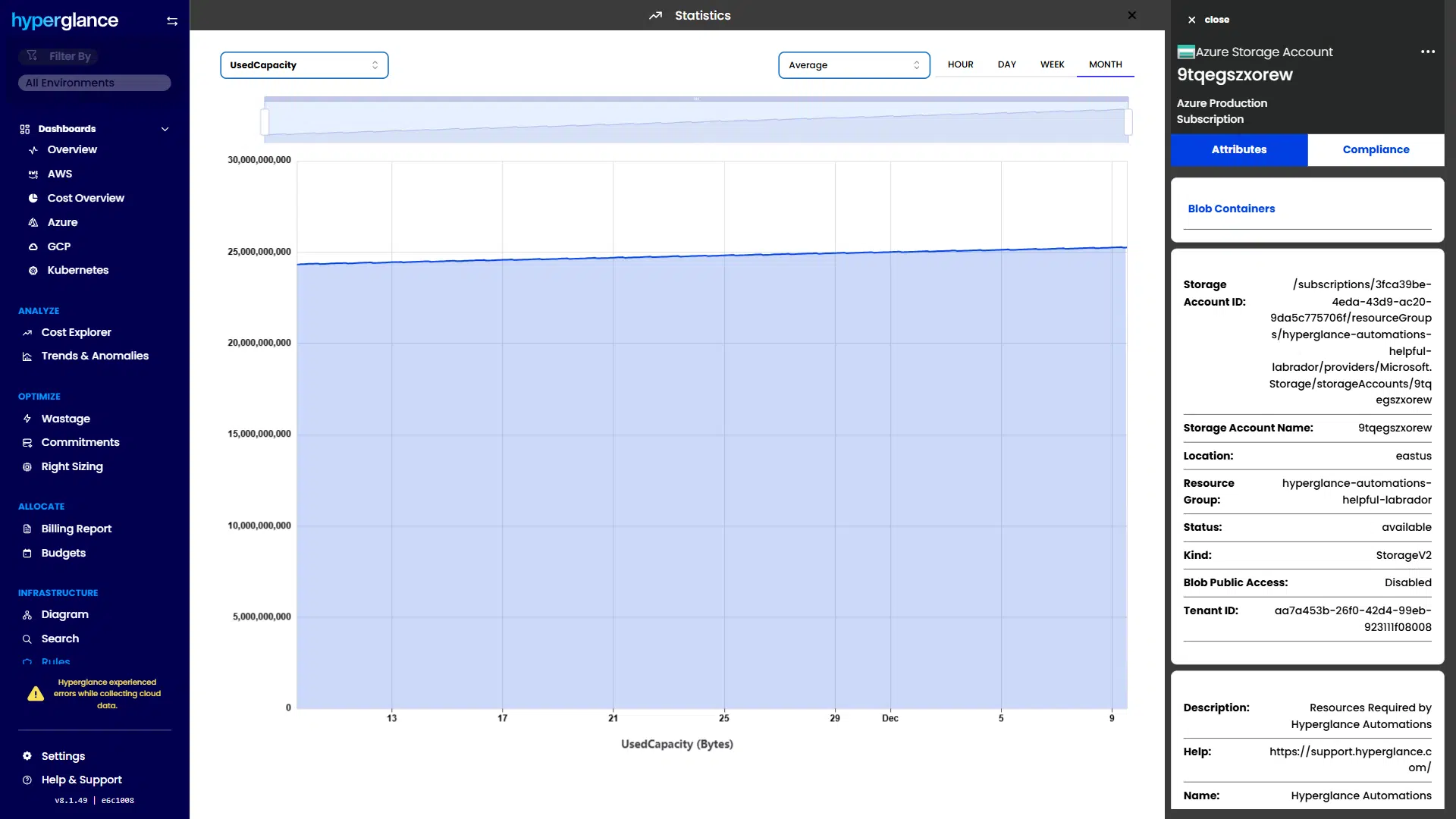
- Set policies to detect "hot data" in cool or archive tiers and alert you when retrieval costs exceed a threshold.
- Alert on underutilized provisioned resources, such as underutilized Premium Disks or oversized File Shares.
12. Conclusion: Building Cost-Resilient Cloud Storage in 2026
Azure Storage pricing in 2026 rewards teams that understand how access patterns, transactions, and data movement influence cost. Sustainable savings come from matching workloads to the right service and tier, automating lifecycle decisions, and reviewing cost impact whenever platforms change.
With the right visibility and governance, storage spend becomes predictable rather than reactive.
Frequently Asked Questions (FAQs)
How does Azure Storage pricing work?
Azure Storage pricing is based on four key factors: capacity (GB/month), operations (per 10,000 requests), data transfer (egress), and redundancy level (LRS, ZRS, GRS). For Blob Storage, the chosen tier (Hot, Cool, Cold, or Archive) has the most significant impact on total cost.
How much does Azure storage cost per GB?
Azure storage costs vary by service and redundancy. Blob Storage ranges from about $0.02/GB (Hot tier) to under $0.001/GB (Archive tier); cheaper tiers have higher retrieval costs. Disk Storage pricing depends on the provisioned disk size and performance.
How can I optimize or reduce Azure Storage costs?
You can reduce Azure Storage costs by automating data tiering (Hot → Cool → Archive), right-sizing File and Disk storage, co-locating compute with storage to cut egress fees, and batching operations to lower transaction costs.
Why Teams Choose Hyperglance in 2026
Hyperglance is a strong fit when cost data alone doesn’t give your team enough context.
That often happens when teams are asking questions like:
- What is running across our cloud estate?
- Who owns this resource?
- Why did this cost change?
- What else depends on it?
- Is it safe to clean up?
- Which policy, security, or compliance issue needs attention?
- Can we route this to the right owner or trigger an approved action?
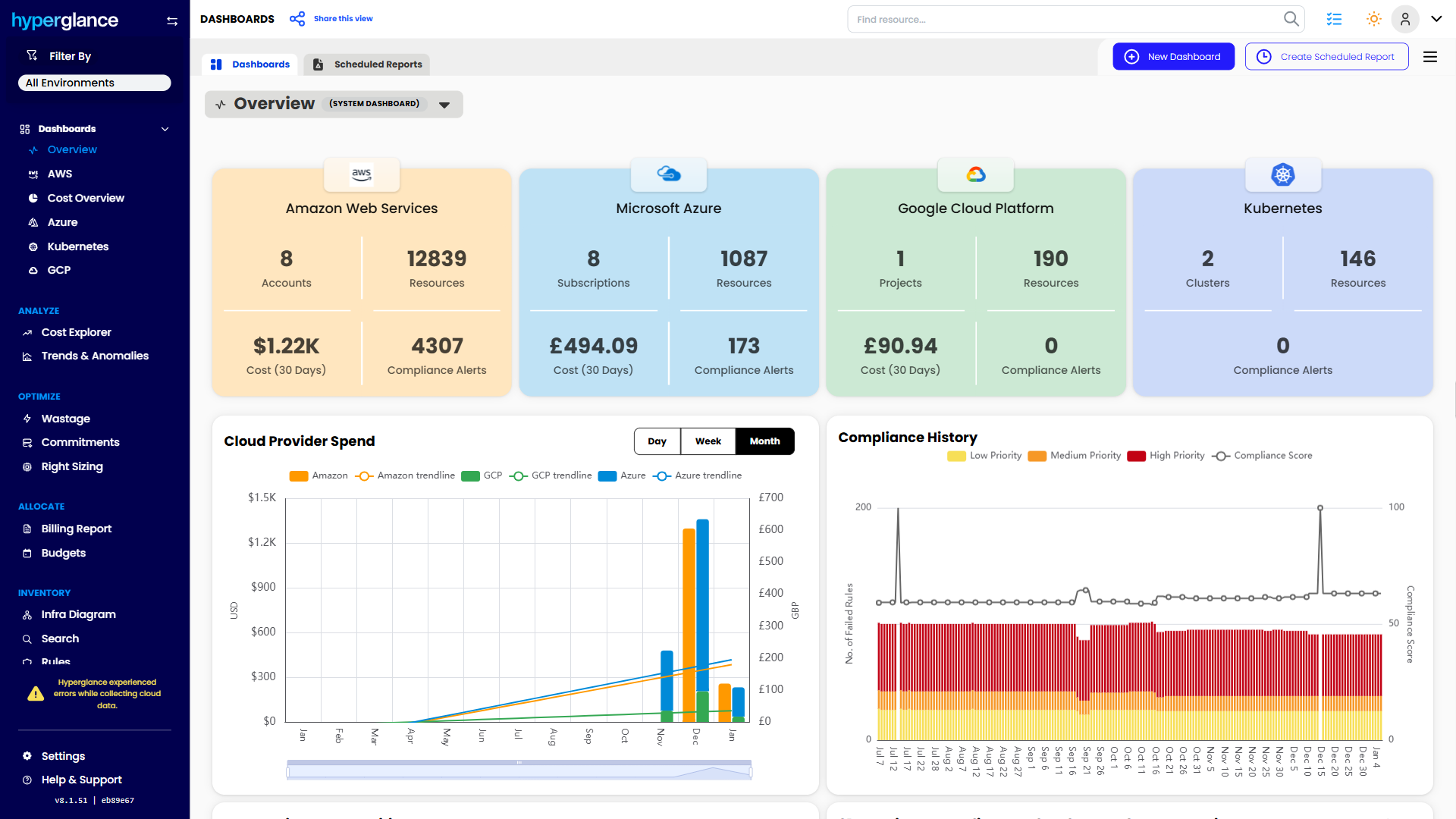
We help teams connect cloud cost to infrastructure context across AWS, Azure, Google Cloud, and Kubernetes. That means FinOps, CloudOps, platform, security, and leadership teams can work from the same view.
Hyperglance is especially useful for mid-market, enterprise, MSP, public sector, and regulated teams where ownership, governance, automation, and data control matter.
What You Can Do With Hyperglance
- See cost, resources, relationships, and ownership in one place
- Visualize cloud architecture with interactive diagrams
- Find waste, policy issues, and cost anomalies faster
- Route findings to the right team through existing workflows
- Use no-code automation for approved fixes
- Run Hyperglance in your own environment when data control matters
Want to see where Hyperglance fits in your FinOps stack?
Explore the product, start a free trial, or book a demo with the team.

About The Author: Stephen Lucas
As Hyperglance's Chief Product Officer (CPO), Stephen is responsible for the Hyperglance product roadmap. Stephen has over 20 years of experience in product management, project management, and cloud strategy across various industries.