Quick Wins (2 Minute Checklist)
Public IPv4 / Elastic IPs — remove any you don’t need; prefer private + NAT/ALB or IPv6. (See detailed fix below.)
Unattached/idle EBS volumes — snapshot if needed, then delete or downsize. (See detailed fix below.)
Idle ALB/NLB — validate no active targets/routes; then delete. (See detailed fix below.)
Low‑traffic NAT gateways — retire or re‑architect; avoid cross‑AZ consolidation. (See detailed fix below.)
EC2 Pricing in 90 Seconds (2025)
| Model | Best for | Pros | Watch‑outs |
| On‑Demand | Unpredictable or short‑lived |
Zero commitment | Most expensive for steady 24×7 |
| Savings Plans (Compute/EC2) | Steady but evolving | Broad coverage, flexible | Commit to $/hour for 1–3 years |
| Reserved Instances (Zonal/Regional) | Long‑lived, stable | Deeper discounts, capacity reservation | Less flexible than SPs |
| Spot | Interruptible (batch, CI/CD, ML training) | Biggest discounts | Two‑minute interruption notice; automate rebalancing |
How to choose (rule of thumb):
- Measure steady state (the “always on” baseline).
- Cover it with Savings Plans (SP) / Reserved Instances (RI)
- to the comfort level of your org.
- Layer Spot for interruptible/batch.
- Leave the spiky remainder on On‑Demand.
Note on AWS public IPv4 pricing (2024): AWS now charges all public IPv4 addresses at $0.005 per IP‑hour. Free Tier includes 750 hours/month for one in‑use public IPv4; BYOIP is still free. Plan migrations (ALB/NLB, NAT, IPv6) accordingly.
Pick the Right Instance Type (and Generation)
- Over‑provisioning vCPU/RAM “just in case.”
- Ignoring newer generations (paying more for less).
- Staying on legacy families when workload needs changed (e.g., memory‑ vs. compute‑bound).
Simple method:
- Baseline CPU, memory, network, and EBS metrics for a representative period.
- Test next‑gen families (e.g., move from m5 to m7g/m7i equivalents where compatible).
- Validate performance; if equal or better, lock in savings with Savings Plans (SP) / Reserved Instances (RI).
Right‑sizing 101 (size ladder & example)
A t3.micro can be orders of magnitude cheaper than a t3.large for tiny dev/test services—and on new AWS accounts (<12 months) one t2.micro (or t3.micro where t2.micro isn’t available) is Free Tier–eligible (up to 750 hours/month).
Start small, watch utilization (CPU/RAM/EBS throughput), and scale up (bigger size) or out (more instances) based on bottlenecks. Use autoscaling where appropriate to avoid paying for idle headroom. Always verify Free Tier eligibility in your console.
Other Considerations
- Burstable (t) and credit math:* t‑series accrue/spend CPU credits. For low steady CPU with bursts, they’re cost‑effective; if credits deplete, costs rise—especially in Unlimited mode, where surplus credits are billed at published per‑vCPU‑hour rates. Monitor CPUCreditBalance and budget alerts. Consider t4g (Graviton) for better price/perf when your stack supports ARM.
- Network/storage‑bound: choose instances with higher network/EBS bandwidth.
- GPU/AI workloads: For training, consider P5 (H100) or P4d (A100); for inference/graphics, G5/G6 (A10G/L4‑class). Evaluate Trn1 (Trainium) for training and Inf2 (Inferentia) for inference where supported—often lower $/throughput. Right‑size GPU count & memory to model size; aim for >70% sustained GPU utilization and high memory occupancy.
- Throughput bottlenecks: Keep accelerators fed with fast I/O—EFA for distributed training, FSx for Lustre/S3 data pipelines, and adequate EBS/instance NVMe. Optimize dataloaders and batch sizes to minimize host‑side stalls.
- Reserving capacity & pricing: For steady GPU queues, combine Savings Plans/Reserved Instances with On‑Demand Capacity Reservations to secure availability; use Spot only for fault‑tolerant jobs with frequent checkpoints and automatic rebalancing.
- Make the same work cheaper: Use mixed precision (FP16/bfloat16/FP8), gradient checkpointing, and quantization (INT8/FP8) where frameworks allow to reduce GPU hours and memory needs.
- AMD vs Intel price/perf: AMD (m7a/c7a) often has a lower on‑demand price than comparable Intel (m7i/c7i) in many regions—check current pricing for your region/size before committing. Validate with a short canary.
- Graviton (ARM) savings: Where supported, Graviton (arm64) can deliver up to ~40% better price/perf vs x86/x64. Test multi‑arch builds and measure p95/p99 before rollout.
Use Spot, RI & Savings Plans Responsibly
- Spot: AWS can reclaim capacity with as little as a two‑minute interruption notice—often not enough time to react manually. Design for interruptions (checkpointing, idempotent jobs, diversified pools), and use Instance Rebalance Recommendations (IMDS + EventBridge) and Capacity Rebalancing in Auto Scaling to launch replacements before the 2‑minute timer, when signals arrive early. Keep an On‑Demand fallback.
Best‑effort note: Rebalance signals can arrive close to the 2‑minute warning—automation beats human intervention. - Savings Plans vs RI:
- SPs are more flexible (especially Compute SPs); RIs can offer deeper discounts or capacity guarantees.
- Don’t over‑commit: cover the known steady part of your usage, not the peaks.
- Coverage approach: Measure → Cover steady with SP/RI → Add Spot for interruptible → Review quarterly.
🧠 Need to brush up on your jargon? Head over to our FinOps glossary.
Waste Fixes (Step-by-Step)
Unattached/idle EBS volumes
- Spot it: Unattached volumes; volumes attached to stopped instances; massively over-provisioned gp3/io* vs usage.
- Fix safely: Snapshot, then delete or right-size.
- Prevent: IaC + image pipelines set sane defaults; enforce DeleteOnTerminate=true; automation flags unattached > N days.
Public IPv4 / Elastic IPs (in-use or idle)
- Spot it: Any public IPv4 (Elastic IP) in your account—attached or idle—accrues cost; idle ones add zero value.
- Fix safely: Re-associate or release disassociated EIPs; review whether the workload actually needs a public IPv4 (ALB/NLB, NAT, or IPv6 may suffice).
- Prevent: Tag ownership and purpose; alert on disassociated EIPs and on resources with unnecessary public IPv4; prefer IPv6 where supported.
Idle ALB/NLB
- Spot it: No registered targets; near-zero requests over a rolling window.
- Fix safely: Double-check DNS and health checks; then delete.
- Prevent: Lifecycle rules to retire after X idle days.
NAT gateways with negligible traffic
- Spot it: Bytes processed near zero; duplicated NAT per tiny subnets/AZs.
- Fix safely: Consolidate only when traffic is negligible; avoid consolidating across AZs (cross-AZ data processing/transfer charges can erase savings); verify route tables; consider alternatives (per-AZ NATs, VPC gateway endpoints for S3/DynamoDB) when appropriate.
- Prevent: Minimum throughput policy + alerts.
Snapshot hygiene
- Spot it: Orphaned or ancient snapshots that outlived their purpose.
- Fix safely: Apply retention policies (e.g., 7/30/90); clean snapshots for terminated resources.
- Prevent: Automated lifecycle management + exception tags.
Schedule Start/Stop & Hibernate Dev/Test
- When to schedule: Dev, QA/UAT, training, lab environments, data science sandboxes.
- Approach:
- Create a simple tag‑based schedule (e.g., office hours).
- Or, segment by AWS account per environment (e.g., a dedicated dev account) and apply a blanket automation to that account (e.g., shut down all non‑exempt instances at 20:00 Friday), with an allowlist for exceptions.
- Support hibernate for fast resume when workable.
- Maintain exception lists (e.g., Schedule=NeverStop).
Example tags you can standardize:
Owner=team-x
Environment=dev
Schedule=OfficeHours # e.g., 08:00–19:00 Mon–Fri
Retire-After=2025-12-31
CostCenter=CC-1234
Guardrails That Stick (Prevention Layer)
- Tagging standards that drive automation: Owner, CostCenter, Environment, Schedule, Retire-After, DataClass.
- Golden images / IaC defaults:
- Right‑sized root volumes (not 100 GB “just because”)
- Latest generation families as defaults
- DeleteOnTerminate=true
- Same‑AZ by default: Prefer same‑AZ data paths where HA allows; be explicit about cross‑AZ data transfer costs; design per‑AZ NATs and cache layers to minimize inter‑AZ traffic.
- Change windows & approvals: Auto‑fix the no‑brainers; ticket the risky stuff.
What to Automate (and What Not To)
- Disassociated EIPs older than 24h → release
- Unattached EBS older than 7 days → snapshot + delete
- Idle ALB/NLB with no targets for 14 days → delete
- Snapshot lifecycle enforcement
Alert/ticket first:
- Anything that could alter production routing
- NAT gateway changes
- Instance family migrations for critical apps
KPIs & Reporting
- Waste removed ($/month) split by environment/team
- Time‑to‑fix (alert → remediation)
- Coverage by SP/RI (% of steady usage covered)
- Spot utilization hours (and fallback events)
- Exception count (and recurring offenders)
EC2 FAQs
Which EC2 pricing model is cheapest for steady workloads? Savings Plans or RIs usually beat On‑Demand for 24×7 usage. Cover the measured baseline, not the peaks.
Are EC2 Spot instances reliable for production? Yes—for fault‑tolerant services engineered for loss of nodes. Plan for only ~2 minutes’ notice before interruption. Automate early drain/replace using Instance Rebalance Recommendations and Capacity Rebalancing; keep diversified instance types/AZs and an On‑Demand fallback.
Savings Plans vs Reserved Instances—what’s the difference? SPs are more flexible (especially Compute SPs). RIs can offer deeper discounts or capacity reservations. Many teams mix both.
What’s the cheapest EC2 instance type for dev/test? Start by right‑sizing: if the workload is truly tiny, a t3.micro costs far less than a t3.large, and on new AWS accounts (<12 months) one t2.micro (or t3.micro where t2.micro isn’t available) is Free Tier–eligible (up to 750 hours/month). Often t‑class burstable instances work well for dev/test—just monitor CPU credits. If you’re constantly depleting them, switch to a non‑burstable general‑purpose instance (e.g., m7i.large) or size up within t‑class.
How do I find and remove unattached EBS volumes? List unattached volumes, snapshot if needed, then delete or right‑size. Prevent repeats by setting DeleteOnTerminate=true in your images/IaC.
Why am I paying for public IPv4 addresses when my instance is stopped? Since 1 Feb 2024, AWS bills all public IPv4 (Elastic IP) addresses at $0.005 per IP‑hour—attached or idle, regardless of instance state. The Free Tier includes 750 hours/month for one in‑use public IPv4; BYOIP remains free. Reduce usage (prefer private + NAT/ALB or IPv6), release unneeded EIPs, and alert on drift.
Can I automatically stop EC2 instances after hours? Yes—use tag‑driven schedules or account‑level automation for a dedicated dev/test account, plus a nightly job. Keep an exception tag for critical resources.
🤓 What's the FinOps Framework? Find out in our guide to FinOps.
TL;DR Checklist
- Pick the right pricing model: cover steady with SP/RI; layer Spot for interruptible.
- Right‑size onto current‑gen instance types.
- Purge waste: EBS, EIP, idle LB/NAT, stale snapshots.
- Schedule non‑prod.
- Bake guardrails into IaC and enforce with automation.
Why Teams Choose Hyperglance in 2026
Hyperglance is a strong fit when cost data alone doesn’t give your team enough context.
That often happens when teams are asking questions like:
- What is running across our cloud estate?
- Who owns this resource?
- Why did this cost change?
- What else depends on it?
- Is it safe to clean up?
- Which policy, security, or compliance issue needs attention?
- Can we route this to the right owner or trigger an approved action?
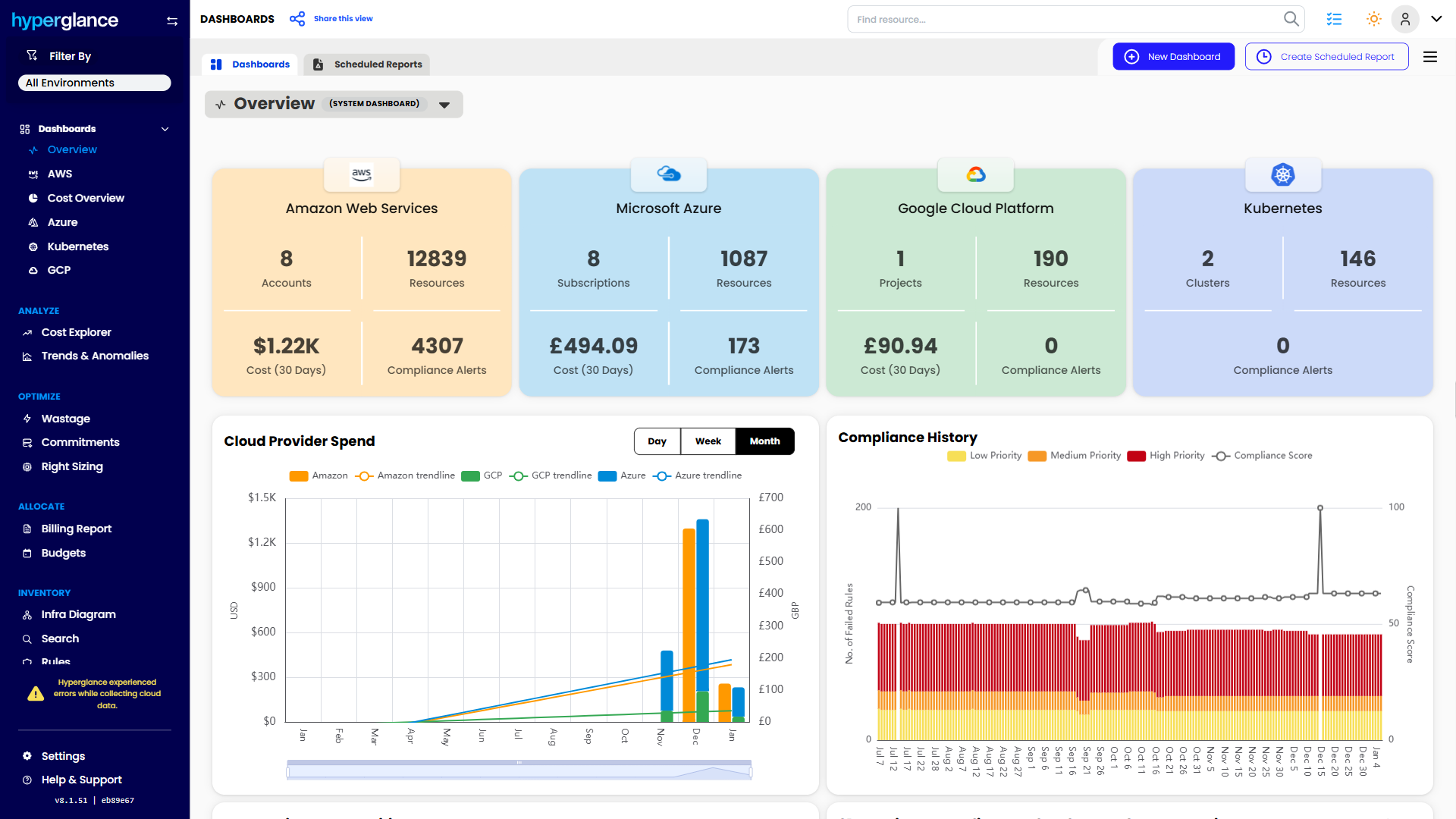
We help teams connect cloud cost to infrastructure context across AWS, Azure, Google Cloud, and Kubernetes. That means FinOps, CloudOps, platform, security, and leadership teams can work from the same view.
Hyperglance is especially useful for mid-market, enterprise, MSP, public sector, and regulated teams where ownership, governance, automation, and data control matter.
What You Can Do With Hyperglance
- See cost, resources, relationships, and ownership in one place
- Visualize cloud architecture with interactive diagrams
- Find waste, policy issues, and cost anomalies faster
- Route findings to the right team through existing workflows
- Use no-code automation for approved fixes
- Run Hyperglance in your own environment when data control matters
Want to see where Hyperglance fits in your FinOps stack?
Explore the product, start a free trial, or book a demo with the team.

About The Author: David Gill
As Hyperglance's Chief Technology Officer (CTO), David looks after product development & maintenance, providing strategic direction for all things tech. Having been at the core of the Hyperglance team for over 10 years, cloud optimization is at the heart of everything David does.