Contents
- Why Cost Explorer Alone Is Not Enough
- Get The Basics Right: Accounts, Data & Tags
- Focus on the Big Drivers of AWS Spend
- Make Smart Use Of Reservations And Savings Plans
- Add Guardrails: Budgets, Alerts, And Automation
- How Hyperglance Can Help With AWS Cost Management
- Review Your AWS Setup Against These Practices
- Frequently Asked Questions
Using AWS Cost Explorer and still getting surprised by the bill?
That usually isn’t a data problem. It’s an ownership problem.
As AWS environments grow, teams need more than charts. They need to see which accounts, services, and resources are driving spend, who owns them, and what action is safe to take. Without that, cost reviews turn into manual analysis, delayed decisions, and reactive cleanup.
This guide covers practical AWS cost management best practices for teams that want better cost allocation, fewer surprises, and more control across real AWS environments.
Why Cost Explorer Alone Is Not Enough
AWS Cost Explorer is a useful place to start.
It gives teams a quick view of cloud spend, usage trends, and costs by service, account, region, or tag. In smaller AWS environments, that is often enough to answer basic questions like where spend is rising and which services are driving the monthly bill.
But as AWS environments grow, Cost Explorer starts to feel more like a reporting layer than a cost management solution. That works for monthly reporting, but not for fast-moving engineering teams.
One of the biggest challenges is context. In multi-account environments, cost data may be aggregated, but that does not mean it is easy to interpret. Teams still need to understand how spend maps to applications, environments, business units, or owners across dozens or even hundreds of accounts. In practice, that usually depends on consistent tagging and manual analysis, neither of which Cost Explorer actively supports.
It also struggles to support deeper, longer-term analysis. You can review historical data, but once teams want to compare architectural changes, track shifting ownership, or create custom rollups that reflect how the business actually operates, they often hit a wall. That is when exports, spreadsheets, and external BI tools start creeping in.
Ownership is another weak spot. Cost Explorer can show where money is being spent, but it does not clearly show who is responsible for it. That makes it harder to build accountability into day-to-day engineering decisions. Instead, cost conversations often stay reactive, centralized, and disconnected from the teams creating the spend.
Then there is the fact that Cost Explorer is passive by design. It reports on what has already happened, but it does not help teams take action in the moment. There are no built-in workflows for flagging waste, routing issues to service owners, creating tickets, or triggering operational checks when spend starts drifting in the wrong direction.
That is why many teams end up exporting cost data into CSVs or pushing it into other tools for deeper analysis. While that can fill some gaps, it also adds delay, manual effort, and duplicated logic. By the time insights are surfaced, the opportunity to act may already have passed.
For teams running AWS at scale, real cost control needs more than standalone reporting. It needs clear ownership, faster feedback, and a way to turn insight into action on an ongoing basis. That is where a platform built for visibility, accountability, and continuous optimization starts to make a real difference.
Focus on the Big Drivers of AWS Spend
After improving visibility and structure, the next step is to focus on the areas that typically drive the largest share of AWS costs.
In most environments, a small number of patterns account for a disproportionate amount of unnecessary spend.
Addressing these consistently is a core part of AWS cost management best practices and delivers far more value than chasing minor pricing optimizations.
Compute resources are a typical example. EC2 instances, RDS databases, and similar services are often left running with little or no utilization, particularly in development, testing, or legacy environments.
Reduce Idle And Underused Compute
Compute resources often account for a large portion of AWS spend. EC2 instances, RDS databases, and similar services are frequently left running with little or no utilization, particularly in development, testing, or legacy environments.
Practical actions include:
- Identifying resources with consistently low utilization over time
- Shutting down or scheduling non-production workloads
- Replacing oversized instances with smaller alternatives
Want to go deeper on EC2 cost optimization? Explore our complete guide to right-sizing, scheduling, and cutting waste without risking performance.
Clean Up Storage Sprawl
Storage sprawl is a common and often overlooked cost driver. Over time, environments accumulate old snapshots, unattached EBS volumes, and S3 objects that are no longer needed.
These resources are easy to forget because they do not trigger alerts or performance issues. Regular reviews help identify storage that can be safely removed or archived, reducing costs and simplifying the environment.
Rightsize Overprovisioned Resources
Resources are often oversized based on early estimates rather than actual usage.
Rightsizing compares instance capacity with actual utilization patterns, typically using CPU and network metrics available by default in CloudWatch. For deeper analysis, additional metrics such as memory require enabling the CloudWatch Agent.
Reviewing these usage patterns over time helps teams reduce unused capacity while minimizing performance risk.
💥Many cost issues come from idle resources; address them using cloud wastage detection and cleanup automation
Make Smart Use Of Reservations And Savings Plans
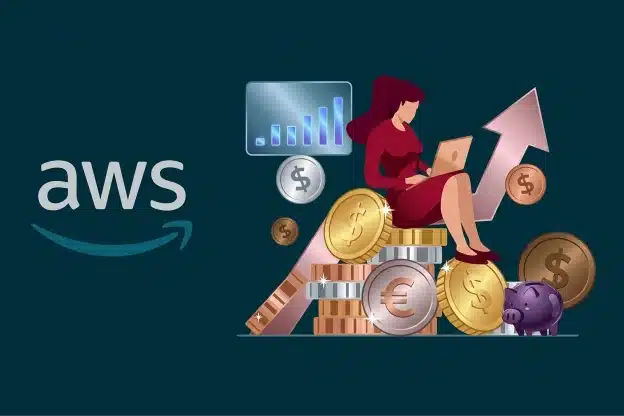
Reservations and Savings Plans can significantly reduce AWS costs, but only when used with a clear understanding of how workloads actually behave.
Committing too early or without ongoing review often leads to unused capacity and wasted spend.
When To Consider RIs And Savings Plans
Reserved Instances and Savings Plans work best for predictable workloads that run consistently, such as core production systems.
Before committing, teams should review historical usage to confirm demand is stable. For workloads that fluctuate or are likely to change, on-demand pricing may be safer.
Still weighing up Savings Plans vs Reserved Instances? Dive into our deep-dive breakdown to choose the right commitment strategy for your workloads.
Check Coverage And Utilization Regularly
Commitments should be reviewed regularly, not treated as a one-time decision. Changes in architecture, regions, or instance types can reduce utilization over time. Regular checks help teams spot gaps early and adjust future commitments.
Avoid Over-Commitment
Over-commitment is a common risk, especially when planning for peak usage. Starting with partial coverage and gradually increasing commitments helps reduce waste while maintaining flexibility as workloads evolve.
Add Guardrails: Budgets, Alerts, And Automation
As environments grow, manual reviews alone are not enough to keep costs under control. Guardrails help teams spot issues early and respond consistently, without relying on someone to notice a problem after the bill arrives.
Set Budgets At The Right Level
Budgets are most effective when they reflect how teams actually work. Setting them only at the overall account level often hides where issues originate.
Budgets tied to specific accounts, projects, or teams make ownership more straightforward and conversations more productive. When a budget is exceeded, it is easier to identify who needs to act and why the spending increased.
Alert On Meaningful Changes In Spend Or Usage
Alerts are most useful when they focus on changes rather than just thresholds. Sudden increases in usage or spend often signal configuration issues, runaway workloads, or forgotten resources.
By alerting when spending or usage drifts from standard patterns, teams can investigate early. This reduces the risk that minor issues will turn into high costs by the end of the billing period.
Use Rules To Reduce Manual Effort
Automation helps ensure that known sources of waste are handled consistently. Rules can flag untagged resources, idle compute, or storage that has not been used for a defined period.
In some cases, these rules can create tickets for review. In others, they can trigger safe, pre-approved actions such as stopping non-production resources outside working hours. This approach reduces noise while keeping teams in control.
Want real-world strategies in action? Catch our AWS Cost Optimization Best Practices Webinar to see these best practices applied step by step.
How Hyperglance Can Help With AWS Cost Management
Hyperglance helps teams turn AWS cost insights into action without adding friction.
Rather than forcing teams into exports, manual reviews, or disconnected dashboards, it helps bring cost, resource context, ownership, and rules into one workflow
- Find Waste Faster: See idle or underused resources across multiple accounts, understand the cost impact, and route findings to the right owner.
- Add Practical Guardrails: Track budgets, spot unusual spend changes, and apply rules for issues like idle resources, missing tags, or non-production workloads running out of hours.
- Improve Tag Coverage and Ownership: Surface untagged resources, standardize tags like owner, application, environment, and cost center, and make chargeback or showback easier to support.
- Support Rightsizing and Commitment Decisions: Identify oversized or underused resources and review commitment opportunities with better operational context.
- Build Accountability Into Daily Operations: Filter views by account, service, environment, or team so cost ownership becomes part of normal engineering work, not a separate monthly exercise.
Review Your AWS Setup Against These Practices
You don’t need to fix everything at once. In most environments, progress comes from focusing on a small number of areas and applying consistent effort over time.
A good starting point is to pick two or three focus areas that are most likely to deliver results. This might be reducing idle compute, improving tag coverage, or reviewing storage that has grown unchecked. These areas are usually easy to validate and reveal quick wins as well as longer-term improvements.
Once those focus areas are clear, the next step is to review how they appear in your own AWS accounts. Having a clear view of resources, ownership, and cost impact in one place makes that review far more effective.
Once you know where the biggest gaps are, the next step is to review them in context. That means looking at cost, ownership, and resource detail together, so teams can decide what to fix first and what can wait.
Frequently Asked Questions
What are the limitations of AWS Cost Explorer?
AWS Cost Explorer is useful for high-level reporting, but it has limits once environments grow. It does not give strong operational context across multiple accounts, depends heavily on consistent tagging, and does not help teams take action when spend drifts. For deeper analysis, ownership tracking, and ongoing control, most teams need more than reporting alone.
What is the difference between AWS Cost Explorer and Cost and Usage Reports (CUR)?
AWS Cost Explorer gives you summarized views of spend for quick analysis. Cost and Usage Reports, or CUR, provide detailed line-item billing and usage data across services and accounts. That makes CUR the better source for accurate cost allocation, long-term analysis, and deeper reporting.
How can teams enforce AWS cost controls without slowing developers down?
The best cost controls fit into day-to-day operations rather than blocking work. Budgets, alerts, and simple rules can flag issues early, while clear ownership and consistent tagging make it obvious who should act. This helps teams stay in control without adding unnecessary friction.
What are the biggest drivers of AWS costs?
In many AWS environments, the biggest cost drivers are compute, storage, and overprovisioned resources. Idle or underused EC2 and RDS instances, old snapshots, unattached volumes, and resources sized larger than needed often account for a large share of avoidable spend.
How do I find idle or unused AWS resources?
Idle resources are usually found by reviewing utilization over time, not just by checking whether something is running. Low CPU, memory, or I/O activity over days or weeks can point to waste. Non-production environments are often the best place to start.
How do you manage AWS costs across multiple accounts?
Multi-account AWS cost management works best when teams combine a clear account structure with consistent tagging and shared reporting. That makes it easier to understand where spend is happening, who owns it, and where action is needed. Without that structure, cost reviews often become slow and manual.
How do I get detailed AWS cost data?
Detailed AWS cost data comes from Cost and Usage Reports. CUR includes line-item data for usage, pricing, discounts, and resource-level detail where enabled. It is commonly used for accurate cost allocation and deeper financial analysis.
How do I stop surprise AWS bills?
Surprise AWS bills are often caused by sudden usage changes, forgotten resources, or weak visibility into ownership. Budgets and alerts help catch unusual spend early, while regular reviews of idle compute, storage, and tagging gaps reduce the chance of costs building up unnoticed.
Why can’t I see who owns this AWS spend?
Ownership is usually unclear when resources are missing tags or when tagging is inconsistent across accounts and teams. Without reliable tags such as owner, application, or environment, it becomes much harder to connect spend to the right people or services.
How do I find wasted EC2 and RDS spend?
Wasted EC2 and RDS spend often comes from idle, underused, or oversized resources. Reviewing utilization trends over time helps teams find instances that can be stopped, scheduled, resized, or reviewed further without creating unnecessary risk.
Why Teams Choose Hyperglance in 2026
Hyperglance is a strong fit when cost data alone doesn’t give your team enough context.
That often happens when teams are asking questions like:
- What is running across our cloud estate?
- Who owns this resource?
- Why did this cost change?
- What else depends on it?
- Is this safe to clean up?
- Which policy, security, or compliance issue needs attention?
- Can we route this to the right owner or trigger an approved action?
We help teams connect cloud cost to infrastructure context across AWS, Azure, Google Cloud, and Kubernetes. That means FinOps, CloudOps, platform, security, and leadership teams can work from the same view.
Hyperglance is especially useful for mid-market, enterprise, MSP, public sector, and regulated teams where ownership, governance, automation, and data control matter.
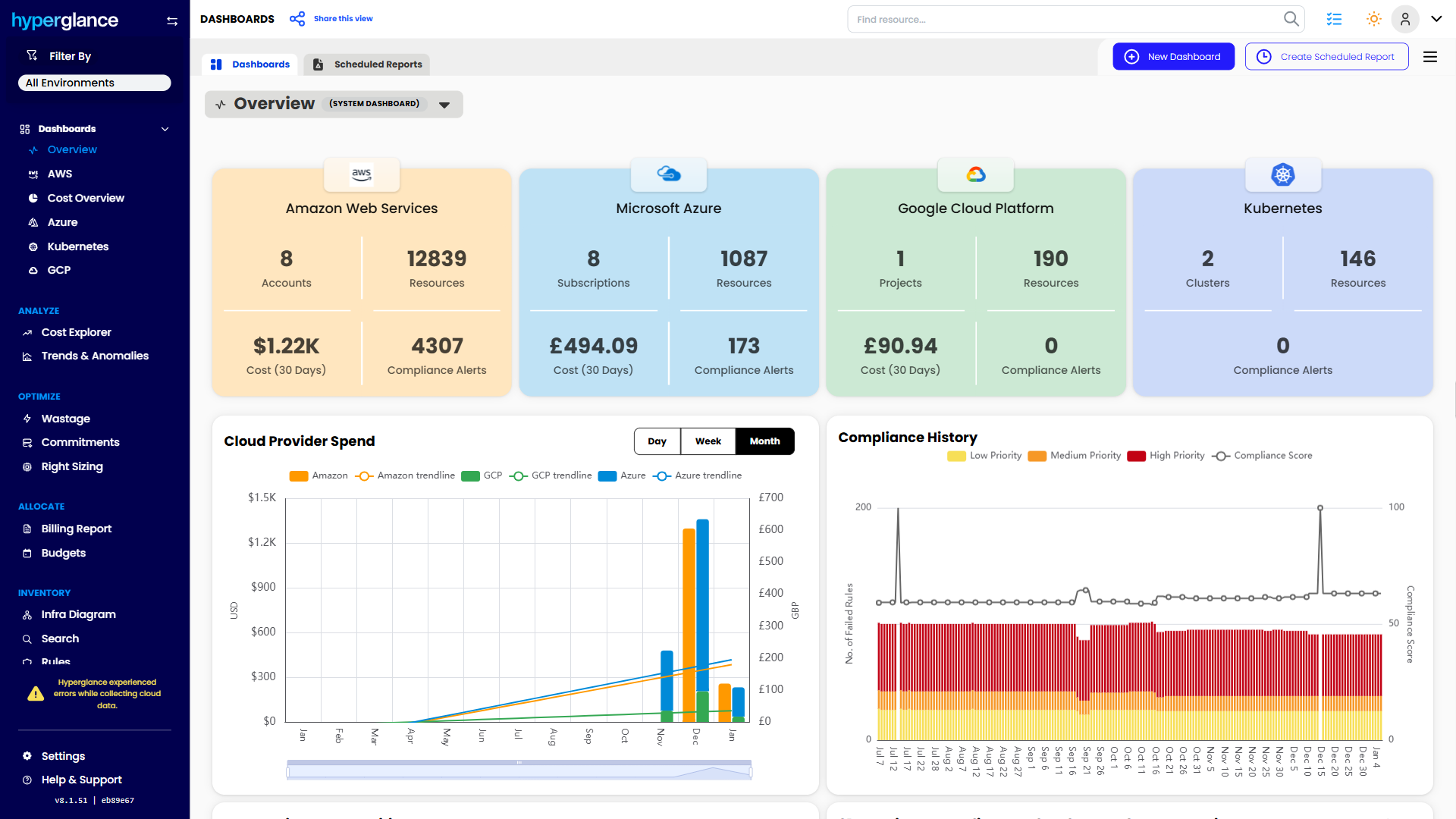
What You Can Do With Hyperglance
- See cost, resources, relationships, and ownership in one place
- Visualize cloud architecture with interactive diagrams
- Find waste, policy issues, and cost anomalies faster
- Route findings to the right team through existing workflows
- Use no-code automation for approved fixes
- Run Hyperglance in your own environment when data control matters
Want to see where Hyperglance fits in your FinOps stack?
Explore the product, start a free trial, or book a demo with the team.

About The Author: Stephen Lucas
As Hyperglance's Chief Product Officer (CPO), Stephen is responsible for the Hyperglance product roadmap. Stephen has over 20 years of experience in product management, project management, and cloud strategy across various industries.