Contents
- The Gap Between Estimates and Real Azure Spend
- Lay the Groundwork: Subscriptions, Groups, and Tags
- Use Azure Cost Management Effectively
- Tackle Common Azure Cost Pitfalls
- Move From One-Off Reviews to Ongoing Governance
- How Hyperglance Can Support Azure Cost Management
- Next Steps: Pick a Few Azure Cost Focus Areas
- Frequently Asked Questions
Azure cost management often starts with a pricing estimate, but real spend usually drifts once workloads go live. New resources get added, ownership gets blurry, and costs spread across subscriptions faster than most teams expect.
In this guide, we’ll look at the Azure cost management practices that matter once estimates stop being the hard part.
You’ll learn how to structure subscriptions, management groups, and tags, avoid common cost pitfalls, and move from reactive cost reviews to continuous control.
The Gap Between Estimates and Real Azure Spend
Cost planning usually starts with a calculator and a shortlist of expected services.
That approach works on paper, but live environments change quickly. New services are added, test workloads linger, and configurations drift over time.
Without a repeatable way to review usage across subscriptions, costs rise quietly, especially when no one can clearly answer who owns what.
Over time, small decisions compound into spending no one feels directly responsible for.
👉 Reduce overspend by identifying unused and idle Azure resources with wastage detection.
Lay the Groundwork: Subscriptions, Groups, and Tags
Use Management Groups and Subscriptions Deliberately
Subscriptions should reflect how your business operates. Common patterns include separating production and non-production, splitting major teams, or grouping by region.
Management groups sit above subscriptions and help you apply policy, budgets, and reporting consistently. This structure becomes increasingly important as your Azure footprint grows and subscription sprawl sets in.
Design Resource Groups With Purpose
Resource groups are often treated as convenience containers, but that approach limits cost clarity. To keep costs understandable, group resources by workload or lifecycle rather than by team alone.
When resource groups align with applications or environments, it becomes easier to attribute spend, clean up unused assets, and explain costs to stakeholders.
Set a Clear Tagging Policy for Costs
Tags are one of the foundations of cost allocation. At a minimum, they should help you answer 3 questions fast: who owns this, what workload it supports, and which business unit should pay for it.
Define mandatory tags such as:
- Cost center
- Owner
- Application
- Environment
Enforce tagging with Azure Policy so resources can’t be created without them, and audit tags regularly to catch gaps and inconsistencies.
A short, enforced tagging standard is usually far more useful than an ambitious tagging model no one follows consistently.
Use Azure Cost Management Effectively
Azure’s native cost tools are a useful starting point, but they work best when your subscriptions, tags, and ownership model are already in decent shape.
Budgets, alerts, and cost analysis views support day-to-day monitoring and help teams understand how spending changes over time.
When subscriptions are organized under management groups, Azure Cost Management can aggregate data across them, making it easier to review costs at different levels of the organization.
Azure keeps a lot of cost and usage history, but the portal is not always the easiest place to work with older or more detailed data. For older data or deeper analysis, exporting cost data to storage and querying it outside the portal provides more flexibility and control.
For many teams, Azure Cost Management is only part of the picture. The harder part is tying spend back to real environments, owners, and decisions.
⭐ If you're managing storage-heavy workloads, this Azure Storage Pricing Guide 2026 breaks down tiers, hidden costs, and optimization strategies in detail.
Tackle Common Azure Cost Pitfalls
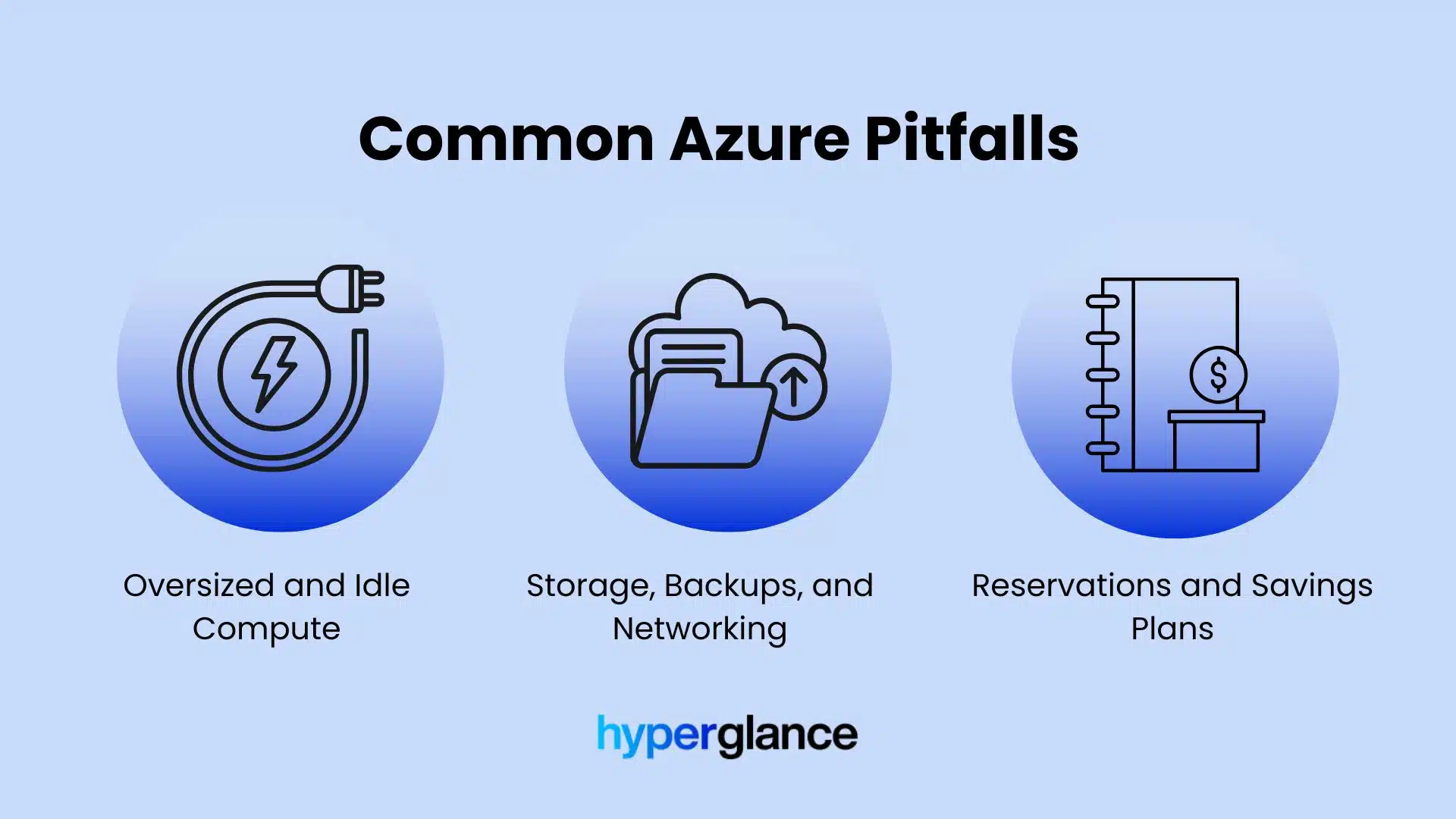
Common challenges faced in Azure cost management
Oversized and Idle Compute
Compute is one of the fastest ways to spiral costs. Virtual machines and PaaS services often run well below capacity long after peak demand has passed.
Identifying consistently underutilized resources is one of the simplest ways to reduce spend without affecting performance, but it requires looking beyond individual subscriptions.
Storage, Backups, and Networking
Old disks, unused snapshots, long-retained backups, and unexpected data egress charges add up quietly. These areas are easy to overlook because they rarely trigger immediate alarms, yet they have a direct impact on monthly bills.
Regular reviews focused specifically on storage and data movement can uncover savings that general cost reviews miss.
Reservations and Savings Plans
Reservations and savings plans can deliver strong savings when applied to stable workloads. The risk comes from committing too early or without enough usage data, which can lock teams into inefficient patterns. Before committing, make sure usage is steady and well understood across environments.
Orphaned and Forgotten Resources
Some Azure costs come from resources that are no longer serving a live workload at all. Detached disks, old IPs, unused snapshots, forgotten test environments, and half-retired components often stay behind after projects move on. They may look small in isolation, but over time, they create steady waste.
Move From One-Off Reviews to Ongoing Governance
Cost optimization works best when it becomes part of day-to-day operations, not just a quarterly review.
Mature teams apply Azure cost management best practices through regular reviews, automated policies, and proactive alerts.
Policies can flag untagged resources, while budgets trigger notifications before thresholds are exceeded.
Routing alerts, reports, or tickets to the right owners helps cost governance become part of normal operations rather than a separate monthly exercise.
This governance layer is what turns cost awareness into consistent behavior.
How Hyperglance Can Support Azure Cost Management
Hyperglance helps teams make Azure cost data easier to act on by showing spend alongside the resources, services, and relationships behind it.
This makes it easier to understand how spend relates to real environments rather than isolated line items.
Typical use cases include:
-
Finding idle or oversized resources across subscriptions and sending findings to the right owners
-
Spotting missing tags and unclear ownership before they distort reporting
-
Reviewing spend in the context of real environments, not just billing line items
When you can see spend in the context of real environments and ownership, it becomes much easier to decide what to fix first.
Next Steps: Pick a Few Azure Cost Focus Areas
Rather than tackling everything at once, start small.
Choose a handful of subscriptions or one business unit and apply these Azure cost management best practices consistently.
As visibility improves, expand governance gradually across your environment.
Many teams start with a small slice of their environment, validate what the cost data is really showing them, and then scale governance from there.
Frequently Asked Questions About Azure Cost Management
What drives Azure costs the most?
Azure costs are usually driven by a mix of compute, storage, networking, and managed services. In many environments, virtual machines are one of the biggest contributors, especially when they are oversized, left running longer than needed, or spread across multiple subscriptions without clear ownership. Storage and data transfer costs can also build up quickly, particularly when usage grows over time without regular review.
What’s the best way to organize Azure subscriptions for cost tracking?
The best approach is to structure subscriptions in a way that reflects how your business actually works. Many teams separate production and non-production environments, split out major business units or departments, and keep high-cost or high-risk workloads clearly defined. The goal is to make reporting, accountability, and cost allocation easier without creating unnecessary complexity.
Can Azure Cost Management track multiple subscriptions?
Yes, Azure Cost Management can track spend across multiple subscriptions. This makes it possible to review usage at a broader level, compare costs across teams or environments, and identify where spend is increasing. That said, the quality of your reporting still depends heavily on how well your subscriptions, resource groups, and tags are set up.
How can you automate Azure cost alerts for different business units?
You can automate Azure cost alerts by setting budgets and notifications at the subscription, resource group, or management group level. To make those alerts useful for different business units, it helps to combine budgeting with a clear tagging standard so costs can be assigned to the right teams. Many organizations also route alerts into shared workflows such as email, ticketing systems, or collaboration tools so the right people can act quickly.
Is the Azure Pricing Calculator accurate?
The Azure Pricing Calculator is useful for forecasting expected spend, but it is only as accurate as the assumptions behind it. Real-world Azure environments often change after deployment, with shifts in usage, scaling behavior, storage growth, and new resources being added over time. It is best treated as a starting point rather than a guarantee of future cost.
Which tags matter most for Azure cost tracking?
The most useful tags are usually the ones that answer a few simple questions quickly: who owns this resource, what workload or application it supports, which environment it belongs to, and which business unit or cost center should be responsible for the spend. A small number of well-enforced tags is usually more valuable than a large tagging model that teams do not apply consistently.
What’s the best Azure tagging strategy for cost tracking?
The best tagging strategy is one that is simple, consistent, and enforced across your environment. Start with a small set of required tags such as owner, environment, application, and cost center. From there, make sure tags are applied in a standard way and reviewed regularly. A practical tagging strategy should support cost allocation, reporting, and accountability without becoming too complicated to maintain.
Why Teams Choose Hyperglance in 2026
Hyperglance is a strong fit when cost data alone doesn’t give your team enough context.
That often happens when teams are asking questions like:
- What is running across our cloud estate?
- Who owns this resource?
- Why did this cost change?
- What else depends on it?
- Is it safe to clean up?
- Which policy, security, or compliance issue needs attention?
- Can we route this to the right owner or trigger an approved action?
We help teams connect cloud cost to infrastructure context across AWS, Azure, Google Cloud, and Kubernetes. That means FinOps, CloudOps, platform, security, and leadership teams can work from the same view.
Hyperglance is especially useful for mid-market, enterprise, MSP, public sector, and regulated teams where ownership, governance, automation, and data control matter.
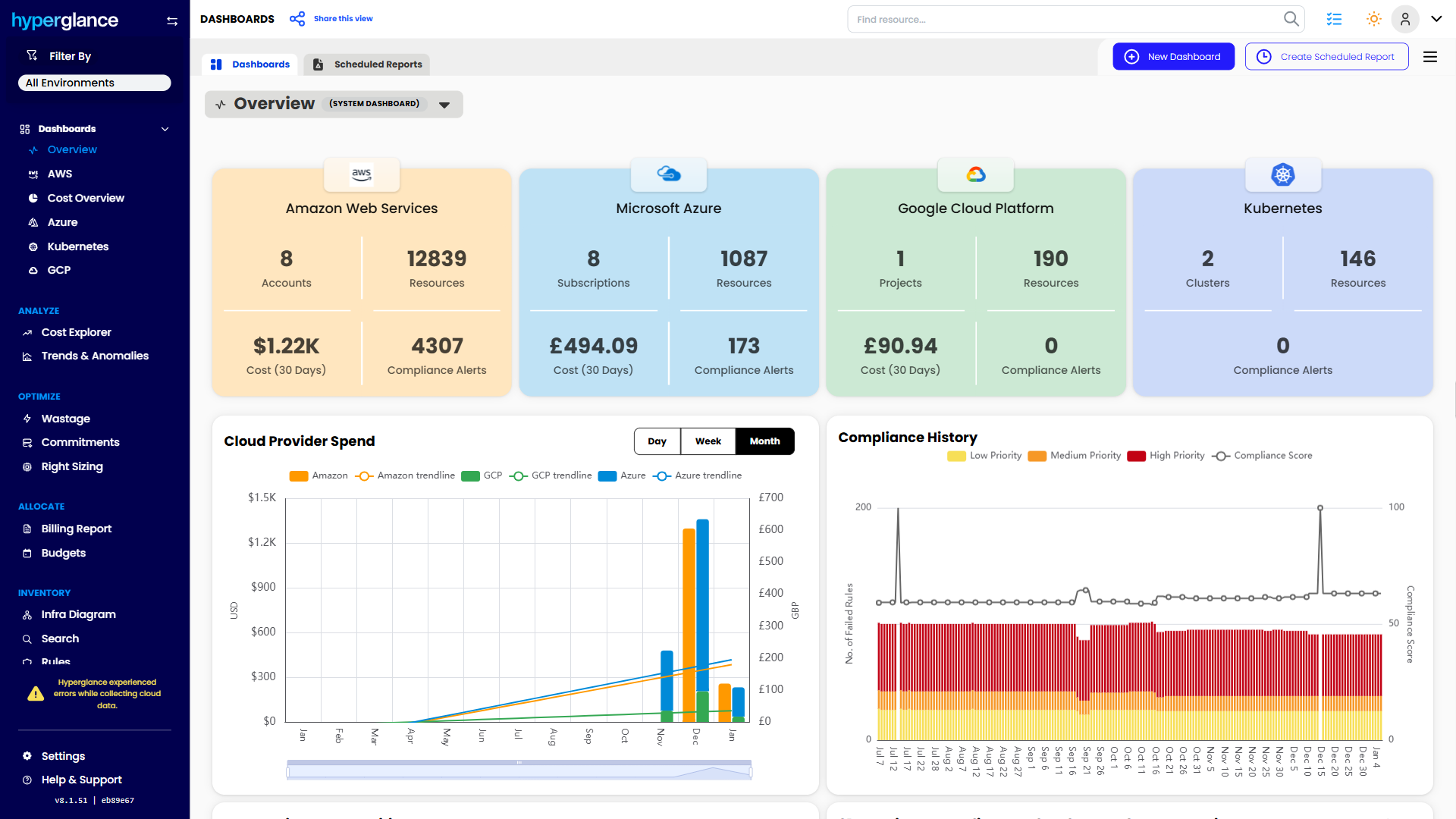
What You Can Do With Hyperglance
- See cost, resources, relationships, and ownership in one place
- Visualize cloud architecture with interactive diagrams
- Find waste, policy issues, and cost anomalies faster
- Route findings to the right team through existing workflows
- Use no-code automation for approved fixes
- Run Hyperglance in your own environment when data control matters
Want to see where Hyperglance fits in your FinOps stack?
Explore the product, start a free trial, or book a demo with the team.

About The Author: Stephen Lucas
As Hyperglance's Chief Product Officer (CPO), Stephen is responsible for the Hyperglance product roadmap. Stephen has over 20 years of experience in product management, project management, and cloud strategy across various industries.